
Smart Home

NYC Pre-War Building Smart Home Installation Experts

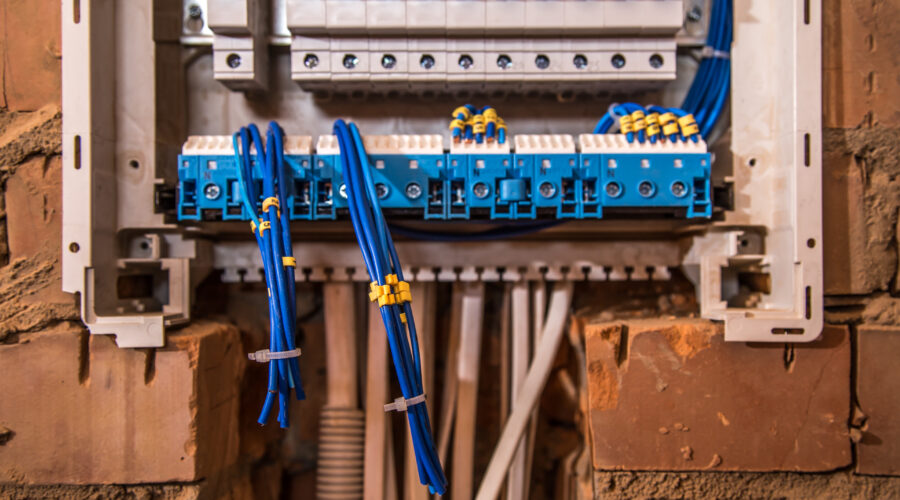
Smart home technology offers modern convenience and security, but installing it in New York City’s historic pre-war buildings requires special expertise. Older brownstones and co-op apartments have unique construction quirks, from plaster walls hiding legacy wiring to steam-heated radiators that make a simple retrofit challenging. NYC IT Tech Audio Video, CCTV And Surveillance Camera Installation specializes in integrating smart home systems into these classic structures throughout Manhattan and the five boroughs. We combine respect for historic details with cutting-edge solutions so your NYC brownstone feels both smart and authentic.

Unique Challenges in Pre-War Buildings

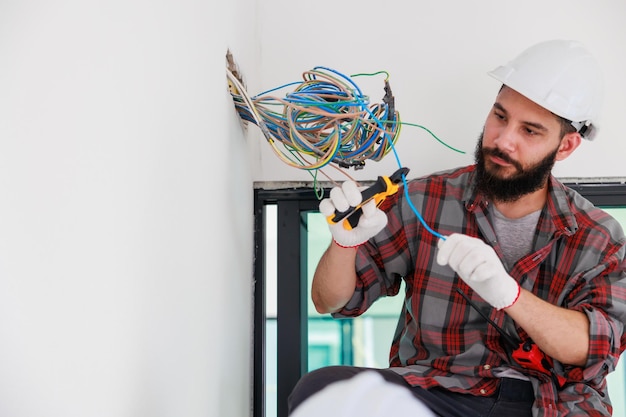
Pre-war and brownstone residences often come with very old infrastructure. Many Manhattan brownstones in Murray Hill, Gramercy Park or the Upper East Side still use original plaster walls and knob-and-tube wiring behind the walls. Simply drilling holes or fishing cables can crack the plaster if done carelessly. Our team knows how to work with those materials: we use specialized anchors, wall-safe cable channels, and wireless devices whenever possible. We also update outdated components like fuse boxes or fragile outlets. For example, if your Park Slope or Chelsea home has an old steam radiator heating system, we add smart thermostats or radiator valves that integrate without replacing any pipes. Every step is done with an eye on New York City building codes and landmark regulations, ensuring your historic home stays beautiful and compliant.

Modernizing Electrical and Infrastructure

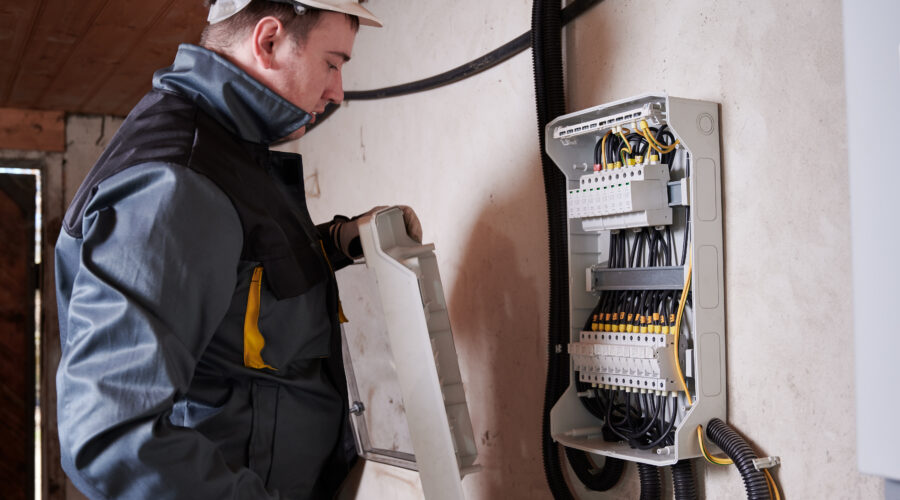
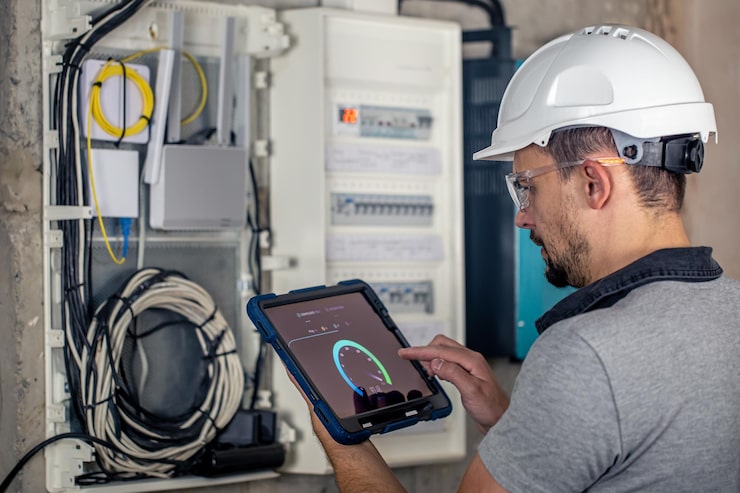
A key part of any smart home installation in a pre-war building is upgrading the power supply. Many century-old brownstones were built with 60- or 100-amp electrical panels, which can’t handle today’s load. At NYC IT Tech, our licensed electricians perform electrical upgrades up to 200 amps or more as needed. This gives your home enough capacity for dozens of devices, from AV systems to air conditioning, without tripping breakers. We pull all necessary permits and coordinate inspections with the NYC Department of Buildings. Because we’re based in Manhattan, we’re familiar with Con Edison procedures and local safety requirements. Whether it’s running new circuits for your theater room or installing a whole-house surge protector, we handle the heavy lifting so your pre-war home can safely power modern technology.

Seamless, Non-Invasive Installation Techniques

In New York’s dense neighborhoods, builders often restrict disruptive construction. That’s why NYC IT Tech uses wireless and minimally-invasive solutions whenever possible. For example, we install wireless smart sensors and controls for lighting, shades, and climate, avoiding the need to open walls. When we do run wires, we use surface-mounted raceways or tuck cables along trim lines to keep them out of sight. In landmarked areas or co-op buildings, we follow all regulations for facades and common areas, using small wireless access points or antennas instead of large antennas. Even for equipment like smart thermostats or intercoms, we choose compact, elegant designs that blend with historic decors. The result: modern automation in your pre-war building with minimal disruption to your life or the building’s character.

Local NYC Expertise

Located near Grand Central Terminal in Midtown Manhattan, NYC IT Tech knows New York City inside out. We’ve worked in pre-war buildings across neighborhoods like Murray Hill, Kips Bay, Gramercy Park, Chelsea, the Upper East Side, and the Upper West Side. We also handle Brooklyn brownstones in Park Slope, Carroll Gardens, and Williamsburg. This local footprint means we understand each area’s unique rules and architectural styles. For example, integrating smart security cameras on a pre-war façade near Times Square requires careful compliance with FDNY and NYC fire codes, something our team is fully prepared for. Our familiarity with landmarks like Grand Central or the Empire State Building ensures we always bring the right equipment for each setting. With NYC IT Tech, you get a smart home solution tailored to the specific neighborhood and building where you live.

Enhancing Comfort, Safety, and Value

A brownstone smart home isn’t just about gadgets, it’s about making daily life better. Imagine coming home to a perfectly climate-controlled Manhattan apartment after a hot summer commute. Our smart thermostats can adjust your pre-war home’s temperature automatically, even if it has old steam radiators. Picture automated lighting scenes in a Brooklyn Heights living room: warm lights turn on in the evening while preserving the charm of original moldings and woodwork. We also integrate advanced security systems designed for urban living. Video doorbells and smart locks let you grant access to guests or service people from your phone, whether you’re at your Midtown office or away in Central Park. All these upgrades, from energy-saving automation to apartment-wide audio, increase comfort and can even boost the value of your historic NYC home.

Why Choose NYC IT Tech for Your Smart Home Installation

NYC IT Tech Audio Video, CCTV And Surveillance Camera Installation stands out as the local authority on smart homes in pre-war buildings. Our team combines decades of experience in home automation, professional audio/video, and security. We design each system with New York’s unique needs in mind, so your smart home works flawlessly within older structures. Because we’re based in Manhattan, our response times are fast across the city, from Midtown to Manhattan’s Upper West Side. We treat every brownstone like our own, providing personalized service you can trust. When you choose NYC IT Tech, you choose NYC neighbors who care about preserving your home’s history while adding modern convenience.

Contact NYC IT Tech Today

Ready to modernize your NYC pre-war home? Call NYC IT Tech at (212) 671-3330 to schedule your free consultation. Our experts will walk you through smart home options for your building. You can also visit our website for more information or check out our Google Business Profile to see customer reviews. Let us help you enjoy the best of both worlds, the charm of a historic home with the cutting-edge convenience of today’s technology.

Frequently Asked Questions (FAQs)

Absolutely. NYC IT Tech has specialized experience integrating smart home technology into century-old buildings. We account for antique wiring and plaster walls. For example, we upgrade electrical panels and use wireless controls so your home’s technology is seamless and your walls stay intact.

We are based in Manhattan and serve clients throughout New York City. Our work is common in Manhattan areas like Murray Hill, Kips Bay, Chelsea, the Upper East Side, and Gramercy Park. We also handle Brooklyn brownstones in Park Slope, Carroll Gardens, Williamsburg and more. Wherever your pre-war building is, our team knows the local codes and routes.

In many cases, yes – especially for electrical upgrades or if the building is landmarked. NYC IT Tech takes care of all permit pulls and ensures compliance with NYC building codes. We coordinate with local agencies (and co-op boards, if applicable) so the process is smooth and worry-free for you.

We minimize disruption. Our approach uses wireless devices and carefully routed wiring to avoid tearing into walls. Most smart home installations in pre-war apartments can be completed in a day or two. We schedule work at your convenience and always leave the site clean.

It’s easy! Call us at 212-671-3330 or visit our website to request an estimate. We’ll discuss your goals, inspect your building, and provide a clear plan for installing smart technology in your NYC brownstone.

In summary, upgrading a pre-war building in New York City with smart home technology requires local expertise, careful planning, and respect for historic construction. NYC IT Tech Audio Video, CCTV And Surveillance Camera Installation delivers all of the above. Contact us today at (212) 671-3330 and enjoy the modern convenience of a fully integrated smart home while preserving the charm of your historic NYC residence.

Aging in Place in NYC with Smart Home Technology for Seniors

For seniors who’ve spent decades in New York City, this place means home. The bodega owner who knows your order, the park bench where you’ve watched seasons change, neighbors you’ve known for thirty years. Moving away from all that feels impossible, and it doesn’t have to happen. Aging in place technology solutions are giving older New Yorkers practical ways to stay in their apartments and brownstones while addressing real safety concerns.

Why More NYC Seniors Choose to Age in Place

Your apartment holds memories that no facility can replace. Grandmother’s recipes tested in that same kitchen, family gatherings around the dining table, the view you’ve woken up to for decades. Smart home technology for seniors is helping New Yorkers maintain independence without sacrificing safety.

Three out of four people over 50 want to stay in their current homes as they age. With accessible home security services now available, that goal is realistic. Adult children living in other boroughs or states can check in without constant phone calls or visits that feel intrusive.

Aging in Place Technology Solutions for Everyday Challenges

Fall Prevention and Getting Around Safely

Walking through a dark hallway at 2 AM to use the bathroom shouldn’t feel dangerous. Motion-activated lighting changes that. Sensors detect movement and gently brighten pathways before you reach for a switch. A voice activated assistant for seniors lets you say “turn on the bedroom lights” without fumbling in the dark.

Brownstone living presents unique challenges with multiple floors and narrow staircases. When you add smart home automation throughout each level, lights respond to your presence automatically. Professional lighting and shading systems can be programmed to adjust throughout the day, mimicking natural light patterns that help maintain healthy sleep cycles.

Remembering Medications and Appointments

Smart displays sit on kitchen counters or nightstands and announce medication times with gentle audio and visual alerts. They also handle video calls with doctors for telehealth appointments. The same screen that reminds you about morning pills can connect you with your cardiologist or show you how to prepare a recipe.

Voice assistants answer questions about the weather, play your favorite radio station, and set reminders without complicated phone menus. For seniors who struggle with small buttons or touchscreens, voice activated systems remove physical barriers to staying organized.

Protecting Against Security Threats and Scams

Scammers target seniors, assuming older people are more trusting or less tech-savvy. Installing video intercom systems at building entrances lets you see exactly who’s buzzing before letting anyone in. You can speak to visitors through your phone even when you’re visiting family in Queens or Jersey.

Smart locks eliminate hiding spare keys under doormats or dealing with unreliable superintendent services. Adult children can unlock the door remotely if their parent falls and can’t reach it, or when a home health aide arrives. These systems work with access control installations that track who enters and when, creating a digital record for both security and accountability.

Maintaining Family Connections

Video calling devices designed for seniors skip the complicated setup that smartphones require. Press one large button and your granddaughter appears on screen. These bridge the gap between Sunday dinners and give grandparents front-row seats to school plays, piano recitals, and everyday moments they might otherwise miss.

The cameras work both ways. When adult children worry about a parent who lives alone, two-way video chat offers reassurance without feeling like surveillance. You can show them the new plant you bought or ask their opinion about rearranging furniture.

How to Help Elderly Parents Live at Home Safely with Remote Monitoring

Remote monitoring gives families information without constant check-ins that feel patronizing. Motion sensors on refrigerator doors confirm that someone is eating regularly. Installing security camera systems around entry points sends alerts when doors open or close, so you know your mother made it home from her afternoon walk.

Learning how to help elderly parents live at home safely starts with understanding which tools provide genuine support versus unnecessary complications. Nobody wants to feel spied on in their own home. Transparency about which devices are active and what they monitor maintains trust while providing the safety net both generations need. Door and window sensors work well when integrated with professional alarm system installation, alerting family members to unusual activity patterns without invasive cameras in every room.

Designing Systems That Help Without Adding Complexity

The best smart home setup is one that gets used. Complicated apps with dozens of menus sit untouched because nobody has time to figure them out. Professional installation matters. Smart home technology for seniors needs to work intuitively from day one, responding reliably to simple voice commands or single-button presses.

Seniors throughout Brooklyn neighborhoods have different needs than those in Manhattan high-rises. A walk-up apartment requires different solutions than a building with 24-hour doormen. The goal is independence, not adding more things to worry about. Technology should fade into the background of daily life, working quietly without demanding constant attention. When your lights turn on as you enter a room and your front door locks itself at bedtime, you’re not thinking about smart features. You’re just living in a home that adapts to your needs, letting you stay in the place you love.

Can You Add Smart Tech to a 100-Year-Old Brownstone?

Walk up to your Park Slope brownstone and the door unlocks automatically. Inside, lights adjust to evening mode, your playlist starts, and the temperature is perfect. Your original crown molding, hardwood floors, and century-old plaster walls stay completely untouched.

This happens every day in brownstones across Cobble Hill, Bedford-Stuyvesant, and Fort Greene. The question isn’t whether you can add smart technology to a 100-year-old building, it’s how to do it without damaging what makes your home special.

The First Thing to Know About Brownstone Upgrades

The best technology is invisible. When renovating a historic brownstone with technology, your upgrades should protect what’s already there. If your brownstone falls under NYC Landmarks Preservation Commission designation, exterior changes need approval. But even non-landmarked homes benefit from this mindset: integration that enhances daily life without compromising the architecture.

The Reality of 100-Year-Old Construction

Brownstones built between 1870 and 1930 share features that affect tech decisions:

  • Plaster walls over wood lath (crack easily, hard to patch)
  • Original electrical systems, sometimes with knob-and-tube wiring
  • High ceilings creating hot and cold zones
  • Thick masonry walls blocking wireless signals
  • Historic facades with strict modification rules

Get an electrical assessment first. Many brownstones run on 60-amp or 100-amp service, which struggles with modern devices. Upgrading to 200-amp service gives you the foundation for a brooklyn brownstone smart home.

Installing Tech Without Destroying Your Walls

What Makes This Hard

Plaster walls crack, crumble around screw holes, and hide surprises. Running new wires means cutting, patching, and often losing original plaster you can’t replicate. For landmarked homes or exceptional plasterwork, this isn’t acceptable.

What Works Better

Wireless home automation for historic homes has come a long way. WiFi, Z-Wave, or Zigbee systems eliminate new wiring runs, protecting your walls while delivering full functionality.

For stronger connectivity:

ChallengeWhat to UseWhy It Helps
Thick walls block WiFiMesh network systemsMultiple access points cover vertical space
Multiple floorsPowerline adaptersUses existing electrical wiring
Keeping things hiddenAccess points in closetsBehind furniture or in storage

When wires are necessary, work with home automation installers who know old buildings. They fish cables through existing spaces and use basement/attic routes to minimize wall cuts.

Heating and Cooling Multiple Floors

Brownstone owners know that the third floor swelters in winter while the parlor floor stays cold. Single-zone systems push heat up with no balance across stories. You’re overheating the entire house trying to warm one cold room.

Here’s how to install smart home temperature control in multi-story house layouts:

Smart Thermostats with Sensors

Nest Learning Thermostat and Ecobee SmartThermostat place sensors on each floor. The main unit replaces your existing thermostat (simple swap), while wireless sensors report temperature data back. The system averages temperatures across sensors or prioritizes rooms at different times: bedrooms at night, common areas during the day.

Zone Dampers

For brownstones with ductwork, motorized zone dampers are installed inside existing ducts to direct airflow. Combined with a smart thermostat, you get true multi-zone comfort. Needs professional installation but works within your current system.

Basic thermostat replacement takes a few hours. Whole-home automation coordinating climate with other systems takes more planning.

Results?

Most homeowners see 15-20% lower heating costs. Every floor becomes comfortable, top-floor bedrooms cool enough to sleep, garden-level kitchens warm enough to cook.

Keeping Historic Switches While Going Smart

Original light switches, push-button mechanisms, porcelain faceplates, brass toggles are part of your home’s character. Modern plastic switches or touch panels ruin that. But you still want dimming, scheduling, and lighting scenes.

You can keep every original switch and still add smart control:

Smart Modules Behind Switches

Lutron Caseta installs behind your existing switch. Original hardware stays and works normally, plus you get phone control, schedules, and automation scenes. Works for dimmers and on/off control.

Smart Bulbs

Philips Hue or LIFX screw into existing fixtures. No wiring changes. Wall switches keep working, bulbs respond to apps, voice commands, and automation. Perfect for chandeliers and decorative fixtures.

New Switches That Fit

If replacing switches, choose smart options in oil-rubbed bronze, aged brass, or matte black instead of white or chrome.

Security That Doesn’t Ruin Your Facade

Modern security cameras on historic facades look out of place and can violate Landmarks Preservation Commission guidelines. But security matters for valuable homes in developing neighborhoods.

Robust security without visual intrusion is possible with the right approach:

Video Doorbells

Modern video doorbells are smaller and available in bronze, brass, or black finishes matching existing hardware. Installation replaces your current doorbell using the same wiring. For landmarked properties, confirm LPC compliance first.

Cameras

Interior cameras placed in windows monitor stoops, front yards, or rear gardens without exterior mounting. Position behind sheer curtains or in upper windows. For exterior cameras: mount under eaves, disguise as light fixtures, or position at rear entries where facade rules don’t apply.

Smart Locks

August Smart Lock installs on the interior, leaving exterior hardware unchanged. Schlage and Yale offer smart locks in traditional finishes. Complete systems coordinate locks that disarm alarms and cameras that record when motion triggers.

Security Components

ComponentWhat It DoesInstallation Notes
Door/window sensorsDetects openingsWireless models don’t damage frames
Motion detectorsInterior monitoringBattery-powered and repositionable
Glass break sensorsDetects intrusionMounts on window frames
Smart sirensAlerts during eventsHidden in closets

LPC Requirements

NYC Landmarks Preservation Commission requires approval for cameras on primary facades, new doorbell installations on landmarked buildings, exterior lighting changes, and any visible modifications including wiring. Interior work typically doesn’t need approval, but verify your situation.

The Best Systems for Historic Homes

Systems that consistently perform well across Brooklyn historic homes, include:

Temperature Control

Nest Learning Thermostat (3rd Gen) – Works with older heating including radiators, includes one sensor (more available), learns your schedule, compatible with most brownstone HVAC.

Ecobee SmartThermostat Premium – Includes one sensor, supports unlimited additional sensors for multi-floor monitoring, built-in air quality monitoring, works with radiators.

Lighting

Lutron Caseta Wireless – Installs behind existing switches, doesn’t require neutral wire (important in older homes), reliable proprietary wireless, integrates with major platforms.

Philips Hue – No wiring changes, 16 million colors, works with existing switches, good for accent lighting and fixtures.

Audio and Video

Sonos Multi-Room Audio – WiFi-based, no speaker wire through walls, finishes that complement traditional decor, expandable room by room.

In-Ceiling Speakers – Install in dropped ceilings or between joists, paintable grilles, requires speaker wire but better sound quality.

Security and Access

Ring Video Doorbell Pro 2 – Smaller form factor, venetian bronze finish, uses existing wiring, 1536p HD video.

August Wi-Fi Smart Lock (4th Gen) – Interior installation, exterior hardware unchanged, works with existing deadbolt, auto-unlock.

Arlo Essential Spotlight Camera – Wire-free battery-powered, 1080p video with color night vision, weather-resistant.

Whole-Home Integration

Control4 (professional installation, complex systems), Savant (high-end interface), Apple HomeKit (Apple ecosystem), Home Assistant (open-source, tech-savvy users).

What to Expect During Installation?

Installing smart home tech in a brownstone is different from new construction. Here’s the typical process when working with installers experienced in historic homes:

Initial Visit

A technician walks through your home to identify challenges testing Wi-Fi coverage, inspecting the electrical panel, checking whether walls are plaster or drywall, and photographing potential equipment locations. You’ll discuss priorities and budget.

Planning Phase

The team designs a system around your home’s constraints. This includes selecting equipment suited for historic construction, planning an installation approach that minimizes wall damage, and mapping out how different systems will integrate. Timeline accounts for any permits or approvals.

Installation Day(s)

Installers protect original hardwood floors and work carefully around plaster walls. They clean up daily, test all systems before leaving, and train you on how everything works.

Timeline

  • Smart thermostat: 2-4 hours
  • Whole-home lighting: 1-2 days
  • Security system: 2-3 days
  • Full automation: 1-2 weeks

Budgeting Your Smart Home Upgrade

Investment varies based on scope. General ranges for Brooklyn brownstone installations:

  • Smart thermostat with sensors: $400-800 installed
  • Lighting control (per room): $200-500
  • Video doorbell: $300-500 installed
  • Smart locks: $250-400 per door installed
  • Security camera system (4-6 cameras): $1,500-3,500
  • Whole-home audio (3-4 zones): $2,500-6,000
  • Complete smart home integration: $8,000-25,000+

These reflect quality equipment and professional installation by technicians who know historic homes.

The Power of System Integration

Connected systems transform how you live. However, these require planning during installation to ensure compatibility and proper programming.

  • Arriving Home: Door unlocks as you approach, lights turn on based on time of day, thermostat adjusts, music starts, security disarms.
  • Leaving Home: One button locks doors, arms security, adjusts thermostats, turns off lights, activates cameras.
  • Overnight: Lights dim throughout, thermostats adjust for sleeping, motion sensors activate on lower floors while disabling upstairs.

Bringing Your Brownstone Into the Modern Era

A century ago, your home represented modern comfort: indoor plumbing, central heating, electricity. Now, you’re doing the same thing with different technology.

Smart climate control, security, lighting, and audio enhance your historic home without compromising its character. The key is working with installers who understand both modern systems and historic preservation.

Whether you start with one smart thermostat or plan full automation, take time to do it right. Your brownstone has survived because owners maintained it thoughtfully. Properly installed smart technology continues that tradition making the house work better for how you live while preserving what makes it special.

Your First Smart Home: 5 Simple Automation Tips for NYC Renters

Smart homes aren’t just for wealthy homeowners with sprawling houses in the suburbs. Your studio in Hell’s Kitchen or one-bedroom in Astoria can benefit from the same technology without calling an electrician or asking permission from your landlord.

The biggest challenge isn’t cost or complexity. It’s feeling overwhelmed by the sheer number of products and platforms. Walk into any electronics store and you’ll find hundreds of “smart” devices, each claiming to revolutionize your life. This beginner’s guide to home automation cuts through that noise.

Here’s what you’ll learn. Five simple, affordable, and renter-friendly automation ideas you can implement this weekend. No drilling. No rewiring. No losing your security deposit. Just practical upgrades that make your daily routine in NYC smoother. If you can plug in a lamp and download an app, you’re qualified.

Before You Start: Choosing Your “Brain” (Alexa, Google, or Apple)

Every smart home needs a central voice assistant to act as the brain of your setup. The good news? You probably already own one.

PlatformWhat You NeedCostBest For
Amazon AlexaEcho Dot or Echo$30-50Most device compatibility
Google AssistantNest Mini or Android phone$30 or freeIntegration with Google services
Apple HomeKitiPhone or iPadFreePrivacy and security focus

Most smart plugs, bulbs, and sensors work across all three platforms. Picking Google doesn’t lock you out of using Amazon-compatible devices later. Start with what you already have or pick up an affordable smart speaker.

You Can Start for Under $100

The best smart home devices for small apartments share three traits. They’re wireless, they’re removable, and they solve real daily frustrations. You can start getting started with smart home on a budget with less than $100 total investment.

Here’s what that starter kit looks like:

  • 3-4 smart plugs ($60-80)
  • 2-3 smart bulbs ($30-45)
  • 1 door/window sensor ($20-30)
  • Total ($110-155)

You don’t need to buy everything at once. Start with one automation from this guide, get comfortable with it, then add another next month.

Automation #1: The “Good Morning” Routine

  • Benefit: Wake up gently without fumbling for light switches in the dark.
  • Recipe: One smart plug on a bedside lamp + your voice assistant.

How it works:

Program your smart plug to turn on your lamp gradually at 6:45 AM. Light starts at 10% brightness and increases over 15 minutes. Your voice assistant can simultaneously play your news podcast, weather forecast, or playlist.

This simple home automation idea for apartments works with your natural circadian rhythm. Gradual light helps you wake up less groggy. In NYC apartments with limited natural light, it compensates for rooms without morning sun.

Setup takes 5 minutes. Create a “Good Morning” routine in your voice assistant’s app. No permanent installation or rewiring.

Why This Works in NYC Apartments

Many pre-war buildings have lamps with switches in inconvenient locations. Put that hard-to-reach floor lamp on a smart plug and control it from bed. This renter friendly smart home setup moves with you to your next apartment.

Automation #2: The “I’m Leaving” Routine

  • Benefit: Save money on electricity and stop worrying about what you left on.
  • Recipe: Smart plugs on non-essential electronics throughout your apartment.

How it works

Rushing to catch the 1 train and can’t remember if you unplugged the hair straightener? Program an “I’m Leaving” routine that shuts down everything non-essential with one voice command.

Connect these devices to smart plugs:

  • Coffee maker
  • Phone chargers
  • TV and entertainment system
  • Hair styling tools
  • Desk fan or portable heater
  • “Vampire” devices that draw power when not in use

Say “Alexa, I’m leaving” as you walk out. Everything turns off automatically. Check from the subway to confirm everything is shut down.

The NYC Energy Savings

Phantom power from standby devices can add $10-20 to your monthly electric bill. This automation pays for itself within a few months.

Fast-paced NYC lifestyles mean you’re always rushing. This routine eliminates the mental burden of remembering what you left on.

Automation #3: The “Movie Night” Scene

  • Benefit: Create instant ambiance for entertaining, date nights, or binge-watching.
  • Recipe: 2-3 smart bulbs in your main living area lamps.

How it works

Smart bulbs screw into any standard lamp socket. Most connect directly to your WiFi without a separate hub. They cost $10-15 per bulb and display millions of colors plus different white temperatures.

Create a scene called “Movie Night” that sets all your living room lamps to 20% brightness and warm amber color (around 2200K). Optional setting turns off overhead lights if you have smart switches.

Say “Hey Google, movie night” and your apartment transforms. The same bulbs can create bright white light (5000K+) for cleaning or cool blue tones for late-night reading.

Perfect for Small Spaces

Smart home automation maximizes convenience in compact living spaces. Your entire studio or one-bedroom can transform with just 2-3 bulbs. That’s the advantage of small NYC apartments.

If you’re interested in more integrated lighting control throughout your space, professional systems can sync with your entertainment setup, but simple bulbs get you started for under $50.

Automation #4: The “Welcome Home” Security Light

  • Benefit: Never walk into a dark apartment after sunset. Add security that makes it look like someone’s home.
  • Recipe: One door/window sensor + one smart plug on your entryway lamp.

How it works

Stick a small sensor to your apartment door frame using the included adhesive. Pair it with a smart plug controlling your entryway lamp. Configure the automation so the sensor triggers the lamp to turn on automatically after 7:00 PM.

ComponentCostInstallation TimeRemoval
Door sensor$20-302 minutes (peel & stick)Leaves no marks
Smart plug$15-2030 secondsUnplugs normally
Total setup$35-50Under 5 minutesCompletely reversible

You open your door after work, and light floods the entryway before you reach for the switch. A small convenience that makes a big difference during dark NYC winters.

Security Benefits for NYC Renters

This setup works as a deterrent. If you’re away for a long weekend, the light still turns on at sunset, making it appear as if it’s someone’s home. For renters who can’t install hardwired security systems, this simple automation provides peace of mind for $50.

Automation #5: The Smart Coffee Maker

  • Benefit: Wake up to fresh coffee without doing anything except rolling out of bed.
  • Recipe: Your existing drip coffee maker + one smart plug.

How it works

What is the easiest smart home system to use? This one. You don’t need a $300 “smart” coffee maker. Your basic $30 drip machine works perfectly.

Here’s the setup:

  1. Before bed, fill your coffee maker with water and grounds
  2. Flip the physical power switch to “ON”
  3. Unplug the machine from the wall
  4. Plug it into a smart outlet
  5. Program the smart outlet to turn on at 6:55 AM

The outlet provides power, the switch is already on, and the coffee starts brewing. You wake up at 7:00 AM to fresh coffee ready to pour. This trick works with any appliance that has a physical on/off switch.

NYC Morning Rush Solution

NYC mornings mean rushing to catch your train and spending $4-5 daily on bodega coffee. This automation saves time and money. Over a month, that’s $80-100 in coffee shop savings just by having coffee ready at home.

Setup takes 60 seconds. Return on investment happens within two weeks.

Smart Home Devices That Work Best in NYC Apartments

Once you’ve tried a few of these automations, you’ll start to see what actually works in a smaller space. Here’s what to keep in mind when you’re choosing smart home setups for your apartment.

Must-Have Features

  • Wireless connectivity – No drilling or running cables through walls
  • Adhesive mounting – Sensors and cameras that stick on rather than screw in
  • Portable – You can take them to your next apartment
  • Budget-friendly – Under $30 per device keeps costs manageable
  • Cross-platform compatible – Works with Alexa, Google, and Apple

Recommended Brands for Reliability

Stick with established names that get regular firmware updates:

  • Smart Plugs: TP-Link Kasa, Wyze, Amazon Smart Plug
  • Smart Bulbs: Philips Hue, LIFX, Wyze Bulbs
  • Sensors: Wyze Sense, Aqara, Ring Contact Sensors

The beauty of starting small is that you’re not locked into anything. Try a smart plug or a couple of bulbs first, see what makes your life easier, then build from there. No need to outfit your entire apartment in one go.

Adding Sensors Makes Everything More Automatic

Voice control and schedules get you pretty far, but sensors are where it gets really hands-off. They notice what’s happening and trigger actions without any input from you.

Types of Sensors for Apartments

Sensor TypeWhat It DoesExample UseCost
Motion sensorDetects movementBathroom light turns on at night$15-25
Light sensorMeasures brightnessBulbs adjust based on natural light$20-30
Temperature sensorTracks heat/coldAlerts if apartment gets too cold$15-25
Water leak sensorDetects moistureAlerts for leaks under sink$20-30

These all mount with adhesive backing or just sit where you place them. No permanent changes, nothing that’ll make your landlord raise an eyebrow.

Bathrooms are perfect for motion sensors. Set yours to activate the light at a low 30% brightness when it picks up movement late at night. No more fumbling for switches or getting blinded by full brightness at 2 AM.

Light sensors are great for living rooms. They monitor how much daylight is coming through your windows and tell your lamps to brighten as the sun goes down. You get seamless lighting without ever touching a switch.

Don’t Buy Everything at Once, Build Your System Over Time

Don’t rush out and buy ten devices this weekend. You’ll spend hours setting up and get frustrated. Here’s a better approach.

  • Week 1: Start with the coffee maker automation. One smart plug for $15-20. Setup takes 5 minutes.
  • Week 3-4: Add the “I’m Leaving” routine. Buy 2-3 more smart plugs for $45-60. Setup takes 15 minutes.
  • Month 2: Install the “Good Morning” routine. Repurpose an existing smart plug for your bedside lamp. Setup takes 10 minutes.
  • Month 3: Try smart bulbs. Buy 2-3 bulbs for $30-45. Create your movie night scene. Setup takes 20 minutes.
  • Month 4: Add the welcome home security light. Buy a door sensor for $20-30. Setup takes 10 minutes.

Total investment over 4 months: $110-155
Total setup time: About 60 minutes

This approach lets you learn each feature before adding complexity.

NYC Apartment Challenges and How to Handle Them

Living in NYC apartments means dealing with unique obstacles that suburban smart home guides don’t address. Here’s how to handle them.

Thick Walls Block WiFi Signals

Pre-war buildings in the Upper West Side or Park Slope have plaster and lathe walls that block wireless signals better than modern drywall. Your router in the living room might not reach your bedroom.

Solution: WiFi extenders cost $25-40 and solve most coverage issues. Place one halfway between your router and dead zones.

Older Electrical Systems

Buildings from the 1920s-1940s sometimes have quirky wiring. Switches might control unexpected outlets.

Solution: Test one smart plug in different outlets before buying multiples. Most apartments have enough working outlets to support 5-10 smart plugs without issues.

Limited Outlets in Pre-War Units

Your 1930s apartment in the East Village might only have two outlets per room. Installing smart plugs fills up available space fast.

Solution: Use power strips with surge protection, then plug smart devices into the strip. Just avoid overloading circuits with high-draw appliances.

Co-op and Condo Board Restrictions

Some NYC buildings have strict rules about modifications. Even removable smart doorbells might require board approval.

Solution: Everything in this guide happens inside your apartment. Door sensors stick to your interior door frame. Smart plugs are just plugs. No board approval needed. If you’re considering external cameras or smart locks, check your building’s rules first.

High Ceilings Make Bulb Changes Difficult

Converted lofts in Tribeca or Williamsburg might have 12-15 foot ceilings. Changing a burned-out bulb requires a ladder.

Solution: Smart LED bulbs last 15-25 years. Install them once and forget about them. You’ll probably move to your next apartment before these bulbs burn out.

What Advanced Automation Looks Like

You’ve mastered the five simple automations. You’re comfortable with voice commands and app controls. What’s next?

Advanced Automation with IFTTT

IFTTT (If This Then That) connects different platforms and services in ways their native apps can’t. For example:

  • If your phone’s GPS detects you left home, turn off all smart plugs
  • If tomorrow’s weather forecast shows rain, flash your bedroom light as a morning reminder
  • If you receive an email from your landlord, flash the lights to alert you

IFTTT is free for basic use and opens up hundreds of automation possibilities beyond what Alexa or Google routines offer.

Professional Integration Systems

After living with basic automations for 6-12 months, some renters want more sophisticated control. Professional home automation installers can create systems that integrate climate control, security, entertainment, and lighting into one unified interface.

Systems like Savant offer enterprise-level automation with elegant control panels and work in rental apartments with no permanent modifications.

The difference between DIY and professional systems is integration depth. Your smart plugs and bulbs work independently. Professional systems make everything work together as one ecosystem where lights, music, temperature, and security respond to single commands.

Adding Smart Locks and Video Doorbells

Got a private entrance? Maybe you’re renting in a brownstone or you’ve got a ground-floor apartment with its own door. Smart locks eliminate keys and video doorbells let you see who’s there without getting up. Both require landlord approval since they replace existing hardware, but they’re often allowed if you reinstall the original equipment before moving out.

Voice Control Everything

As you add more devices, voice control becomes increasingly powerful. “Alexa, goodnight” can turn off all lights, lock smart locks, lower temperature, arm security sensors, set your coffee maker for tomorrow, and play white noise for sleeping.

Creating these complex routines takes practice, but once configured, they transform your apartment into a responsive environment.

Start This Weekend and Build Your Smart Apartment

You’ve got a complete roadmap for transforming your NYC apartment into a smart home. These are simple, affordable automations that solve real daily frustrations for people living in small rental spaces.

Pick one automation from this guide and implement it this weekend. The coffee maker automation takes 5 minutes and costs $15-20. Get comfortable with the app.

Next month, add the “I’m Leaving” routine. Month after that, try smart bulbs. Build gradually. That’s how most people approach getting started with a smart home on a budget. One device. One automation. One improvement at a time.

Living in a renter friendly smart home setup means choosing solutions that work within apartment living constraints. No drilling. No rewiring. No losing your security deposit. Just smart devices that move with you as you navigate NYC.

Pick your first automation. Set it up this weekend.

Scroll to top
kuponbet giriş
Kuponbet Giriş
betgaranti giriş
Teknik Seo
betnano
betpark giriş
vaycasino giriş
betpark giriş
grandpashabet giriş
betnano
vaycasino giriş
grandpashabet giriş
vaycasino giriş
betnano
betpark giriş
vaycasino giriş
grandpashabet giriş
grandpashabet giriş
vdcasino giriş
interbahis giriş
grandpashabet giriş
grandpashabet giriş
padişahbet
vaycasino giriş
vaycasino giriş
vaycasino giriş
vaycasino giriş
vaycasino giriş
betnano
vdcasino giriş
restbet giriş
betpark giriş
grandpashabet giriş
grandpashabet giriş
grandpashabet giriş
vaycasino
grandpashabet giriş
betpark giriş
grandpashabet giriş
matbet giriş
vaycasino giriş
vaycasino giriş
kingroyal giriş
padişahbet
pusulabet giriş
grandpashabet giriş
padişahbet
interbahis giriş
grandpashabet giriş
interbahis