Planning to install a home theater system, smart home controls, ornew security cameras in your co-op? The excitement about upgrading your space often hits a wall when you hear about the alteration agreement.
This document protects the building and every resident who calls it home. Your neighbors share walls, floors, and ceilings with you. Getting your renovation approved by the co-op board starts with understanding this process and what documentation you need.
What is an Alteration Agreement and Why Does Your Co-op Require It?
An alteration agreement serves as a contract between you and your building’s board. It spells out what work you can do, when you can do it, and what protections you must have in place. Most NYC co-ops use a version based on the NYC Bar Association’s standard form.
The board reviews every detail because they’re responsible for maintaining structural integrity and keeping all residents comfortable. Poor installation work could damage shared infrastructure. The agreement creates boundaries that protect everyone while letting you move forward with your tech upgrade.
Before You Begin with Your Pre-Submission Checklist
Getting organized before you submit anything speeds up the approval process. Start by reviewing your building’s house rules and the standard alteration agreement form. Many boards provide these through the managing agent or on resident portals.
Your preparation checklist includes
Review building house rules and alteration agreement requirements
Hire a licensed contractor with required insurance coverage
Prepare detailed plans showing equipment locations and wiring paths
Create specifications for equipment going into walls or ceilings
Build a timeline respecting permitted work hours
Buildings typically restrict renovation work to weekdays between 9 AM and 5 PM. Some prohibit work during summer or holiday periods. If you’re planning security camera installations or looking to get co-op board approval for smart home technology, knowing these limitations helps you build realistic timelines.
Understanding Key Sections of the NYC Co-op Alteration Agreement for Tech Projects
Scope of Work
This section needs a clear description of every change you’re making. Don’t just write “install speakers.” Spell out how many speakers, where they’ll go, what wiring routes you’ll use, and how you’ll patch openings. Detailed documentation means fewer questions later.
Insurance Requirements
Your contractor must carry general liability insurance. Buildings in NYC typically ask for coverage between $1 million and $2 million, with some luxury buildings demanding up to $5 million. The contractor also names the building as an additional insured party. When you work with a licensed AV installer for NYC co-op buildings, they come prepared with this documentation.
Permits and Approvals
Any electrical work requires a Department of Buildings permit. Running new circuits for home or adding dedicated lines for AV equipment both fall into this category. Your contractor pulls these permits, but the alteration agreement often asks you to submit copies to the managing agent before work begins.
Low-voltage work like structured data cabling or intercom systems might not need DOB permits, but you still need board approval through the alteration agreement.
Indemnification Clause
This section protects the building from liability if something goes wrong during your project. You agree to cover any damages your renovation causes to common areas or neighboring apartments. The language sounds intimidating, but your contractor’s insurance handles most scenarios this clause covers.
Common Pitfalls When Getting Your Renovation Approved by the Co-op Board
Starting before approval arrives is the biggest misstep. Boards can stop your project mid-installation and fine you for unauthorized work. Wait for the signed agreement before beginning work, even for something as simple as installing a smart alarm system.
Working outside approved hours creates problems fast. Violating time restrictions puts your entire project at risk. Boards take these rules seriously.
Using unlicensed contractors causes immediate issues. Boards verify credentials, and unlicensed workers create liability problems for the building.
Working with a Licensed AV Installer for Your NYC Co-op Project
Experienced installation companies handle alteration agreements regularly. They know what documentation boards expect and how to present technical information clearly.
The right installer prepares detailed floor plans, equipment specifications, and installation methods that answer board concerns upfront. They talk directly with managing agents and building engineers, handling technical questions you might not know how to address.
Companies that have worked in hundreds of NYC buildings understand what different boards care about. Some scrutinize every wire path for audio video installation projects. Others focus on noise control and work schedules.
When you’re planning surveillance upgrades, professional installers adapt their proposals to match each building’s priorities for quick approval and smooth installation.
Running your air conditioner full blast during a New York summer gets expensive fast. ConEdison bills climb higher every year, and if you live in a glass-walled high-rise in Hudson Yards or Long Island City, your apartment probably feels like a greenhouse by mid-afternoon.
The best motorized blinds for NYC apartments give you a smarter way to manage heat without losing natural light or your view. Set them up right, and they cut cooling costs while protecting furniture and keeping your home comfortable all day.
The Greenhouse Effect in Your High-Rise
South-facing and west-facing apartments take the worst of summer sun. Those large windows that make Manhattan living so appealing turn your space into a solar oven during peak hours. Direct sunlight pushes indoor temperatures up by 10-20 degrees in exposed rooms, forcing your HVAC to run nonstop.
High-rises with floor-to-ceiling glass create serious cooling challenges. They look stunning from the street, but all that architectural glass adds hundreds to your cooling costs when your AC fights constant solar heat.
How Much Do Smart Shades Save on Cooling
Different Fabrics Block Different Amounts of Heat
Solar shades filter sunlight while maintaining your view, blocking up to 90% of UV rays and cutting thermal gain significantly. These fabrics reflect solar energy before it enters your home, stopping heat right at the window.
Blackout shades give you maximum heat blocking when rooms get intense direct sun. Close them during peak hours and they create an insulating barrier that keeps warmth out. Dual-layer options let you switch between light filtering and room darkening based on what you need.
Why Automation Changes Everything
Manual shades only work when you remember to close them. Motorized systems run on schedules or respond to temperature sensors, adjusting all day without you lifting a finger. That’s how you get real motorized shades of energy savings instead of just hoping you remembered to close the blinds before the afternoon sun hit.
The Real Numbers Behind Motorized Shade Savings
The Department of Energy says smart window treatments can cut heat gain by up to 77 percent. Your actual savings depend on which direction your windows face and how much sun they get.
Window Exposure
Potential Summer Cooling Savings
South-Facing
Up to 30%
West-Facing
Up to 25%
East-Facing
Up to 15%
A typical two-bedroom Manhattan apartment with south and west windows could save $300-500 each summer on cooling. Over the years your shades last, that adds up to thousands in lower ConEdison bills. Most installations pay for themselves in 3-5 years.
Motorized Shades Energy Savings NYC Goes Beyond Lower Bills
What Else You Get Besides Cheaper Cooling
UV Protection keeps expensive furniture, hardwood floors, and artwork from fading. Sun damage can cost thousands to repair or replace.
Glare Reduction means morning and evening sun won’t make your TV unwatchable or create harsh reflections on your computer screen.
Privacy Control happens automatically when you schedule shades to close at sunset, no walking through every room needed.
Convenience from anywhere with your phone, even when you’re traveling. Your home looks occupied even when you’re away.
Connecting Motorized Shades to Your Smart Home
Lutron Shades vs Somfy NYC?
When you’re picking motorized blinds for a NYC apartment, Lutron and Somfy are the two names that come up most. Both work well, just in slightly different ways.
Lutron systems connect easily with most smart home platforms and let you schedule based on sunrise and sunset times. If you’re already looking at Lutron lighting and shading for your home, everything runs through one interface.
Somfy brings solid motor technology with whisper-quiet operation, which matters in apartments where sound carries through walls. Both brands let you build scenes that combine your lighting, temperature settings, and shade positions. Wake up to shades that slowly open with the sunrise, or set an away mode that closes everything when you head to work.
Connect your shades to temperature sensors and weather data for hands-off operation. When indoor temps climb above your target on sunny afternoons, shades close on the right windows automatically. Cloudy days? They stay open for natural light.
This works even better when you add smart home automation that brings your shades, thermostat, and other systems together. The setup learns what you like and adjusts itself, finding the sweet spot between comfort and energy efficiency. Add voice control through Alexa or Google and you can tweak things from the couch.
Start with your south and west-facing windows if you want the biggest drop in summer cooling costs. Those are the ones taking the hardest hit from afternoon sun, so that’s where you’ll see the impact fastest on your energy bills.
Walk up to your Park Slope brownstone and the door unlocks automatically. Inside, lights adjust to evening mode, your playlist starts, and the temperature is perfect. Your original crown molding, hardwood floors, and century-old plaster walls stay completely untouched.
This happens every day in brownstones across Cobble Hill, Bedford-Stuyvesant, and Fort Greene. The question isn’t whether you can add smart technology to a 100-year-old building, it’s how to do it without damaging what makes your home special.
The First Thing to Know About Brownstone Upgrades
The best technology is invisible. When renovating a historic brownstone with technology, your upgrades should protect what’s already there. If your brownstone falls under NYC Landmarks Preservation Commission designation, exterior changes need approval. But even non-landmarked homes benefit from this mindset: integration that enhances daily life without compromising the architecture.
The Reality of 100-Year-Old Construction
Brownstones built between 1870 and 1930 share features that affect tech decisions:
Plaster walls over wood lath (crack easily, hard to patch)
Original electrical systems, sometimes with knob-and-tube wiring
High ceilings creating hot and cold zones
Thick masonry walls blocking wireless signals
Historic facades with strict modification rules
Get an electrical assessment first. Many brownstones run on 60-amp or 100-amp service, which struggles with modern devices. Upgrading to 200-amp service gives you the foundation for a brooklyn brownstone smart home.
Installing Tech Without Destroying Your Walls
What Makes This Hard
Plaster walls crack, crumble around screw holes, and hide surprises. Running new wires means cutting, patching, and often losing original plaster you can’t replicate. For landmarked homes or exceptional plasterwork, this isn’t acceptable.
What Works Better
Wireless home automation for historic homes has come a long way. WiFi, Z-Wave, or Zigbee systems eliminate new wiring runs, protecting your walls while delivering full functionality.
Brownstone owners know that the third floor swelters in winter while the parlor floor stays cold. Single-zone systems push heat up with no balance across stories. You’re overheating the entire house trying to warm one cold room.
Here’s how to install smart home temperature control in multi-story house layouts:
Smart Thermostats with Sensors
Nest Learning Thermostat and Ecobee SmartThermostat place sensors on each floor. The main unit replaces your existing thermostat (simple swap), while wireless sensors report temperature data back. The system averages temperatures across sensors or prioritizes rooms at different times: bedrooms at night, common areas during the day.
Zone Dampers
For brownstones with ductwork, motorized zone dampers are installed inside existing ducts to direct airflow. Combined with a smart thermostat, you get true multi-zone comfort. Needs professional installation but works within your current system.
Basic thermostat replacement takes a few hours. Whole-home automation coordinating climate with other systems takes more planning.
Results?
Most homeowners see 15-20% lower heating costs. Every floor becomes comfortable, top-floor bedrooms cool enough to sleep, garden-level kitchens warm enough to cook.
Keeping Historic Switches While Going Smart
Original light switches, push-button mechanisms, porcelain faceplates, brass toggles are part of your home’s character. Modern plastic switches or touch panels ruin that. But you still want dimming, scheduling, and lighting scenes.
You can keep every original switch and still add smart control:
Smart Modules Behind Switches
Lutron Caseta installs behind your existing switch. Original hardware stays and works normally, plus you get phone control, schedules, and automation scenes. Works for dimmers and on/off control.
Smart Bulbs
Philips Hue or LIFX screw into existing fixtures. No wiring changes. Wall switches keep working, bulbs respond to apps, voice commands, and automation. Perfect for chandeliers and decorative fixtures.
New Switches That Fit
If replacing switches, choose smart options in oil-rubbed bronze, aged brass, or matte black instead of white or chrome.
Security That Doesn’t Ruin Your Facade
Modern security cameras on historic facades look out of place and can violate Landmarks Preservation Commission guidelines. But security matters for valuable homes in developing neighborhoods.
Modern video doorbells are smaller and available in bronze, brass, or black finishes matching existing hardware. Installation replaces your current doorbell using the same wiring. For landmarked properties, confirm LPC compliance first.
Cameras
Interior cameras placed in windows monitor stoops, front yards, or rear gardens without exterior mounting. Position behind sheer curtains or in upper windows. For exterior cameras: mount under eaves, disguise as light fixtures, or position at rear entries where facade rules don’t apply.
Smart Locks
August Smart Lock installs on the interior, leaving exterior hardware unchanged. Schlage and Yale offer smart locks in traditional finishes. Complete systems coordinate locks that disarm alarms and cameras that record when motion triggers.
Security Components
Component
What It Does
Installation Notes
Door/window sensors
Detects openings
Wireless models don’t damage frames
Motion detectors
Interior monitoring
Battery-powered and repositionable
Glass break sensors
Detects intrusion
Mounts on window frames
Smart sirens
Alerts during events
Hidden in closets
LPC Requirements
NYC Landmarks Preservation Commission requires approval for cameras on primary facades, new doorbell installations on landmarked buildings, exterior lighting changes, and any visible modifications including wiring. Interior work typically doesn’t need approval, but verify your situation.
The Best Systems for Historic Homes
Systems that consistently perform well across Brooklyn historic homes, include:
Temperature Control
Nest Learning Thermostat (3rd Gen) – Works with older heating including radiators, includes one sensor (more available), learns your schedule, compatible with most brownstone HVAC.
Ecobee SmartThermostat Premium – Includes one sensor, supports unlimited additional sensors for multi-floor monitoring, built-in air quality monitoring, works with radiators.
Lighting
Lutron Caseta Wireless – Installs behind existing switches, doesn’t require neutral wire (important in older homes), reliable proprietary wireless, integrates with major platforms.
Philips Hue – No wiring changes, 16 million colors, works with existing switches, good for accent lighting and fixtures.
Audio and Video
Sonos Multi-Room Audio – WiFi-based, no speaker wire through walls, finishes that complement traditional decor, expandable room by room.
In-Ceiling Speakers – Install in dropped ceilings or between joists, paintable grilles, requires speaker wire but better sound quality.
Security and Access
Ring Video Doorbell Pro 2 – Smaller form factor, venetian bronze finish, uses existing wiring, 1536p HD video.
August Wi-Fi Smart Lock (4th Gen) – Interior installation, exterior hardware unchanged, works with existing deadbolt, auto-unlock.
Arlo Essential Spotlight Camera – Wire-free battery-powered, 1080p video with color night vision, weather-resistant.
Whole-Home Integration
Control4 (professional installation, complex systems), Savant (high-end interface), Apple HomeKit (Apple ecosystem), Home Assistant (open-source, tech-savvy users).
What to Expect During Installation?
Installing smart home tech in a brownstone is different from new construction. Here’s the typical process when working with installers experienced in historic homes:
Initial Visit
A technician walks through your home to identify challenges testing Wi-Fi coverage, inspecting the electrical panel, checking whether walls are plaster or drywall, and photographing potential equipment locations. You’ll discuss priorities and budget.
Planning Phase
The team designs a system around your home’s constraints. This includes selecting equipment suited for historic construction, planning an installation approach that minimizes wall damage, and mapping out how different systems will integrate. Timeline accounts for any permits or approvals.
Installation Day(s)
Installers protect original hardwood floors and work carefully around plaster walls. They clean up daily, test all systems before leaving, and train you on how everything works.
Timeline
Smart thermostat: 2-4 hours
Whole-home lighting: 1-2 days
Security system: 2-3 days
Full automation: 1-2 weeks
Budgeting Your Smart Home Upgrade
Investment varies based on scope. General ranges for Brooklyn brownstone installations:
Smart thermostat with sensors: $400-800 installed
Lighting control (per room): $200-500
Video doorbell: $300-500 installed
Smart locks: $250-400 per door installed
Security camera system (4-6 cameras): $1,500-3,500
Whole-home audio (3-4 zones): $2,500-6,000
Complete smart home integration: $8,000-25,000+
These reflect quality equipment and professional installation by technicians who know historic homes.
The Power of System Integration
Connected systems transform how you live. However, these require planning during installation to ensure compatibility and proper programming.
Arriving Home: Door unlocks as you approach, lights turn on based on time of day, thermostat adjusts, music starts, security disarms.
Leaving Home: One button locks doors, arms security, adjusts thermostats, turns off lights, activates cameras.
Overnight: Lights dim throughout, thermostats adjust for sleeping, motion sensors activate on lower floors while disabling upstairs.
Bringing Your Brownstone Into the Modern Era
A century ago, your home represented modern comfort: indoor plumbing, central heating, electricity. Now, you’re doing the same thing with different technology.
Smart climate control, security, lighting, and audio enhance your historic home without compromising its character. The key is working with installers who understand both modern systems and historic preservation.
Whether you start with one smart thermostat or plan full automation, take time to do it right. Your brownstone has survived because owners maintained it thoughtfully. Properly installed smart technology continues that tradition making the house work better for how you live while preserving what makes it special.
Most security guides focus on suburban homeowners, not your Brooklyn walkup or Manhattan studio where drilling isn’t allowed.
New York City renters face challenges suburban guides ignore. Co-op boards demand documentation. Package thieves patrol shared lobbies. Your lease forbids permanent fixtures. You might move in six months.
This guide answers one question: which DIY security system works best for NYC apartment living?
So, What Each System Does Best?
Ring Works Best for Package Protection
180-day video storage and multiple doorbell options make Ring the strongest choice for package theft. Works exclusively with Alexa devices for smart home integration.
Google Nest Uses AI to Learn Your Routines
AI-powered face recognition and routine learning. Best if you’re already using Google devices and want intelligent automation.
SimpliSafe Offers Month-to-Month Monitoring
Month-to-month monitoring with no long-term commitment. Perfect for renters facing uncertain housing situations or wanting set-it-and-forget-it security.
What Each System Costs and Offers?
Here’s everything that matters for an apartment living in one place.
Feature
Ring Alarm
Google Nest Secure
SimpliSafe
Best For
Package watchers, Alexa users
Google Home enthusiasts
Flexibility-focused renters
Monthly Monitoring
$20 (includes video)
$29
$23 basic / $33 with video
Contract
None
None
None
Smart Home
Alexa only
Google Home
Alexa and Google (basic)
Battery Backup
24 hours
12 hours
24 hours
Video Storage
180 days
30 days
30 days
Siren Volume
113 decibels
104 decibels
95 decibels
Setup Time
30-45 minutes
30-45 minutes
20-30 minutes
Ring vs Nest vs SimpliSafe for NYC Apartment Living
Ring
Ring stores video for 180 days, six times longer than competitors. That matters when you notice a missing package weeks later. The Neighbors app connects you with other Ring users in your building for community alerts. The 113-decibel siren is loud enough to wake neighbors through walls.
Pros: Multiple doorbell models for different door types, 24-hour battery backup, self-monitoring option
Face recognition is what sets Nest apart in busy buildings. The system learns who belongs and who doesn’t—your roommate at midnight doesn’t trigger alerts, but a stranger in the hallway does. The AI learns your schedule and adapts automatically.
Pros: Pros: Face recognition cuts false alarms, learning algorithms, works seamlessly with Google Home
Cons: 12-hour battery backup (half the competition), $29 monthly cost
SimpliSafe
SimpliSafe stores video for 30 days with the Core plan ($33/month). The monitoring company calls 44 seconds after alarms trigger. The base station talks you through installation. Water leak sensors catch pipe bursts in older NYC buildings.
Pros: No contracts, voice-guided setup, temperature monitoring
Package theft is your main worry and you need long-term video evidence. You use Alexa. Your building allows hallway cameras. Ring wins the renter friendly video doorbell comparison with the most models and mounting options.
Choose Google Nest if:
You’re invested in Google products. Face recognition matters because your building has constant delivery traffic. The higher monthly cost fits your budget.
Choose SimpliSafe if:
You’re not sure how long you’ll stay. Month-to-month flexibility matters more than features. Your building has older infrastructure where water leaks and temperature monitoring matter.
How Much You’ll Spend Each Year
Ring: $200-250 equipment + $20 monthly = $440-490 first year
Nest: $400-500 equipment + $29 monthly = $748-848 first year
SimpliSafe: $200-250 equipment + $23-33 monthly = $476-646 first year
All three skip contracts. Return windows: Ring (30 days), Nest (30 days), SimpliSafe (60 days).
How NYC Building Types Affect Installation
Pre-war buildings have plaster walls and thick concrete construction. Adhesive strips can work, but it’s worth testing them first to make sure they’ll hold. Wireless sensors tend to handle plaster better than concrete, which can interfere with signal strength. Installing equipment in pre-war NYC buildings requires planning for connectivity issues.
Modern high-rises typically offer better wireless penetration, but you’ll likely deal with more interference from neighboring networks since there are so many units in close proximity. This makes sensor placement more important than in other building types.
Brownstones present their own challenge when it comes to sensor range, especially if you need coverage across multiple floors. Companies like Ring and SimpliSafe offer range extenders specifically to help with this issue. Adding smart tech to century-old brownstones involves similar range planning.
Walkups are generally easier for installation since you have more straightforward access throughout the building. However, removal can become challenging if you’re moving furniture up several flights of stairs when it’s time to relocate.
Finding Your Best Fit Among the Three
There’s no universal best security system for NYC renters. Your building type, main concerns, and smart home setup point toward different choices.
Ring dominates package theft monitoring with unmatched video storage. Nest delivers the smartest automation for Google users. SimpliSafe provides maximum flexibility for renters facing unpredictable housing.
When comparing, focus on solving your problem and consider what matters most: long video storage, smart learning, or month-to-month flexibility.
Package theft is up 30% in NYC apartment buildings since 2023. Break-ins target ground-floor units in Manhattan and Queens at twice the rate of upper floors. If you’re renting, you want protection, but can you install a security system in a rental without losing your deposit or violating your lease?
Yes. The options available to New York City renters have changed in the past few years. You don’t need permission for most of them, and you won’t damage anything.
Start With Your Lease Agreement
Your lease spells out what counts as an “alteration” in your building. Standard NYC rental agreements typically prohibit permanent modifications but define “permanent” differently.
Look for sections on alterations, installations, or drilling. Some leases in doorman buildings allow removable devices. Others in older walk-ups prohibit anything attached to walls.
The Green Light Zone: What You Can Install Without Asking
These devices require no landlord permission in most NYC rentals. They leave no damage and come with you on moving day.
Wireless Indoor Cameras
Cameras sitting on shelves or tables need no approval. You’re monitoring your own space. Models like the Wyze Cam v3 or Ring Indoor Cam cost $30-60 and connect to your phone via WiFi.
For mounted cameras, 3M Command strips hold up to 5 pounds without damaging paint. Renter friendly security cameras NYC tenants use most often include the Blink Mini and TP-Link Tapo. Both offer motion alerts and work without subscriptions.
Contact Sensors for Doors and Windows
Small sensors attach with 3M adhesive backing. One piece goes on the door frame, another on the door itself. They alert your phone anytime someone opens that entry point.
Ground-floor apartments in Queens and Brooklyn benefit most from window sensors. Fire escape access points need monitoring too. The SimpliSafe Entry Sensor and Ring Alarm Contact Sensor both peel off without residue.
Motion Detectors
Battery-powered motion sensors mount in corners using adhesive strips. They detect movement and send phone alerts. The Ring Motion Detector runs 3 years on one battery and installs in under 2 minutes.
All-in-One Starter Kits
SimpliSafe and Ring Alarm sell complete kits designed for renters. A basic Ring Alarm 5-Piece Kit ($200) includes a base station, keypad, contact sensor, motion detector, and range extender. Everything uses removable mounting or sits on flat surfaces.
These systems integrate all your devices into one app instead of managing multiple apps for different cameras and sensors.
System Type
Installation Time
Monthly Cost
Lease Approval Needed?
Wireless cameras
5-10 minutes
$0-10
No
Contact sensors
2-5 minutes
$0-5
No
All-in-one kits
30-60 minutes
$0-20
No
Video doorbells
10-20 minutes
$0-10
Usually yes
Smart locks
15-30 minutes
$0
Yes
The Yellow Light Zone: Devices That Need Landlord Approval
Some devices fall into gray areas. Ask before installing these, even if they seem removable.
Video Doorbells
The question “do I need landlord permission for ring doorbell” has a complicated answer in NYC. If your apartment door opens to a shared hallway, you’re recording common space. That affects your neighbors’ privacy.
The Ring Video Doorbell and Nest Hello both offer no-drill mounts. However, hallway recording still requires landlord approval in most buildings. Co-op boards in Manhattan and Brooklyn often have strict policies about hallway cameras.
Smart Locks
Replacing your lock violates most NYC leases. Landlords must have access for emergencies and maintenance.
Some smart locks work differently. The Level Lock and August Smart Lock fit over your existing deadbolt without replacing it. You keep the original key system while adding smartphone control. These retrofit models still need approval.
The Red Light Zone: Completely Off-Limits in Rentals
These require formal alteration agreements and almost never get approved in rentals.
Hardwired security systems need wires run through walls. Installers drill into studs, fish cables behind drywall, and mount panels permanently. You’d be liable for repairing all damage.
Cameras in common areas are off-limits. You cannot install personal surveillance in hallways, lobbies, stairwells, or laundry rooms. These spaces belong to the building. Installing cameras there creates liability issues and privacy complaints. Looking for home security services that understand NYC rental restrictions helps you avoid these mistakes.
Different NYC Buildings Have Different Rules
Building type changes what works. A high-rise in Midtown Manhattan has different challenges than a brownstone walk-up in Park Slope.
Doorman buildings: Management often restricts hallway cameras completely. However, interior apartment security faces fewer obstacles. WiFi connectivity is usually strong.
Older walk-ups: Thick plaster walls can block WiFi signals. Battery-powered sensors work better than WiFi cameras in back bedrooms. Landlords in these buildings are often more flexible about removable devices.
Your Legal Rights to Safe Housing in NYC
New York City law requires landlords to provide secure entrance doors and functioning locks. You can request lock rekeying if previous tenants had keys.
The NYC Tenant Protection Unit outlines your right to a safe living environment. Building owners must maintain security doors, intercoms, and lobby access systems. Adding your own security supplements these requirements.
Handling the Gray Areas in Your Lease
Some leases stay vague about security devices. They might prohibit “alterations” without defining what that means.
Send your landlord a brief email. List the specific devices you plan to install and how (Command strips, shelf placement, etc.). Mention that everything removes without damage. Keep that email thread. Written approval protects your security deposit during moveout inspection.
Building Security Based on Your Apartment Layout
Studio apartment: One camera covering the entry door, contact sensors on windows if ground floor. Budget: $100-150.
One-bedroom: Camera at entry, window sensors, one motion detector in the living area. Consider a SimpliSafe 5-piece kit. Budget: $200-300.
Ground-floor unit: Prioritize window sensors and glass break detectors. Add a camera facing the fire escape if you have one. Budget: $250-400.
Upper floors: Focus on door security and package monitoring. A video doorbell (with permission) covers most concerns. Budget: $100-200.
How to secure a rental apartment depends on your vulnerabilities. Assess your building’s layout and spot weak points first. Consider getting help from an alarm system installer who can identify risks specific to your building.
Audio Recording Laws for Your Security Cameras
New York is a one-party consent state for audio recording. You can legally record conversations you’re part of. However, cameras facing your front door might capture delivery drivers and guests without their knowledge.
Many NYC renters disable audio on doorbell cameras to avoid complications. You still get video of package deliveries and visitors. Ring and Nest cameras let you turn off microphones in settings.
When to Install It Yourself vs Hiring Help
Most wireless systems take 30-60 minutes to set up yourself. Ring and SimpliSafe apps walk you through each step. You need basic smartphone skills and maybe a stepladder.
Professional installation makes sense for older buildings with WiFi dead zones, complex layouts with multiple rooms, or integrating security with existing smart home devices. Make sure any professional you hire knows they’re working in a rental and will use only removable mounting methods.
Make Sure You Cover These Bases Before You Start
Before installing anything:
Search your lease for “alterations,” “installations,” “drilling,” and “fixtures”
Choose devices with removable mounting (Command strips, shelf placement)
Confirm cameras don’t point into neighboring units or common areas
Get written landlord approval for video doorbells and smart locks
Avoid personal surveillance in shared spaces (hallways, lobbies)
Consider disabling audio recording on cameras facing your door
Save all communication with your landlord about installations
Test WiFi signal strength before buying wireless devices
Getting Started With Your Rental Security System
Installing a security system in a rental is simple once you understand your lease and choose the right devices. NYC renters have access to the same technology as homeowners, just in removable formats.
Focus on wireless, battery-powered devices that mount with removable strips or sit on surfaces. Communicate with your landlord about anything questionable.
The best security for apartments combines multiple layers: contact sensors on entry points, cameras in key locations, and motion detection in vulnerable areas. This no-drill security system for apartments approach gives you real protection without jeopardizing your lease.
Monday morning, 9 AM. Your team gathers in the conference room for the weekly standup. Three colleagues dial in from Brooklyn, two from Jersey City, one from home in Queens. The camera cuts off half the table. Someone asks a question from the back, but it sounds like underwater static to everyone on the call. Five minutes disappear while you troubleshoot screen sharing.
This scene repeats itself thousands of times each day across Manhattan office buildings. 83% of employees now prefer hybrid work arrangements, but most conference rooms remain stuck in 2019. The result is wasted time, frustrated employees, and meetings where remote participants feel invisible.
For NYC businesses paying premium rates for office space, every square foot needs to justify its cost. Your conference room has gone from just another meeting space to the hub that keeps distributed teams connected. If it fails at that job, you’re burning money.
The New Reality for NYC Office Spaces
Office spaces across Manhattan tell the same story. Individual desks sit empty most of the week. Conference rooms? Booked solid from 9 to 5.
40% of office meetings now include remote participants, changing what your meeting space needs to accomplish. The room has to work equally well for people in chairs around the table and people joining from a laptop 10 miles away.
Manhattan office rent doesn’t get cheaper. Buildings in SoHo, the Financial District, and Midtown command premium prices. A conference room that creates friction during meetings represents both a technical failure and a business liability.
What Your Conference Room Needs for Hybrid Work?
Displays That Work for Hybrid Teams
That 55-inch TV mounted on the wall worked fine five years ago. Today, it creates more problems than it solves. Modern hybrid conference rooms use dual-display configurations. One screen shows remote participants at life-size scale, the other handles presentations and documents.
Some businesses go with 4K commercial displays or ultra-wide screens. The investment pays off during client pitches and strategy sessions. Your team in Chicago can read every line of the spreadsheet. Your partner in LA sees the whiteboard clearly.
Cameras That Track Whoever’s Speaking
The worst hybrid meetings happen with a single wide-angle camera treating everyone as distant figures. AI-powered cameras with auto-framing and speaker tracking changed this dynamic.
These systems identify individual faces and create separate video feeds for each person in the room. Some models track whoever is speaking and adjust the frame automatically. The technology bridges the gap between physical and virtual presence.
Microphones That Don’t Kill Your Meetings
Someone three chairs away asks a question. People in the room hear it fine. Remote participants hear mumbled noise. The meeting stops while someone repeats everything.
Ceiling microphone arrays or beamforming table mics solve this problem. They pick up voices from every corner with equal clarity. The speakers distribute sound so everyone in the physical space can hear remote colleagues without clustering around the monitor.
Walk In, Tap the Screen, and Your Meeting Starts
Traditional conference setups had a dozen failure points. Laptops freeze. HDMI cables vanish. Nobody can find the right adapter.
Both Zoom Rooms and Microsoft Teams Rooms eliminate the friction. Walk into the room, tap the screen, and the meeting starts. Camera activates, microphones turn on, and your calendar pulls up the right meeting automatically.
The main difference comes down to which platform your company already uses. Teams Rooms integrates with Microsoft 365. Zoom Rooms works best if Zoom is your primary video platform. Both include AI-powered features like automatic transcription, speaker tracking, and noise cancellation.
System
Best For
Key Features
Integration
Zoom Rooms
Zoom-first companies
Smart Gallery, one-touch join, AI Companion
Works with most platforms
Microsoft Teams Rooms
Microsoft 365 users
IntelliFrame, Front Row layout, Copilot integration
Native Microsoft stack
Setup
Both
Single-touch start
Calendar sync
Pricing
Both
Per-room licensing
Cloud-based management
Your Conference Room Setup Affects Employee Retention
Meeting equity sounds like corporate speak until you sit through a few broken hybrid meetings. The concept is simple: remote participants should have the same ability to see, hear, and contribute as people in the room.
Remote workers face disadvantages in traditional conference room setups. They miss side conversations, can’t read body language, and struggle to interject in fast-moving discussions. Over time, this creates a culture gap. Top talent leaves for companies that take hybrid work seriously.
Companies that figure out how to set up a hybrid conference room see better employee engagement. When your video system shows remote faces at the same scale as in-room participants, when microphones pick up every voice, and when presentations display clearly on both ends, geography stops mattering.
A client joins your pitch meeting remotely. The video is crystal-clear. The audio never cuts out. They form conclusions about your business based on how well your tools work. A conference room becomes your first impression.
Productivity Gains
Add up the hours your team wastes repeating information because someone couldn’t hear, rescheduling meetings that fell apart, or troubleshooting connections. Small improvements to meeting quality return hours to your team.
Employee Satisfaction
Frustrating technology creates frustrating workdays. The best video conferencing setup for a small business isn’t just about hardware. It’s about showing your team you take their experience seriously.
Advanced Features That Push Past the Basics
The core components get you functional. Additional features take things further.
Intelligent Director: Uses multiple cameras and AI to give everyone in the room equal screen time with remote participants.
Smart Gallery: AI breaks up a single wide-angle view into individual video streams, creating separate tiles for each person.
Interactive Whiteboards: Digital displays that function like traditional whiteboards but save everything to the cloud and allow remote participants to annotate in real time.
Wireless Presentation: Anyone walks in, clicks one button, and shares their screen. No cables, no adapters.
Room Analytics: Track usage patterns, identify which spaces get overbooked, and optimize your office layout based on real data.
What It Takes to Get Your Setup Working Better
Start with an honest assessment. Record your next hybrid meeting. Watch it like you’re a remote participant. Can you see everyone clearly? Does the audio capture all voices? The gaps become obvious.
NYC buildings throw curveballs at AV installations. Concrete walls in pre-war buildings interfere with WiFi. Co-op boards have strict rules about drilling. Street noise bleeds through windows. Odd room dimensions create audio dead zones.
Working with teams experienced in conference room design in commercial spaces accounts for these building variables. Microphone placement, camera angles, and display height all matter. Get one element wrong and the whole system underperforms.
Conference rooms only deliver value if they work reliably. Things break. Software needs updates. That’s why many NYC businesses work with providers who offer ongoing IT support for meeting technology.
Why This Matters for Your Business
Hybrid work isn’t a temporary adjustment. 24% of new job postings now offer hybrid arrangements, up from 15% just two years ago. Your conference room either supports this reality or fights against it.
You don’t need the most expensive equipment. You need a setup that lets people focus on the meeting instead of the technology. Improving meeting equity for remote employees isn’t about being nice. It’s about keeping good people and running effective meetings.
The companies that figure this out first have an advantage. The ones that don’t lose talent to competitors who did.
Your screen freezes mid-sentence during a pitch to your biggest client. You watch the spinning wheel, see your face pixelate, then the dreaded “reconnecting” message. You apologize, restart your router, and hope the rest of the call holds. This isn’t a one-time glitch. It’s Tuesday.
For thousands of NYC professionals, the home office has become the primary office. Your Upper West Side one-bedroom or Financial District studio now handles the same workload that used to require enterprise-grade infrastructure. Yet most people are still running everything over consumer Wi-Fi that was fine for streaming Netflix in 2019.
Unreliable internet isn’t just frustrating. It’s a professional liability. Clients notice when you drop off calls. Deadlines slip because file uploads time out. The cost of bad connectivity adds up in ways your monthly internet bill never shows.
Structured cabling offers a way out. It’s about treating your internet connection like the utility your career depends on.
What Structured Cabling Means?
Most people hear “structured cabling” and imagine a tangle of wires turning their apartment into a server room. The reality is simpler. Structured cabling is a planned network of Ethernet cables inside your walls that creates pathways between your modem and your workspace.
Think of it this way. Wi-Fi is like a city street during rush hour. Your data competes for space with everyone else’s. Neighboring networks clog the same channels. Physical obstacles slow things down.
Structured cabling builds you a private highway. Your data gets its own lanes running directly from point A to point B. No competing traffic. No obstacles. The same reliable path every time.
The system uses Cat6 or Cat6a Ethernet cables running from a central patch panel to wall outlets throughout your space. You plug your computer into a port on the wall, just like an electrical outlet. The cables stay hidden. You get reliable connectivity at your desk.
What Structured Cabling Does for Your Workspace?
Consistent Speed When You Need It Most
Wi-Fi signals fight through walls, dodge interference from microwaves, and compete with dozens of neighboring networks. A physical cable doesn’t care about any of that. You get the full bandwidth your plan provides, delivered consistently.
The difference between wifi vs ethernet for video conferencing isn’t subtle. Wired connections maintain stable speeds during screen sharing. They don’t drop packets when someone starts streaming in the next room. File uploads finish in predictable timeframes.
Structured cabling consolidates all your network wiring into a central hub, then delivers it to clean wall ports where you need it. No power strips snaking across your floor. No router cables creating trip hazards. No tangles behind your desk.
This organization simplifies maintenance. Technicians can diagnose problems from a labeled patch panel instead of tracing random cables. Problems get fixed faster with less disruption.
Built to Handle Future Bandwidth Needs
Today you need bandwidth for Zoom and cloud storage. Next year your company might roll out 8K video collaboration or AR/VR tools. Installing professional network cabling now means you’re ready for whatever comes next.
The TIA-570-C residential cabling standards that guide modern installations handle bandwidth demands that don’t even exist yet.
But My Wi-Fi Seems Fine. Do I Still Need It?
Not everyone needs structured cabling. If your work involves mostly email, light document editing, and occasional video calls, Wi-Fi probably handles it fine. Whether structured cabling is necessary for home setups depends on what you do and how much your income relies on connectivity.
Here’s a simple checklist:
Do you host video conferences daily or multiple times per week?
Does your work involve transferring large files (design projects, video footage, databases)?
Does your connection slow down when others in your household are online?
Does your work require handling confidential client data or proprietary business information?
Have you experienced disconnections during critical meetings or presentations?
Do you work in finance, tech, creative fields, or other industries where connectivity impacts your reputation?
Is your home office your primary workspace, not just an occasional backup?
If you checked three or more boxes, the benefits of hardwiring home office infrastructure probably outweigh the investment. Your connection isn’t just supporting your work. It is your work infrastructure.
How Much Does This Cost in NYC?
Installing structured cabling requires upfront spending. The cost of structured cabling NYC installations varies based on apartment square footage, wall construction type, number of rooms needing connections, and how complex the cable runs are.
Think about it as ROI, not expense. Calculate how many hours you’ve spent troubleshooting Wi-Fi issues this year. Multiply your hourly rate by that number. Add the value of client relationships damaged by unreliable connectivity.
A wired network also increases your property value. Buyers and renters in NYC increasingly look for apartments with strong connectivity infrastructure.
The system reduces ongoing costs by minimizing the need for frequent help desk support tickets. Less time lost to connectivity issues. No need to upgrade every time bandwidth requirements increase. The infrastructure you install today keeps working as technology evolves.
Old Building Construction vs Modern Connectivity Demands
Pre-war apartments in the Upper East Side have thick plaster walls that block Wi-Fi signals. A layout of a 100-Year-Old Brownstones in Brooklyn puts your router three rooms from your desk. Co-op boards require permits before you drill into anything.
You can buy the most expensive router and still struggle to get a signal from your living room to your bedroom office.
Structured cabling works with these constraints. Installers route cables through existing pathways, behind baseboards, or through walls with minimal disruption. They handle co-op board paperwork and building codes.
In a typical Manhattan building, your Wi-Fi competes with 30+ neighboring networks using the same channels. Improving internet reliability for remote work in these conditions often means leaving the crowded wireless spectrum. A wired connection removes you from that competition.
Security Benefits That Matter for Remote Work
Wireless signals pass through walls. Anyone within range can attempt to intercept them. With Ethernet, someone needs physical access to your cables. For professionals handling client financial data, medical records, legal documents, or proprietary business information, that difference matters.
Wired connections eliminate an entire category of security vulnerabilities. You’re not broadcasting your data through the air where tools can capture it. You’re sending it through physical cables that require direct access to compromise.
This physical security works alongside advanced network security protocols and firewalls to create defense in depth. For industries with compliance requirements or client confidentiality obligations, this layered approach isn’t optional.
Is Structured Cabling Right for Your Home Office?
Your home office needs to support the same level of performance clients expect from any professional. If they’re counting on you to deliver work on time and show up reliably for meetings, your internet connection can’t be the weak link.
Structured cabling removes connectivity as a variable. You stop wondering if your connection will hold during presentations. The infrastructure just works.
The installation requires planning and professional work, but the payoff is permanent. For NYC professionals treating their home office like their primary workspace, this is about building infrastructure that matches your professional standards.
Consider how much smoother your workday could be without connectivity problems. That’s a quality of life improvement that pays dividends every day.
Smart homes aren’t just for wealthy homeowners with sprawling houses in the suburbs. Your studio in Hell’s Kitchen or one-bedroom in Astoria can benefit from the same technology without calling an electrician or asking permission from your landlord.
The biggest challenge isn’t cost or complexity. It’s feeling overwhelmed by the sheer number of products and platforms. Walk into any electronics store and you’ll find hundreds of “smart” devices, each claiming to revolutionize your life. This beginner’s guide to home automation cuts through that noise.
Here’s what you’ll learn. Five simple, affordable, and renter-friendly automation ideas you can implement this weekend. No drilling. No rewiring. No losing your security deposit. Just practical upgrades that make your daily routine in NYC smoother. If you can plug in a lamp and download an app, you’re qualified.
Before You Start: Choosing Your “Brain” (Alexa, Google, or Apple)
Every smart home needs a central voice assistant to act as the brain of your setup. The good news? You probably already own one.
Platform
What You Need
Cost
Best For
Amazon Alexa
Echo Dot or Echo
$30-50
Most device compatibility
Google Assistant
Nest Mini or Android phone
$30 or free
Integration with Google services
Apple HomeKit
iPhone or iPad
Free
Privacy and security focus
Most smart plugs, bulbs, and sensors work across all three platforms. Picking Google doesn’t lock you out of using Amazon-compatible devices later. Start with what you already have or pick up an affordable smart speaker.
You Can Start for Under $100
The best smart home devices for small apartments share three traits. They’re wireless, they’re removable, and they solve real daily frustrations. You can start getting started with smart home on a budget with less than $100 total investment.
Here’s what that starter kit looks like:
3-4 smart plugs ($60-80)
2-3 smart bulbs ($30-45)
1 door/window sensor ($20-30)
Total ($110-155)
You don’t need to buy everything at once. Start with one automation from this guide, get comfortable with it, then add another next month.
Automation #1: The “Good Morning” Routine
Benefit: Wake up gently without fumbling for light switches in the dark.
Recipe: One smart plug on a bedside lamp + your voice assistant.
How it works:
Program your smart plug to turn on your lamp gradually at 6:45 AM. Light starts at 10% brightness and increases over 15 minutes. Your voice assistant can simultaneously play your news podcast, weather forecast, or playlist.
This simple home automation idea for apartments works with your natural circadian rhythm. Gradual light helps you wake up less groggy. In NYC apartments with limited natural light, it compensates for rooms without morning sun.
Setup takes 5 minutes. Create a “Good Morning” routine in your voice assistant’s app. No permanent installation or rewiring.
Why This Works in NYC Apartments
Many pre-war buildings have lamps with switches in inconvenient locations. Put that hard-to-reach floor lamp on a smart plug and control it from bed. This renter friendly smart home setup moves with you to your next apartment.
Automation #2: The “I’m Leaving” Routine
Benefit: Save money on electricity and stop worrying about what you left on.
Recipe: Smart plugs on non-essential electronics throughout your apartment.
How it works
Rushing to catch the 1 train and can’t remember if you unplugged the hair straightener? Program an “I’m Leaving” routine that shuts down everything non-essential with one voice command.
Connect these devices to smart plugs:
Coffee maker
Phone chargers
TV and entertainment system
Hair styling tools
Desk fan or portable heater
“Vampire” devices that draw power when not in use
Say “Alexa, I’m leaving” as you walk out. Everything turns off automatically. Check from the subway to confirm everything is shut down.
The NYC Energy Savings
Phantom power from standby devices can add $10-20 to your monthly electric bill. This automation pays for itself within a few months.
Fast-paced NYC lifestyles mean you’re always rushing. This routine eliminates the mental burden of remembering what you left on.
Automation #3: The “Movie Night” Scene
Benefit: Create instant ambiance for entertaining, date nights, or binge-watching.
Recipe: 2-3 smart bulbs in your main living area lamps.
How it works
Smart bulbs screw into any standard lamp socket. Most connect directly to your WiFi without a separate hub. They cost $10-15 per bulb and display millions of colors plus different white temperatures.
Create a scene called “Movie Night” that sets all your living room lamps to 20% brightness and warm amber color (around 2200K). Optional setting turns off overhead lights if you have smart switches.
Say “Hey Google, movie night” and your apartment transforms. The same bulbs can create bright white light (5000K+) for cleaning or cool blue tones for late-night reading.
Perfect for Small Spaces
Smart home automation maximizes convenience in compact living spaces. Your entire studio or one-bedroom can transform with just 2-3 bulbs. That’s the advantage of small NYC apartments.
Benefit: Never walk into a dark apartment after sunset. Add security that makes it look like someone’s home.
Recipe: One door/window sensor + one smart plug on your entryway lamp.
How it works
Stick a small sensor to your apartment door frame using the included adhesive. Pair it with a smart plug controlling your entryway lamp. Configure the automation so the sensor triggers the lamp to turn on automatically after 7:00 PM.
Component
Cost
Installation Time
Removal
Door sensor
$20-30
2 minutes (peel & stick)
Leaves no marks
Smart plug
$15-20
30 seconds
Unplugs normally
Total setup
$35-50
Under 5 minutes
Completely reversible
You open your door after work, and light floods the entryway before you reach for the switch. A small convenience that makes a big difference during dark NYC winters.
Security Benefits for NYC Renters
This setup works as a deterrent. If you’re away for a long weekend, the light still turns on at sunset, making it appear as if it’s someone’s home. For renters who can’t install hardwired security systems, this simple automation provides peace of mind for $50.
Automation #5: The Smart Coffee Maker
Benefit: Wake up to fresh coffee without doing anything except rolling out of bed.
Recipe: Your existing drip coffee maker + one smart plug.
How it works
What is the easiest smart home system to use? This one. You don’t need a $300 “smart” coffee maker. Your basic $30 drip machine works perfectly.
Here’s the setup:
Before bed, fill your coffee maker with water and grounds
Flip the physical power switch to “ON”
Unplug the machine from the wall
Plug it into a smart outlet
Program the smart outlet to turn on at 6:55 AM
The outlet provides power, the switch is already on, and the coffee starts brewing. You wake up at 7:00 AM to fresh coffee ready to pour. This trick works with any appliance that has a physical on/off switch.
NYC Morning Rush Solution
NYC mornings mean rushing to catch your train and spending $4-5 daily on bodega coffee. This automation saves time and money. Over a month, that’s $80-100 in coffee shop savings just by having coffee ready at home.
Setup takes 60 seconds. Return on investment happens within two weeks.
Smart Home Devices That Work Best in NYC Apartments
Once you’ve tried a few of these automations, you’ll start to see what actually works in a smaller space. Here’s what to keep in mind when you’re choosing smart home setups for your apartment.
Must-Have Features
Wireless connectivity – No drilling or running cables through walls
Adhesive mounting – Sensors and cameras that stick on rather than screw in
Portable – You can take them to your next apartment
Budget-friendly – Under $30 per device keeps costs manageable
Cross-platform compatible – Works with Alexa, Google, and Apple
Recommended Brands for Reliability
Stick with established names that get regular firmware updates:
The beauty of starting small is that you’re not locked into anything. Try a smart plug or a couple of bulbs first, see what makes your life easier, then build from there. No need to outfit your entire apartment in one go.
Adding Sensors Makes Everything More Automatic
Voice control and schedules get you pretty far, but sensors are where it gets really hands-off. They notice what’s happening and trigger actions without any input from you.
Types of Sensors for Apartments
Sensor Type
What It Does
Example Use
Cost
Motion sensor
Detects movement
Bathroom light turns on at night
$15-25
Light sensor
Measures brightness
Bulbs adjust based on natural light
$20-30
Temperature sensor
Tracks heat/cold
Alerts if apartment gets too cold
$15-25
Water leak sensor
Detects moisture
Alerts for leaks under sink
$20-30
These all mount with adhesive backing or just sit where you place them. No permanent changes, nothing that’ll make your landlord raise an eyebrow.
Bathrooms are perfect for motion sensors. Set yours to activate the light at a low 30% brightness when it picks up movement late at night. No more fumbling for switches or getting blinded by full brightness at 2 AM.
Light sensors are great for living rooms. They monitor how much daylight is coming through your windows and tell your lamps to brighten as the sun goes down. You get seamless lighting without ever touching a switch.
Don’t Buy Everything at Once, Build Your System Over Time
Don’t rush out and buy ten devices this weekend. You’ll spend hours setting up and get frustrated. Here’s a better approach.
Week 1: Start with the coffee maker automation. One smart plug for $15-20. Setup takes 5 minutes.
Week 3-4: Add the “I’m Leaving” routine. Buy 2-3 more smart plugs for $45-60. Setup takes 15 minutes.
Month 2: Install the “Good Morning” routine. Repurpose an existing smart plug for your bedside lamp. Setup takes 10 minutes.
Month 3: Try smart bulbs. Buy 2-3 bulbs for $30-45. Create your movie night scene. Setup takes 20 minutes.
Month 4: Add the welcome home security light. Buy a door sensor for $20-30. Setup takes 10 minutes.
Total investment over 4 months: $110-155 Total setup time: About 60 minutes
This approach lets you learn each feature before adding complexity.
NYC Apartment Challenges and How to Handle Them
Living in NYC apartments means dealing with unique obstacles that suburban smart home guides don’t address. Here’s how to handle them.
Thick Walls Block WiFi Signals
Pre-war buildings in the Upper West Side or Park Slope have plaster and lathe walls that block wireless signals better than modern drywall. Your router in the living room might not reach your bedroom.
Solution: WiFi extenders cost $25-40 and solve most coverage issues. Place one halfway between your router and dead zones.
Older Electrical Systems
Buildings from the 1920s-1940s sometimes have quirky wiring. Switches might control unexpected outlets.
Solution: Test one smart plug in different outlets before buying multiples. Most apartments have enough working outlets to support 5-10 smart plugs without issues.
Limited Outlets in Pre-War Units
Your 1930s apartment in the East Village might only have two outlets per room. Installing smart plugs fills up available space fast.
Solution: Use power strips with surge protection, then plug smart devices into the strip. Just avoid overloading circuits with high-draw appliances.
Co-op and Condo Board Restrictions
Some NYC buildings have strict rules about modifications. Even removable smart doorbells might require board approval.
Solution: Everything in this guide happens inside your apartment. Door sensors stick to your interior door frame. Smart plugs are just plugs. No board approval needed. If you’re considering external cameras or smart locks, check your building’s rules first.
High Ceilings Make Bulb Changes Difficult
Converted lofts in Tribeca or Williamsburg might have 12-15 foot ceilings. Changing a burned-out bulb requires a ladder.
Solution: Smart LED bulbs last 15-25 years. Install them once and forget about them. You’ll probably move to your next apartment before these bulbs burn out.
What Advanced Automation Looks Like
You’ve mastered the five simple automations. You’re comfortable with voice commands and app controls. What’s next?
Advanced Automation with IFTTT
IFTTT (If This Then That) connects different platforms and services in ways their native apps can’t. For example:
If your phone’s GPS detects you left home, turn off all smart plugs
If tomorrow’s weather forecast shows rain, flash your bedroom light as a morning reminder
If you receive an email from your landlord, flash the lights to alert you
IFTTT is free for basic use and opens up hundreds of automation possibilities beyond what Alexa or Google routines offer.
Professional Integration Systems
After living with basic automations for 6-12 months, some renters want more sophisticated control. Professional home automation installers can create systems that integrate climate control, security, entertainment, and lighting into one unified interface.
The difference between DIY and professional systems is integration depth. Your smart plugs and bulbs work independently. Professional systems make everything work together as one ecosystem where lights, music, temperature, and security respond to single commands.
Adding Smart Locks and Video Doorbells
Got a private entrance? Maybe you’re renting in a brownstone or you’ve got a ground-floor apartment with its own door. Smart locks eliminate keys and video doorbells let you see who’s there without getting up. Both require landlord approval since they replace existing hardware, but they’re often allowed if you reinstall the original equipment before moving out.
Voice Control Everything
As you add more devices, voice control becomes increasingly powerful. “Alexa, goodnight” can turn off all lights, lock smart locks, lower temperature, arm security sensors, set your coffee maker for tomorrow, and play white noise for sleeping.
Creating these complex routines takes practice, but once configured, they transform your apartment into a responsive environment.
Start This Weekend and Build Your Smart Apartment
You’ve got a complete roadmap for transforming your NYC apartment into a smart home. These are simple, affordable automations that solve real daily frustrations for people living in small rental spaces.
Pick one automation from this guide and implement it this weekend. The coffee maker automation takes 5 minutes and costs $15-20. Get comfortable with the app.
Next month, add the “I’m Leaving” routine. Month after that, try smart bulbs. Build gradually. That’s how most people approach getting started with a smart home on a budget. One device. One automation. One improvement at a time.
Living in a renter friendly smart home setup means choosing solutions that work within apartment living constraints. No drilling. No rewiring. No losing your security deposit. Just smart devices that move with you as you navigate NYC.
Pick your first automation. Set it up this weekend.
Picture your ideal Saturday. Coffee in hand, a new 75-inch TV waiting in the box, and a vision of a cozy home theater. You’ve watched the YouTube tutorials, you’ve got your drill ready, and this feels like a manageable weekend project.
Then you start drilling into your Upper West Side apartment wall. This isn’t drywall. It’s three inches of horsehair plaster over wooden lath with brick behind it. Your drill bit just broke. There’s dust everywhere. And you have no idea if you just hit something important.
The biggest DIY disasters happen when enthusiasm meets 1920s construction methods. Pre-war NYC buildings have character and history, but their building techniques turn straightforward projects into complex challenges.
This guide will help you figure out if your home theater is DIY territory or if you need professional help.
The Soundbar Setup That Works in Pre-War Buildings
Meet James from Midtown Manhattan. He wanted better sound for movie nights but knew his 1935 building had limitations. His solution was simple: a 65-inch 4K smart TV, a quality soundbar with wireless subwoofer, and a streaming device.
Total installation time? Three hours. He mounted the TV to studs he located with a stud finder, plugged the soundbar into an existing outlet, and paired the wireless subwoofer. No fishing wires through walls. No opening ceilings. No calling the building super.
This works because James stayed on the surface. His soundbar sits on his media console. The subwoofer sits in the corner. The TV mounts to studs with lag bolts rated for plaster walls. He used existing outlets and didn’t touch the building’s wiring. For a smaller NYC apartment, this setup delivers impressive sound without fighting 1920s construction.
DIY Tips for This Setup:
Use a quality stud finder rated for plaster walls (they’re denser than drywall)
Mount to studs, never just plaster anchors for heavy TVs
Position your wireless subwoofer away from shared walls to avoid neighbor complaints
Test your room’s acoustics before buying – hardwood floors and high ceilings can create echo issues
When You Need Professional Help (Surround Sound Edition)
Now meet Sarah from the Upper East Side. She wanted a true home cinema with 5.1 surround sound, in-ceiling speakers, a ceiling-mounted projector, and a hidden AV receiver. Everything wired and integrated.
Her 1928 building has 10-foot ceilings, horsehair plaster walls, knob-and-tube wiring in some rooms, and no crawl space access. Buildings like hers require opening walls, fishing wires through impossible spaces, and mounting equipment to joists hidden behind three layers of different materials.
Sarah called professionals. They spent two days on the installation, brought specialized tools for working with plaster, coordinated with her co-op board for alteration approval, and hired a licensed electrician to add dedicated circuits.
The result? A home theater that works flawlessly and didn’t damage her apartment’s historic details.
The 4 Big Challenges of Pre-War AV Installation
1. Your Walls Are Not What They Seem
Pre-war walls use horsehair plaster over wooden lath strips. This creates a hard, brittle surface that cracks easily and makes running wires difficult.
Behind that plaster? Brick, concrete, or terra cotta tile. Buildings in Downtown Manhattan and the Lower East Side often have solid masonry party walls. You can’t fish wire through brick or drill through concrete without masonry bits and serious effort.
Finding studs is tricky. They might be 16 inches on center, 24 inches, or some irregular spacing from decades of modifications. Hit a water pipe or old electrical conduit, and you’re looking at thousands in repairs.
2. The Electrical Situation Gets Complicated
Knob-and-tube wiring was common in buildings before 1950. This old system can’t handle modern home theater loads. Add a receiver, powered speakers, subwoofer, and streaming devices on one circuit, and you’re risking an overload.
Many pre-war buildings have 15-amp circuits. Modern home theaters need 20-amp dedicated circuits. Any electrical modifications require a licensed electrician. Your co-op board will demand documentation, and your insurance won’t cover unpermitted work.
3. Your Building Has a Say in This
Co-op and condo boards in NYC require board approval, insurance certificates, specific work hours (typically 9 AM to 5 PM weekdays), damage deposits, and licensed contractors for electrical work.
That weekend project? Your board might need three weeks to approve it. Buildings in historic districts face additional scrutiny from the NYC Landmarks Preservation Commission. Some pre-war buildings prohibit in-wall modifications entirely.
4. Sound Behaves Differently in These Spaces
Pre-war apartments have high ceilings, hardwood floors, and plaster walls. All hard, reflective surfaces. Bass sounds boomy. Dialog echoes.
Room acoustics require careful speaker placement and sometimes acoustic treatment. Professional installers measure your room’s properties and adjust for how your ceilings, floors, and walls interact with sound.
Breaking Down the Costs of DIY vs. Hiring a Pro
Aspect
DIY Approach
Professional Installation
Upfront Cost
$2,000-3,500 (equipment only)
$4,500-8,000+ (labor + equipment)
Time Investment
2-4 weekends (or longer with problems)
1-2 days
Risk of Mistakes
High (wall damage, wrong equipment, electrical issues)
Low (experienced with pre-war construction)
Wall Repairs
Your cost ($500-2,000 for cracked plaster)
Covered by installer’s insurance
Warranty
Manufacturer only (1 year)
Labor warranty (1-2 years) + manufacturer
Building Approval
Navigate co-op board yourself
Often handled by contractor
Final Result
Depends on your skills and luck
Professionally calibrated and guaranteed
Home theater installation in NYC runs higher than other cities because of building complexity and labor rates. But consider what mistakes cost. Cracked plaster medallions require specialized restoration. Damaged AV equipment doesn’t get refunded. Time troubleshooting has value.
Professional installation might add $2,000-3,000 in labor for a complex setup, but you get someone who knows horsehair plaster, has co-op board relationships, carries liability insurance, and gets it done right the first time.
Which Projects You Can Handle Yourself
Simple setups work as DIY projects, even in pre-war buildings.
Good DIY Projects:
Soundbar and TV on a media console (no wall mounting)
TV mounted to confirmed studs in plaster walls
Wireless subwoofer placement
Streaming device setup
Basic cable management with surface-mounted raceways
Leave to Professionals:
In-wall or in-ceiling speaker installation
Projector mounting to plaster ceilings
Running wires through walls or ceilings
Any electrical work beyond plugging into existing outlets
The line is clear. Surface-level work is manageable. Anything requiring you to open your building’s structure or modify electrical crosses into professional territory.
Why Complex Installations Get Complicated Fast
In-ceiling speakers need access above your ceiling. Many pre-war buildings have no crawl space. Getting wires from your AV receiver to ceiling speakers means opening walls, fishing cable through tight spaces, and patching everything afterward.
Projector mounts need solid attachment to joists. Finding those joists through thick plaster takes experience. Mount to just plaster and your $2,000 projector eventually falls.
The challenges multiply with each component. Each speaker needs wire. Each wire needs a path through your walls. Each hole needs restoration that matches your original plaster. In landmarked buildings, even patching requires specific techniques.
DIY vs Professional AV Installation: Which Makes Sense?
Ask yourself these questions:
About Your Project:
Does it require opening walls or ceilings?
Does it need electrical work beyond using existing outlets?
Will it require building board approval?
Does it involve mounting heavy equipment to plaster?
About Your Building:
Built before 1950? (Higher difficulty)
Plaster walls? (Much harder than drywall)
Landmarked or in a historic district? (Additional restrictions)
Strict co-op board? (Requires professional documentation)
About Your Situation:
Comfortable with the risk of cracking plaster?
Have time for a project that might take weeks?
Own or rent? (Renters have less flexibility to modify)
Concerned about liability if something goes wrong?
If you answered yes to multiple questions in each category, you’re looking at a professional installation. The complexity of your system combined with your building’s construction determines the right path forward.
Making the Smart Choice for Your Situation
Your dream of an immersive home theater in your pre-war NYC apartment is achievable. The question is how. Simple setups work as DIY projects. Complex integrated systems need someone who understands these buildings.
YouTube tutorials film in newer buildings with drywall and standard construction. Your pre-war apartment with horsehair plaster and no ceiling access is different. The materials, techniques, and risks are all different.
For ambitious projects, consulting with experienced installers is the smart first step. They can assess your apartment, explain what’s realistic, and provide accurate costs. Many offer consultations before you commit.
The goal is getting the home theater you want without creating problems that cost more to fix than professional installation would have in the first place.
Home security is more important than ever. Burglaries happen every 25 seconds in America. Your family deserves protection. Your property needs safeguarding.
Installing a home security system might seem overwhelming. There are many options to consider. Costs vary widely. Technology changes quickly. But with the right information, you can make a smart choice.
This guide will help you understand home security basics. You’ll learn what to look for in a system. We’ll also show you why NYC IT Tech stands out in New Jersey.
Why Home Security Matters in New Jersey?
New Jersey sees thousands of break-ins each year. Criminals often target homes that look unprotected. They avoid houses with visible security systems.
A good security system does more than stop burglars. It protects against fires. It can detect carbon monoxide. Some systems even monitor for floods.
Peace of mind is priceless. Knowing your family is safe helps you sleep better. You can travel without worry. Your home stays protected 24/7.
Types of Home Security Systems
Home security systems come in various types, including monitored systems, unmonitored systems, and smart systems. Each offers unique features like alarms, remote monitoring, and automation to fit different needs and budgets.
Monitored Systems These systems connect to a monitoring center. Trained professionals watch your home around the clock. They call the police or the fire departments when needed. This service costs extra but provides the best protection.
Self-Monitored Systems You get alerts on your phone when something happens. You decide whether to call for help. These systems cost less. But they require you to be available and responsive.
Wireless vs. Wired Wireless systems are easier to install. They work well in most homes. Wired systems are more reliable. They’re harder for criminals to disable. NYC IT Tech can help you choose what works best.
Key Features to Consider
When choosing a security system, consider features like smartphone integration, camera quality, and emergency response times. These elements ensure your system is both effective and convenient to use.
Motion Detectors
These sensors spot movement inside your home. They’re perfect for catching intruders. Modern detectors can tell the difference between pets and people.
Door and Window Sensors
These small devices alert you when someone opens doors or windows. They’re the foundation of most security systems.
Security Cameras
Cameras let you see what’s happening at home. You can check footage from anywhere. Some cameras work in complete darkness.
Smart Home Integration
Many systems work with Alexa or Google Home. You can control lights, locks, and alarms with your voice.
Mobile Apps
Good security apps are easy to use. They send instant alerts. You should be able to arm or disarm your system remotely.
What Makes NYC IT Tech Different?
NYC IT Tech specializes in New Jersey home security systems. They understand local crime patterns. Their team knows New Jersey neighborhoods well.
Local Expertise Being local matters in home security. We responds quickly to service calls. They know which systems work best in New Jersey weather.
Professional Installation DIY installation can lead to problems. NYC IT Tech’s trained technicians do it right the first time. They test every sensor and camera before leaving.
Ongoing Support Your security needs may change over time. We provides updates and upgrades. Their customer service team is always ready to help.
Competitive Pricing You don’t need to break the bank for good security. We offers flexible payment plans. They work with different budgets.
Questions to Ask Before Installation
How much will monthly monitoring cost? What happens if your internet goes down? Can you expand the system later? How long is the contract?
Ask about response times. Find out what triggers alerts. Make sure you understand all fees upfront.
Common Mistakes to Avoid
Don’t choose based on price alone. The cheapest option often lacks important features. Avoid companies with long-term contracts you can’t escape.
Make sure your system covers all entry points. Don’t forget about basement windows or garage doors.
Test your system regularly. Dead batteries in sensors can leave gaps in protection.
Getting Started with Home Security
Start by assessing your home’s weak spots. Walk around your property at night. Look for dark areas or hidden entry points.
Consider your family’s routine. Do you travel often? Do kids come home to an empty house? Your lifestyle affects which features matter most.
Get quotes from several companies. Compare features, not just prices. Make sure you understand what’s included.
NYC IT Tech makes the process simple. They provide free consultations. Their experts will assess your home and recommend the right system.
Don’t wait until something bad happens. Your family’s safety is worth the investment. Contact NYC IT Tech today to discuss your New Jersey Home Security System options.
A secure home is a happy home. Take the first step toward better protection now.




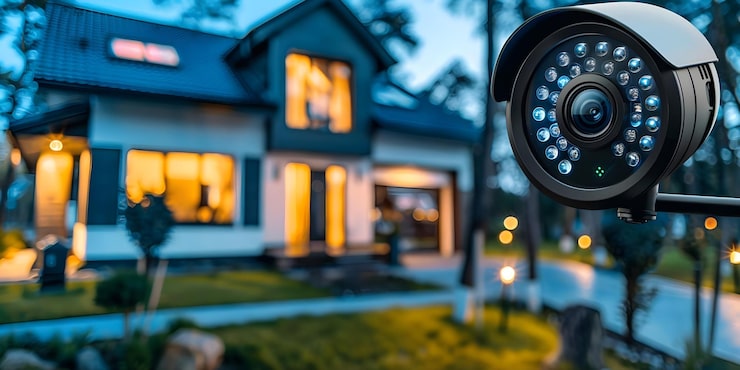
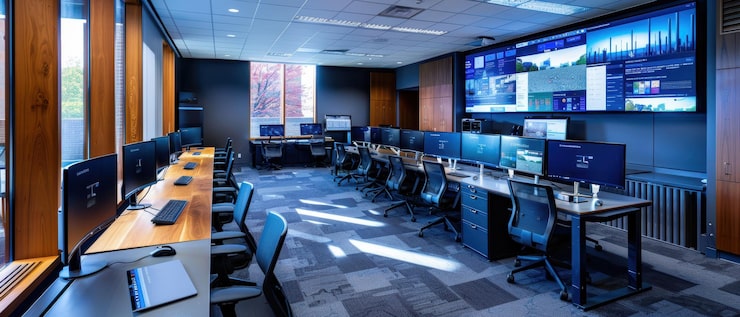
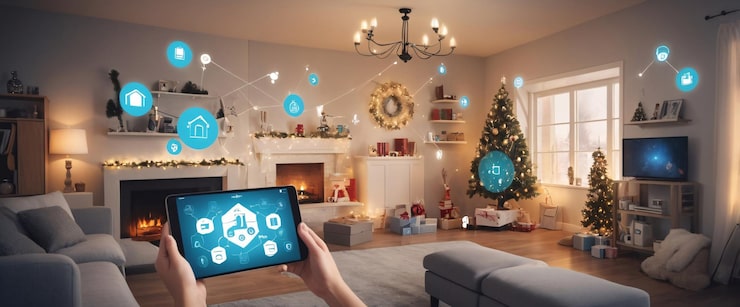
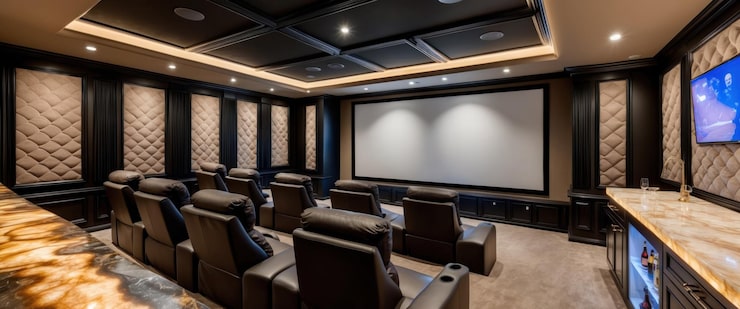
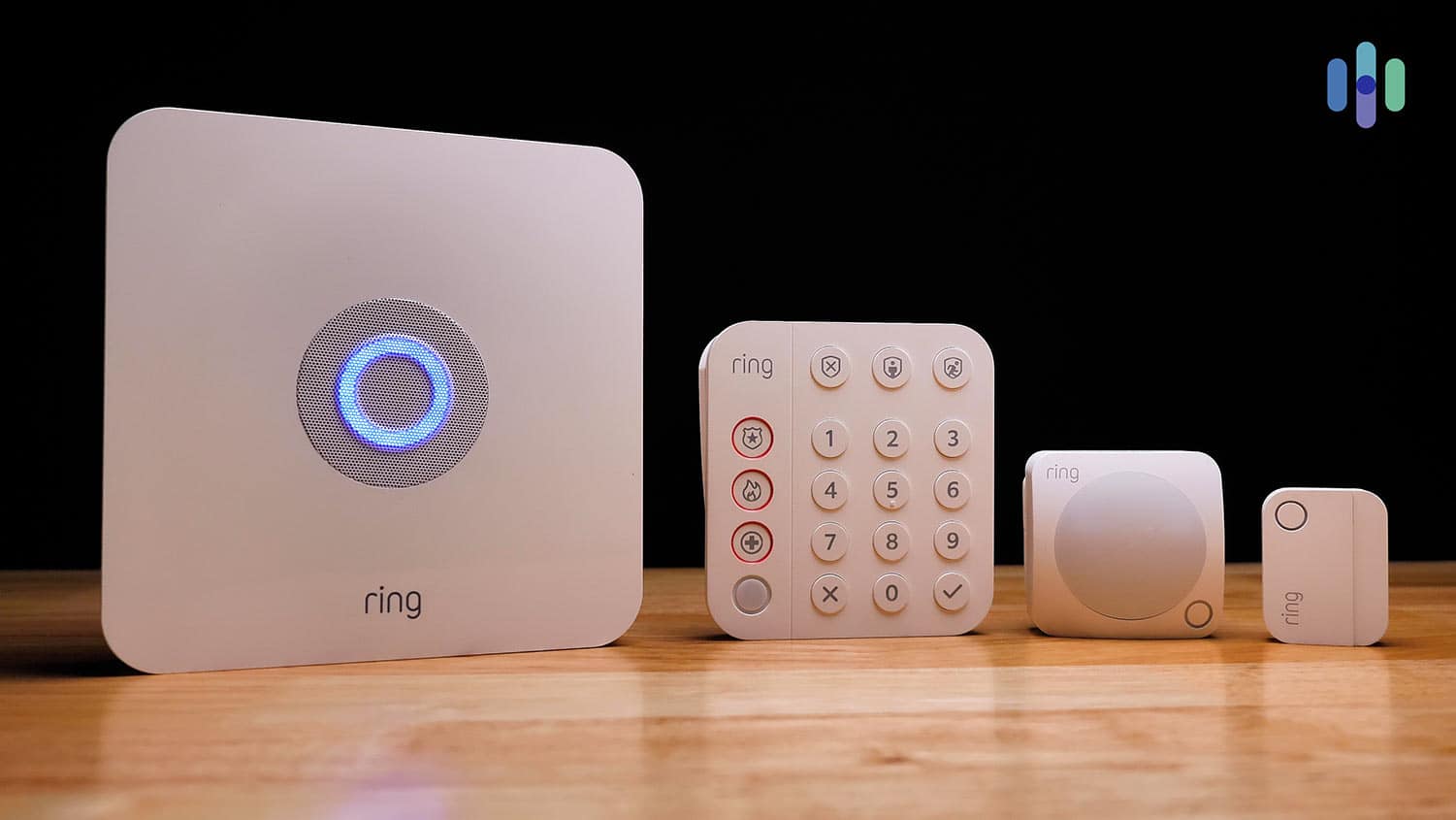
Recent Comments