
Author: admin

How to setup Smart Home Audio Visual NYC – Intelligent Entertainment Systems for Manhattan Homes

Manhattan’s luxury residential market is embracing smart home audio visual setup that seamlessly integrates entertainment technology with comprehensive home automation, creating living environments that respond intelligently to your preferences while providing unprecedented convenience and control. Smart home AV systems represent the convergence of entertainment, automation, and artificial intelligence, transforming how you interact with your living space while enhancing comfort, security, and energy efficiency.

Professional smart home audio visual setup goes far beyond simply connecting devices to your network. It involves creating integrated ecosystems where entertainment systems, lighting, climate control, security, and other home systems work together harmoniously while learning from your habits and preferences to provide increasingly personalized experiences. The result is a home that anticipates your needs while providing effortless control over all aspects of your living environment.

The complexity of Manhattan living—from space optimization and noise considerations to building restrictions and neighbor relations—requires smart home solutions that are specifically designed for urban residential environments. When you invest in professional smart home audio visual setup, you’re creating a technology foundation that enhances your lifestyle while adding significant value to your property and providing the flexibility to adapt to evolving technology and changing needs.

Integrated Smart Home Entertainment Systems

Whole-Home Audio and Video Distribution

Multi-Zone Entertainment Control

Professional smart home audio visual setup enables synchronized entertainment throughout your Manhattan residence or independent zone control that allows different areas to have unique content and volume levels. Intelligent zone management automatically adjusts audio levels based on time of day, occupancy, and ambient noise while respecting neighbor considerations and building noise regulations.

Advanced audio distribution systems provide high-resolution streaming to every room while maintaining consistent quality and seamless control from any device. Smart systems learn your listening preferences and automatically suggest content while providing voice control that enables natural language commands for all entertainment functions.

Video distribution capabilities provide access to all entertainment sources from any room while enabling different family members to watch different content simultaneously. Smart systems include automatic content recommendation based on viewing history and preferences while providing parental controls and content filtering that adapt to different users and times of day.

Intelligent Content Management

Smart content management systems organize and provide access to personal media libraries while automatically downloading and organizing new content based on your preferences and viewing habits. AI-powered systems learn from your entertainment choices and automatically suggest new content while managing storage and bandwidth to optimize performance.

Streaming service integration provides unified access to all major platforms while automatically switching between services based on content availability and quality preferences. Smart systems can automatically pause content when you leave a room and resume when you return while maintaining synchronization across multiple devices and locations.

Personal media server capabilities provide instant access to your music and video collections while automatically organizing content with metadata and artwork. Smart systems can automatically convert and optimize media files for different devices while maintaining original quality and providing backup and redundancy for valuable content.

Voice Control and AI Integration

Advanced voice control systems enable natural language commands for all entertainment and home automation functions while learning your speech patterns and preferences for improved recognition accuracy. Smart systems can understand context and intent, enabling complex commands that control multiple systems simultaneously.

AI learning capabilities enable systems to adapt to your preferences and routines, automatically adjusting settings and making recommendations based on your habits and lifestyle patterns. Smart systems become more valuable over time as they learn your preferences and anticipate your needs.

Integration with popular voice assistants provides familiar control interfaces while maintaining privacy and security controls that protect your personal information. Smart systems can work with multiple voice platforms simultaneously while providing consistent functionality and user experiences.

Home Theater and Entertainment Spaces

Automated Home Theater Systems

Smart home theater systems provide cinema-quality experiences while automatically optimizing all environmental factors for perfect viewing conditions. Intelligent automation adjusts lighting, temperature, audio settings, and screen position based on content type and personal preferences while providing one-touch operation that transforms complex technology into simple entertainment experiences.

Advanced projection and display systems automatically calibrate for optimal performance while adapting to ambient lighting conditions and content characteristics. Smart systems can automatically switch between different display modes for movies, sports, gaming, and other content types while maintaining optimal quality and performance.

Immersive audio systems provide exceptional sound quality while automatically adjusting for room characteristics and seating positions. Smart systems can create personalized audio profiles for different family members while providing dynamic range adjustment that maintains dialogue clarity without disturbing neighbors.

Adaptive Lighting and Ambiance Control

Smart lighting systems automatically create perfect viewing environments while adapting to different activities and times of day. Intelligent automation can gradually dim lights as movies begin while providing subtle accent lighting that enhances the viewing experience without causing distraction or eye strain.

Motorized window treatments automatically adjust to control natural light while providing privacy and optimal viewing conditions. Smart systems learn your preferences and automatically adjust treatments based on time of day, weather conditions, and entertainment activities while providing manual override capabilities.

Environmental control integration ensures optimal temperature and air quality for extended viewing sessions while minimizing energy consumption. Smart systems can pre-condition rooms before scheduled entertainment activities while automatically adjusting settings based on occupancy and activity levels.

Gaming and Interactive Entertainment

Smart gaming systems provide seamless switching between different gaming platforms while automatically optimizing display and audio settings for each system and game type. Intelligent automation can adjust lighting and environmental conditions for optimal gaming experiences while providing voice control for system operation.

Virtual and augmented reality integration provides immersive entertainment experiences while ensuring safe operation within residential spaces. Smart systems can automatically adjust room lighting and provide boundary warnings while optimizing network performance for VR applications.

Interactive fitness and wellness systems provide engaging exercise experiences while monitoring progress and providing personalized recommendations. Smart systems can automatically adjust environmental conditions for different activities while providing integration with health and fitness tracking devices.

Smart Home Integration and Automation

Comprehensive Home Automation

Smart home audio visual setup integrates seamlessly with comprehensive automation systems that control lighting, climate, security, and other home systems from unified interfaces. Intelligent automation creates living environments that respond to your presence and activities while learning your preferences and routines for increasingly personalized experiences.

Scene-based automation combines multiple systems to create perfect environments for different activities and times of day. “Movie Night” might automatically dim lights, adjust temperature, close window treatments, and start your entertainment system while “Good Morning” could gradually increase lighting, start your favorite music, and display weather and news information.

Occupancy-based automation adjusts systems based on room occupancy and activity while providing energy savings and enhanced security. Smart systems can automatically turn off entertainment systems when rooms are empty while ensuring rapid startup when you return.

Security and Privacy Integration

Smart security integration enables entertainment systems to work with home security while providing enhanced functionality and peace of mind. Security cameras can display on entertainment screens while alarm systems can automatically pause entertainment when security events occur.

Privacy controls ensure that smart home systems protect your personal information while providing beneficial functionality. Smart systems include encryption and access controls that prevent unauthorized access while enabling legitimate remote monitoring and control.

Guest access controls provide temporary system access for visitors while maintaining security and privacy for personal content and settings. Smart systems can automatically create guest profiles with appropriate access levels while providing easy operation for visitors.

Energy Management and Sustainability

Intelligent energy management optimizes power consumption while maintaining performance and convenience. Smart systems can automatically power down entertainment equipment when not in use while ensuring rapid startup when needed for immediate entertainment.

Solar integration and battery backup systems provide sustainable power for smart home systems while ensuring continuous operation during power outages. Smart systems can automatically adjust power consumption based on available renewable energy while maintaining optimal performance.

Environmental monitoring provides information about air quality, energy usage, and other factors that affect comfort and sustainability. Smart systems can automatically adjust settings to optimize environmental conditions while minimizing energy consumption and environmental impact.

Manhattan Smart Home Challenges and Solutions

Space Optimization and Design Integration

Maximizing Limited Manhattan Space

Smart home audio visual setup in Manhattan requires creative solutions that maximize functionality within limited space constraints while maintaining aesthetic integration with sophisticated interior design. Intelligent space utilization includes hidden equipment storage and wireless technologies that eliminate clutter while providing exceptional performance.

Modular and scalable systems enable smart home functionality to grow with your needs while working within space constraints. Smart systems can provide full functionality in compact installations while offering expansion capabilities that don’t require major renovation or space reconfiguration.

Multi-purpose furniture integration conceals smart home technology while providing functional furniture that enhances your living space. Smart systems can be integrated into custom millwork and furniture that maintains design aesthetics while providing convenient access to controls and equipment.

Architectural Preservation and Integration

Many Manhattan residences feature architectural details and historic character that must be preserved during smart home installation. Professional installation utilizes specialized techniques that achieve modern functionality while respecting architectural integrity and maintaining property value.

Concealed wiring and equipment placement preserve original architectural features while providing modern smart home capabilities. Smart systems can be installed with minimal impact on historic features while providing comprehensive functionality and future upgrade capabilities. Wireless technologies minimize the need for new wiring while providing reliable performance and comprehensive coverage throughout your residence. Smart systems can utilize existing infrastructure while adding wireless capabilities that provide flexibility and minimize installation impact.

Building Requirements and Neighbor Considerations

Co-op and Condo Board Compliance

Manhattan’s co-op and condo boards often have specific requirements for smart home installations that affect equipment selection and installation procedures. Professional installers understand these requirements and can navigate approval processes while ensuring compliance with all building regulations and restrictions.

Noise control measures ensure that smart home entertainment systems provide exceptional experiences while respecting neighbor privacy and building noise regulations. Smart systems include automatic volume management and acoustic treatment that prevent noise transmission while maintaining optimal audio quality.

Building infrastructure integration ensures that smart home systems work within existing building capabilities while providing enhanced functionality. Smart systems can integrate with building automation and security while maintaining independent operation and control.

Network Infrastructure and Connectivity

Robust network infrastructure is essential for smart home systems that depend on reliable connectivity for optimal performance. Professional installation includes network assessment and optimization that ensures adequate bandwidth and coverage for all smart home functions.

Mesh networking systems provide comprehensive wireless coverage throughout Manhattan residences while ensuring reliable connectivity for all smart devices. Smart systems include network management that optimizes performance while providing security and privacy protection.

Internet service optimization ensures that smart home systems have adequate bandwidth while maintaining performance for other internet activities. Smart systems include quality of service management that prioritizes critical functions while ensuring overall network performance.

Privacy and Security Considerations

Data Protection and Privacy

Smart home systems collect and process personal information that requires appropriate protection and privacy controls. Professional installation includes security measures that protect your personal data while enabling beneficial smart home functionality and convenience.

Local processing capabilities reduce dependence on cloud services while maintaining smart home functionality and responsiveness. Smart systems can process most functions locally while providing cloud integration for enhanced features and remote access when desired.

Privacy controls enable you to manage what information is collected and shared while maintaining smart home functionality. Smart systems provide transparent privacy settings that enable informed decisions about data sharing and cloud integration.

Cybersecurity and Network Protection

Network security measures protect smart home systems from unauthorized access while enabling legitimate remote control and monitoring. Professional installation includes firewall configuration and network segmentation that isolates smart home systems while maintaining functionality.

Regular security updates ensure that smart home systems remain protected against emerging threats while maintaining compatibility and performance. Smart systems include automatic update management that applies security patches while preventing updates that could cause system problems.

Access control systems ensure that only authorized users can control smart home functions while providing appropriate access levels for different family members and guests. Smart systems include user management that balances security with convenience and usability.

Technology Evolution and Future-Proofing

Emerging Technology Integration

Smart home systems must accommodate rapidly evolving technology while protecting your initial investment and providing upgrade paths for new capabilities. Professional installation includes infrastructure planning that supports future technology adoption without requiring complete system replacement.

Artificial intelligence and machine learning capabilities enable smart home systems to become more valuable over time as they learn your preferences and adapt to your lifestyle. Smart systems can automatically optimize performance while providing increasingly personalized experiences.

Internet of Things (IoT) integration enables smart home systems to work with an expanding ecosystem of connected devices while maintaining security and performance. Smart systems provide standardized interfaces that support new device integration while maintaining system stability.

Scalability and Expansion Planning

Modular system architecture enables smart home functionality to expand with your needs while maintaining performance and integration. Smart systems can grow from basic automation to comprehensive smart home ecosystems while protecting your initial investment.

Wireless technology advancement provides new capabilities and improved performance while enabling easier expansion and enhancement. Smart systems can incorporate new wireless technologies while maintaining compatibility with existing devices and infrastructure.

Cloud service evolution provides enhanced capabilities and integration opportunities while maintaining local functionality and privacy controls. Smart systems can take advantage of new cloud services while providing local backup and independent operation when desired.

Smart Home Technology Platforms and Integration

Leading Smart Home Platforms

Control4 Smart Home Systems

Control4 provides comprehensive smart home automation that integrates entertainment, lighting, climate, security, and other systems into unified control interfaces. Professional installation includes custom programming that creates personalized experiences while providing intuitive operation for all family members.

Scalable architecture enables Control4 systems to start with basic automation and expand to comprehensive smart home ecosystems while maintaining consistent operation and user interfaces. Professional design ensures optimal performance while providing flexibility for future enhancement and expansion.

Professional dealer network provides ongoing support and enhancement services while ensuring access to the latest technology and features. Control4 systems include comprehensive warranty and support programs that protect your investment while ensuring optimal performance.

Crestron Home Automation

Crestron provides premium smart home automation with sophisticated control capabilities and exceptional build quality. Professional installation includes custom programming and user interface design that creates unique experiences tailored to your specific requirements and preferences.

Advanced integration capabilities enable Crestron systems to work with virtually any technology while providing unified control and monitoring. Professional design ensures seamless integration while maintaining optimal performance and reliability for all connected systems.

Enterprise-grade reliability and support provide confidence in system performance while ensuring access to technical expertise and rapid problem resolution. Crestron systems include comprehensive training and support programs that maximize system value and user satisfaction.

Savant Smart Home Solutions

Savant provides intuitive smart home automation with Apple-inspired user interfaces and seamless iOS integration. Professional installation includes custom configuration that creates personalized experiences while providing familiar operation for Apple device users.

Intelligent automation capabilities enable Savant systems to learn your preferences and automatically adjust settings while providing manual override and customization options. Professional programming creates smart scenes and automation that enhance convenience while maintaining user control.

Premium audio and video integration provides exceptional entertainment experiences while maintaining seamless smart home operation. Savant systems include high-quality audio processing and video distribution that deliver audiophile and videophile performance.

Device Integration and Ecosystem Management

Smart Speaker and Voice Assistant Integration

Amazon Alexa integration provides familiar voice control for smart home functions while maintaining privacy and security controls. Professional installation includes optimization for your specific environment while providing custom voice commands and responses that match your preferences.

Google Assistant integration enables natural language control while providing access to Google services and information. Smart systems can work with multiple voice assistants simultaneously while providing consistent functionality and avoiding conflicts between different platforms.

Apple HomeKit integration provides secure smart home control through iOS devices while maintaining privacy and local processing capabilities. Professional installation includes optimization for Apple ecosystem integration while providing enhanced security and privacy protection.

Smart Device Management and Coordination

Device discovery and integration capabilities enable smart home systems to automatically identify and configure new smart devices while maintaining security and performance. Smart systems provide unified management interfaces that simplify device administration and monitoring.

Compatibility management ensures that smart devices work together effectively while preventing conflicts and performance issues. Professional installation includes testing and validation that ensures optimal performance for all connected devices and systems.

Update and maintenance management ensures that smart devices receive appropriate updates while maintaining system stability and compatibility. Smart systems include automated update management that applies necessary updates while preventing problems that could affect system operation.

Custom Integration and Programming

Custom device integration enables smart home systems to work with specialized equipment and unique requirements while maintaining unified control and operation. Professional programming can create custom interfaces and automation for devices that don’t have standard smart home integration.

Advanced automation programming creates sophisticated responses to complex conditions and events while maintaining predictable operation and user control. Professional programming can create intelligent automation that adapts to your lifestyle while providing manual override capabilities.

Third-party service integration enables smart home systems to work with external services and platforms while maintaining security and privacy controls. Professional integration can connect smart home systems with business applications, health monitoring, and other specialized services.

Performance Optimization and Monitoring

Network Performance and Optimization

Bandwidth management ensures that smart home systems have adequate network resources while maintaining performance for other internet activities. Professional optimization includes quality of service configuration that prioritizes critical smart home functions while ensuring overall network performance.

Wireless network optimization provides comprehensive coverage and reliable connectivity for all smart home devices while minimizing interference and maximizing performance. Professional installation includes access point placement and configuration that ensures optimal wireless performance throughout your residence.

Network monitoring and diagnostics provide insights into smart home system performance while identifying potential issues before they affect operation. Professional monitoring includes automated problem detection and resolution that maintains optimal performance without user intervention.

System Health and Maintenance

Device health monitoring provides real-time information about smart home device status while identifying potential problems before they affect system operation. Professional monitoring includes automated diagnostics that can resolve many issues automatically while alerting you to problems that require attention.

Performance analytics provide insights into smart home system usage and optimization opportunities while identifying devices or functions that could benefit from enhancement or replacement. Professional analytics include reporting that supports informed decisions about system improvements.

Preventive maintenance scheduling ensures that smart home systems receive appropriate care while minimizing disruption to daily routines. Professional maintenance includes regular system optimization and device updates that maintain peak performance while extending system life.

Call to Action

Transform your Manhattan residence into an intelligent living environment with professional smart home audio visual setup that seamlessly integrates entertainment, automation, and lifestyle enhancement into one cohesive system that learns and adapts to your preferences.

Contact NYC IT Tech today to discover how smart home audio visual setup can revolutionize your Manhattan living experience while adding significant value to your property.

📞 Call (212) 671-3330 for smart home consultation 📧 Email us for intelligent system planning 🌐 Schedule online for convenient home assessment
Importance of CCTV Security System Installation in Manhattan, NY

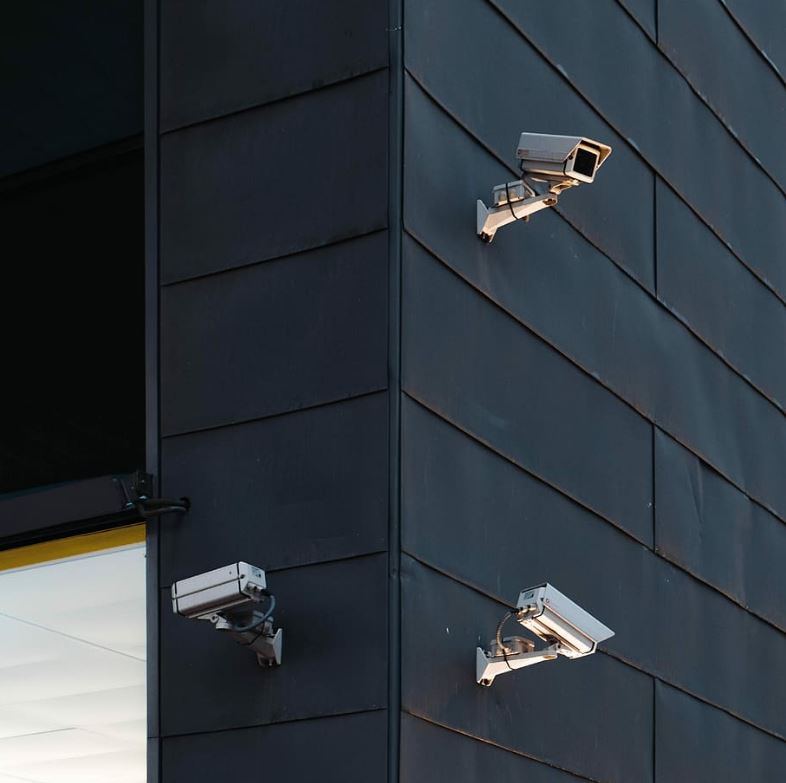
When it comes to protecting companies and citizens in the heart of New York, installing CCTV security systems in Manhattan is more than simply a requirement, it’s a strategic step toward improving overall safety. In this lively district, where every corner offers a different narrative, effective security measures are essential. NYC IT Tech is a company that stands itself for providing excellent security solutions.

Deterrence of Crime

Manhattan, with its busy streets and numerous neighborhoods, is not immune from security threats. The installation of CCTV cameras serves as a potent deterrence to criminal activity. NYC IT Tech’s cutting-edge cameras, strategically placed in crucial spots, convey a clear message to potential criminals: the region is always monitored.

Protecting Businesses and Assets

Asset protection is a top consideration for firms located in Manhattan’s skyscrapers. NYC IT Tech’s CCTV systems provide exceptional protection by monitoring 24 hours a day, seven days a week. This continual surveillance not only discourages theft and vandalism, but also aids in the rapid identification and apprehending of perpetrators, ensuring a safe environment for businesses to prosper.

Access Control Integration

One of the primary advantages provided by NYC IT Tech is the seamless integration of CCTV cameras and access control. This combination ensures a multilayered security approach. Access Control Installation in NYC becomes more efficient when combined with CCTV, allowing businesses to properly manage and monitor entrance points, preventing unwanted access.

Security Cameras Installation New York

Security Cameras Installation New York

Real-time monitoring and alerts

The fast-paced environment of Manhattan necessitates real-time security solutions. NYC IT Tech’s CCTV systems generate fast alerts, allowing for quick reactions to any security risks. Whether it’s a suspicious behavior or an unwanted entry attempt, businesses can be confident that their security is in good hands.

Audio-video installations for enhanced surveillance

In a city where every detail counts, audio-video installations provide an additional layer of surveillance. NYC IT Tech provides comprehensive solutions beyond typical CCTV. Their competence in audio-video installations provides organizations with a comprehensive view of their premises, improving overall situational awareness.

Tailored Solutions for Diverse Needs

Manhattan is a melting pot of businesses, each with its own security needs. NYC IT Tech recognizes this difference and offers tailored CCTV solutions. Whether it’s a retail store, a corporate office, or a residential building, their tailored approach ensures that each customer receives a security system that meets their unique requirements.

Future-Proofing Security Infrastructure

In a city noted for its continual change, future-proofing security infrastructure is essential. NYC IT Tech’s CCTV systems are scalable and adaptable, allowing businesses in Manhattan to remain ahead of evolving security threats. This forward-thinking strategy offers a long-term, effective security solution.

Conclusion

In conclusion, the installation of CCTV security systems in Manhattan, together with the experience of NYC IT Tech, is a strategic investment in the safety and security of both businesses and inhabitants. As the borough continues to grow, proactive security measures become more important. NYC IT Tech, with its dedication to cutting-edge technology and customized solutions, remains a reliable partner in strengthening Manhattan’s security landscape.

People Also Ask

Q1). Why is a CCTV system important?

A CCTV system is crucial for enhancing security by deterring crime, providing real-time monitoring, and aiding investigations through recorded footage.

Q2). How many CCTV cameras are there in Manhattan?

The exact number of CCTV cameras in Manhattan is dynamic and subject to change. However, it’s known that the city has an extensive surveillance infrastructure.

Q3). Does New York have CCTV?

Yes, New York has a comprehensive network of CCTV cameras deployed across the city for public safety and security purposes.

Q4). Why are security cameras important to society?

Security cameras contribute to societal safety by deterring criminal activities, aiding law enforcement in investigations, and providing a sense of security for individuals and businesses. They play a crucial role in crime prevention and the overall maintenance of public order.


What Is Structured Cabling?

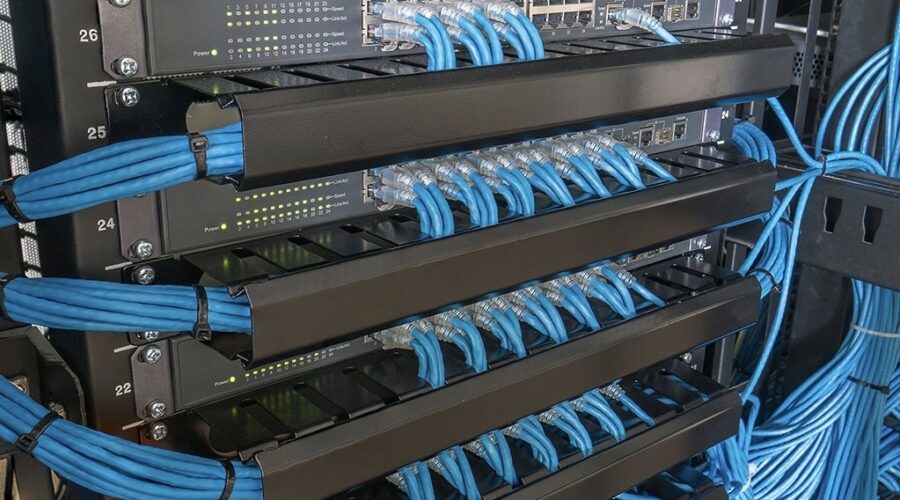
Structured cabling is a standardized method of installing cables that guarantees the compatibility and interoperability of various systems and gadgets. Structured cabling provides data, multiple voices, video, and many management systems, including security access and energy systems, as a data transmission system.

Structured cabling’s objective is to make it possible to provide telecommunications services utilizing a dependable and consistent infrastructure.

This infrastructure should also be created in a way that makes future business expansion easier. The items that are grouped systematically for that goal can also be included.

To guarantee that the client receives a structured cabling system, installers must organize the installation. Lack of planning will lead to an unorganized or otherwise ineffective outcome.

Structured Cabling

A campus or building’s telecommunications infrastructure can be simplified using structured cabling. It streamlines and arranges a business’s digital infrastructure, eliminating the need for numerous connections and creating space for potential future expansion.

In the past, every cable in a building’s digital infrastructure was “point-to-point,” which meant that each piece of gear had a connection connecting from it to whatever it needed to be linked to.

Such a system is ineffective, disjointed, and challenging to alter as businesses expand and add or change technologies.

How Does Structured Cabling Work?

To address the growing reliance on technology by modern businesses, structured cabling was created. With patch panels and trunks, structured cabling constructs a “structure” for a company’s digital infrastructure.

The MDA (main distribution area) serves as a hub for all the information that has to go from one location to another and is connected to all hardware.

How Structured Cabling Is Essential?

Investing in a structured cabling system is crucial for guaranteeing that your company can utilize the newest technology. Furthermore, by having a dependable and well-organized cabling infrastructure, you may prevent future expensive and time-consuming improvements.

The cable system within a building is referred to as “structured cabling” in the telecommunications industry. The phrase “cable management” is used because the cabling is divided into several zones or sections, which are often called for the room or location where they are installed.

When adding new technologies, this kind of cabling architecture enables greater flexibility as well as simpler upgrades and maintenance.

Old telephone wire for PBX systems is one of the most prevalent examples of legacy cable that has to be updated. Many firms are discovering that their present cabling infrastructure is inadequate as VoIP (Voice over IP) usage increases.

The same is true for Wi-Fi and CCTV cabling since modern standards outperform older connections in each of these areas.

When Structured Cabling Should Be Used?

The amount of data handling on your system’s interface puts more strain on its cabling infrastructure. Without an improved infrastructure, your system may experience reduced speeds and downtime.

Point-to-point cabling, which linked every piece of hardware to a separate wire in the past, is different from structured cabling. Structured Cabling is independent of the device.

This makes structured cabling ideal for bigger networks since it makes it easier to locate and address issues without needing to sift through hundreds of cables that are all the same and probably have no labels to identify the one wire that needs to be fixed. Users using structured cabling receive:

  • Greater speed
  • The capacity to change with technology
  • Cleaner appearance
  • Greater bandwidth
  • Fewer cables all around

What Are the Benefits of Structured Cabling?

Below are a few justifications for the advantages of a structured cabling system for your company.

Easy To Comprehend

In terms of organizing, structured cabling systems are quite easy. Most firms utilize a variety of gadgets and IT tools at once. If you were utilizing organized network cabling to run everything, there wouldn’t be any trouble finding it and fixing it.

Less Downtime

Because organized cabling provides organization, connection issues may be easily resolved, reducing downtime. When employing different wire infrastructures, you may spend a lot of time attempting to pinpoint a cable that has produced an issue.

Since employees will have to wait until network troubleshooting is finished, this might lower productivity, which reduces your company’s income. Structured cabling, on the other hand, quickly resolves these issues, cutting down on downtime.

Greater Flexibility

Because it can rapidly and easily adapt to new changes, additions, or moves, structured cabling systems provide a high level of flexibility. This makes sure that your company performs better, which leads to greater business success.

Moving to a new office is also made simple by the fact that installation time is cut down, and flexibility to changes in network infrastructure is increased.

Visually Appealing

Imagine a potential customer arriving at your workplace for a meeting and seeing a tangle of cables; it wouldn’t speak highly of your company.

Structured cabling networks are frequently concealed from view. They are neatly packaged and connected to their appropriate equipment if they are visible. There isn’t a mess.

How To Deactivate Alarm System?

Aren’t home alarm systems great? They guard our homes and possessions while we aren’t physically there and effectively dissuading would-be robbers. If you already have a home alarm system in place, but you’re wondering how to turn it off since it went off for an unexplained reason.

However, they may malfunction just like any other electrical device, and when they do it can be incredibly loud and obnoxious not only for yourself but for your entire area.

There are a few actions you may do to disable your alarm system without alerting the police in your area. To turn off an alarm system for an apartment without a keypad, follow these instructions. In this post, we’ll look at how to deactivate the alarm system from functioning improperly.

Look Through the Instruction Manual or Troubleshooting Manual for Your Alarm

The troubleshooting handbook or instruction manual that came with your security system and the console should then be consulted. How to silence annoying noises when disarming a security system without your code is often covered in great length in manuals.

Locate And Turn Off the Home Security System’s Primary Power Source

Most likely, the main power supply for your home security system is a box that is mounted to the wall and equipped with an outlet. The secret to shutting off the alarm when there is no electricity is found in this box. Simply unplug the box to remove it from the outlet.

Replace The Batteries

Second, it’s important to check the batteries in the alarm. Low batteries are a common cause of alarm blaring. Therefore, changing the alarm batteries would help to turn off the alert. One needs to walk around the house checking the security system’s battery levels.

Additionally, it’s critical to make sure the proper batteries are used while replacing the originals because malfunctioning ones won’t silence the alarm. Just unhook the connector to remove the battery.

Set The Home Security System to Default

Although you can disable the alarm on the security system on your own, you are unable to reset it. You may reset the system by getting in touch with the security provider, albeit this could require coming up with a new security code or PIN.

Resolving The Current Problems

When it’s feasible, snapping a photo of the alarm keypad’s display before shutting off your security system might help you get it working again quickly. We advise contacting an alarm firm like ours to inspect the system before turning it off as an extra measure of security. These actions will assist us in determining what to put back to restart the alarm.

For instance, idle phone lines can cause problems with the alarm. This is frequently the case if you notice a message like “communication failure” on your alarm’s keypad. Your phone lines can be activated once more to resolve this problem.

Similar to this, alarms with no backup battery will occasionally “beep” to alert you. If you decide to turn off the alarm while you wait for a new battery, changing the battery will usually make it possible for you to switch it back on without any problems. Sometimes an alarm may need newer parts to function properly once more.

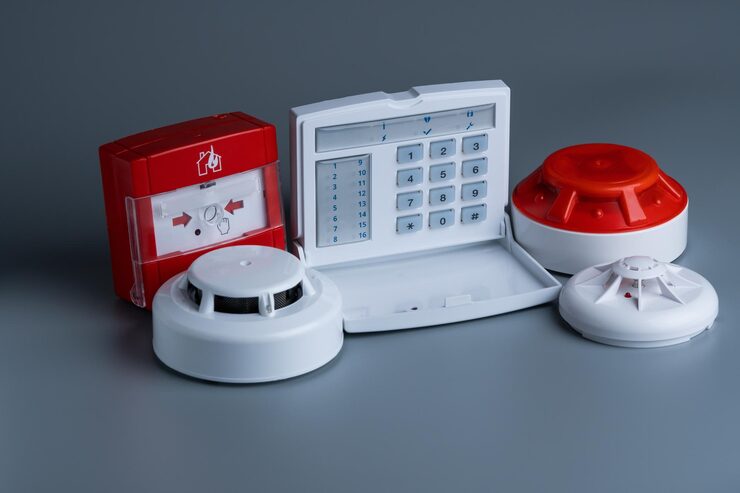
Systems with outdated and broken smoke and carbon monoxide detectors, for instance, will remain in “trouble” mode until you address this problem. In this situation, switching out your sensors as soon as feasible is advised instead of shutting the system off.

If you do need to temporarily disable the alarm, install a smoke alarm system for the apartment first to protect your life. Whatever the problems with your security system are, understanding what to do before rebooting the system can help it run smoothly.

Reset The House Alarm – Alarm System for Apartment

It’s time to install the new alarm system after removing the old one from your house. Verify whether any parts from your previous system that are still usable with your new system. Even though you might be able to set up the new alarm system on your own, hiring a professional to do so guarantees that the right safety and security procedures are followed.

Contact An Expert from The Alarm Company

The final step is to get in touch with the alarm company after attempting all the aforementioned methods without success. It is expected of the providers they help you troubleshoot over the phone or by sending a technician to your home.

However, it should be noted that security system alarms sound to warn you of danger, corroded cables, or malfunctioning batteries.

What Is Data Cabling?

Data cabling is one of the most important factors to take into account when installing new network connections in your office or business since the globe is becoming more and more linked to the internet. Data cabling used to be primarily of importance to high-tech businesses.

But these businesses no longer have exclusive control over it. Technology advancements and price reductions have made network cabling easily accessible to even the smallest organizations. And this is wonderful news since it might expand your company to new heights. It does this by simultaneously increasing production and competitiveness.

Data cabling is an essential component of the network infrastructure that gives company owners access to a wide range of telecommunications services. You may send different signals over the network, including video, audio, alarm, and data, with the help of a complete data cabling solution.

Understanding how it functions, what you need, and why you need it is crucial since it forms the foundation of your network. We’ll go over what data cabling is and why it’s so important for businesses in this blog. We’ll also discuss a few of the several kinds of data cabling that are readily available.

Data Cabling Installation
All of us are familiar with wires, but data cabling is a bit different. Additionally, the importance of cabling in office, commercial, warehouse, and educational contexts cannot be overstated. As a result, almost every firm is interested in data cable installations. What is it then?

The basic definition of data or network cabling is the use of cables to link various devices inside an IT network. To improve the flow of data, typical data cable setups will run from a particular device to a central communication cabinet.
Copper-based Cat5e, Cat6 or Cat6a cables may transmit data at rates of up to 1000 or 10,000 Mbps, but only over a 100-meter distance. Fiber connections, on the other hand, can sustain rates of up to 10,000Mbps across a distance of between 500 and 2 km.

Therefore, fiber offers greater flexibility over longer distances whereas copper cables are suited for shorter distances.

Advantages Of Data Cabling
By using data cabling in the following ways, your company can benefit greatly:

Almost Flawless Technological Advancements

One of the major advantages of voice and data cabling is that you just need to replace your end users’ devices, not the entire system, as technology advances. Spend the time, money, and effort now, and you’ll benefit in the long run.

Ideal network Performance
Your daily company operations for network data cabling depend on tools that need a stable cabling infrastructure with high-speed capacity and lots of bandwidth. The installation of voice and data cabling guarantees your network’s peak performance.
This not only promotes effective and flawless operation but also helps to prevent expensive downtime.

Investment For Future Growth Without the Headache
Your productivity may be maintained by simply updating technology and inserting it into the current cable system if your cabling system is optimized. You should be able to profit from your cabling system for many years to come with adequate maintenance and upkeep.

Why is Strong Data Cabling Infrastructure Necessary for Businesses?
Data cabling comes in two primary flavours: structured and unstructured. Because they are simpler to install and administer, structured cabling systems are more prevalent in commercial settings.
Unstructured data cabling systems are more prevalent in houses than structured ones since they function better while needing more ongoing maintenance. For any organization, having a solid network infrastructure is crucial. It can:
•To make future IT infrastructure more affordable
•Better performance
•Increase the company’s competitiveness
•Furthermore, a good cabling system may help you expand more quickly and securely, which makes it a crucial component of any business’ operations.

Different Types of Data Wiring
There is no “one size fits all” method for data wiring because there are specialized network cables for various uses.

Fiber Optic for Network Data Cabling
Light is used by fiber optic cabling to swiftly convey data across great distances. Because electrical signals weaken as they go further, fiber optic cable does not have the same distance restrictions as traditional cabling.

It is built with a tiny glass fiber core, layers of protection and buffer, and a rubber outside covering that can carry data at rates of up to 100 Gbps or more quickly. MMF and SMF, or multimode fiber and single mode fiber, are the two primary differing core diameters. Both can transfer data quickly, however, MMF is more frequently used for short range and SMF is more frequently used for long-range.

Even though optical fiber cabling is often employed in modern company IT infrastructures, it can be expensive. Fiber optic may not be cost-effective if you don’t want a long-distance, high-data-capacity connection.

Twisted Pair
There are several subcategories of twisted pair cables, which are utilized in computer networks and telephone systems. Compared to fiber optic cabling, it is frequently selected for its lower cost, however, it is only practical for proximity. Cat 5e, Cat 6, Cat 6a, Cat 7, Cat 7a, and more are among the classifications of data Centre cabling.

The maximum bandwidth, transmission speed, and maximum distance vary for each category, among other things.
Shielded or unshielded twisted pair network cabling, sometimes referred to as STP and UTP, are available. STP cables may frequently transmit data at higher data speeds because they are shielded, which offers additional protection from radio frequency and electromagnetic interference.

Although unshielded UTP cable lacks metallic protection, it may still be used for short-distance transmission, such as over telephone lines and in networks of computers with shorter cable runs.

Coaxial – Data Cabling Installation
A conducting shield, an insulating outer shield, an insulating layer, and a center conductor make up this kind of wire. In addition to connecting radio transmitters and receivers to their antennas, it may also be used to connect telephones, cable television, and broadband internet.

If your home uses coaxial wiring for cable internet, your internet service provider will transfer data signals to your modem through a coaxial cable. An Ethernet wire connects the modem to the router, allowing the router to transmit a Wi-Fi signal.
You may also use ethernet connections to connect your PCs and other devices straight to your modem. When a facility needs cable internet as well as cable television, coaxial is frequently used. The ability to provide speeds equitably to each user is one advantage of coaxial network data cabling.

How to Reset Bose Portable Home Speaker?

Are you in need of bose portable home speaker that requires resetting? If yes, you are quite lucky, we will guide you about how to reset any bose portable home speaker. Have you ever had trouble dealing with a bose portable home speaker that did not work according to your expectations? May the volume was too low or the sound was disrupted. Whatever the scenario, in most situations only resetting the speaker resolves most of the problems. In this post, you will be finding out the right procedure about how to reset a bose home speaker in 04 simple steps. Switch On the Speaker During Bose Speaker Reset The first step is to switch on the speaker, for this you need to plug the speaker into the socket. For quick functioning, the socket must be in great condition. Smush the Buttons Moving forward you need to press both buttons 1 and volume down collectively for properly restarting the speaker. If you do this correctly, all of the front lights will change to orange color after just one second. And if you hold down the button for 10 seconds it will change the flash of the lights to white color. Factory Reset A few seconds later, let go of the buttons if the lights start flashing the white color. This confirms that your very own speaker is back to its default configuration. Throughout this process of resetting the lights of your speaker will flash several times starting from the left and going toward the right. To determine the reason behind the improper functioning of your boss’s speaker you will have to do occasional troubleshooting. The factory reset option should be your last resort for proper connectivity. Inspect Your Wi-Fi Keep on pressing the switch-off button until the color of the Wi-Fi logo gets changed. After a few seconds, it might turn to an orange hue. Reset Speaker to Its Normal Settings – Bose Speaker Reset When you perform a factory reset on any speaker, all of the previous settings are automatically deleted. We can now connect new devices with the Boss speaker if we need to connect it to a television utilizing a PC or an app. Also, it is possible to link a speaker and a new wi-fi network together and in this process, your previous wifi network will be deleted. Conclusion Comply with all of the above-stated basic steps and see your bose portable home speaker getting back to its original position within no time. We expect that this article was beneficial in delivering sufficient information about how to reset your bose portable home speaker. FAQ’s Q. Can resetting a bose speaker may cause damage? Ans. Bose speakers are made while keeping in mind some important precautionary measures for the prevention of damage during the procedure of reset. You absolutely do not need to get anxious about the backup of the device in the discussion. Because undergoing a soft 404 on your device will not cause any of the settings to get removed. Q. How do we restart a dead bose speaker? Ans. Normally there are LEDs on top of the speakers that flash if the mute button is pressed and hold on few minutes, almost for about a short timeframe of 10 seconds. Afterward, release the button. You can then start the speaker using the power button. Q. What occurs when you try to reset a bose speaker? Ans. Wireless connections between the bose speakers and other devices are damaged after a traditional reset. This includes the pairing settings, Bluetooth pairings and also the Wi-Fi password, and much more. Q. If the speaker reset does not work for me, what should be done in that case? Ans. The reset procedure of the Bose portable smart speaker might not always solve the problem that you are experiencing. For that case here are some options: Switch on the Wi-Fi and speakers during bose speaker reset. On your personal device force shut down the Bose app. You should delete the Bose app and proceed with the procedure of reinstallation. Start the device once again that you intend to connect and work along with. The Bluetooth of your device should be switched off. Contact the customer service of Bose for a perfect bose speaker reset.

What Is Low Voltage Wiring? The Low-Down on Low Voltage Wiring

Numerous of moment’s homeowners can’t fantasize about a home without high-speed Internet and Wi-Fi home robotization controls for amenities similar as lighting and music and up-to-date security systems with cameras.

That’s why numerous homebuilders are making installation of structured cabling in new construction standards or offering it as an option. And while some of the basics are the same, installing low voltage wiring is a whole different ballgame. Whether you’re managing an electrical design or you’re a homeowner, this companion will help you gain a better agreement of how low voltage wiring workshop and how an electrical contractor can help.


Low Voltage Wiring in a Nutshell


So, how does the installation of structured cabling differ from the installation of average electrical cabling? Utmost wall of string outlets run 120V or 240V of electricity. But low voltage wiring doesn’t carry the same current as the power outlets, institutions, and switches generally installed in homes. Low voltage wiring is designed to carry 50 volts of electricity or lower. Common low voltages are 12V, 24V, and 48V.

Low voltage wiring is frequently used for Smart doorbells, telephones, garage door nature controls, heating and cooling thermostats, geography lighting, alarm system detectors and controls ( security system cameras, stir detectors), audio-visual wiring ( compass sound audio systems, string TV, intercom systems), internet network and Wi-Fi, and LED or low voltage lighting.

The structure on which low voltage wiring operates is called structured cabling. A structured wiring system is erected on a separate network from the utmost of a home’s wiring. In utmost cases, the home’s main electrical system is installed first, followed by the low voltage wiring.

The optimal performance of a structured cabling system is pendent upon a good arrangement. A good design considers tailwind and cooling issues, allows for redundancy, chooses the correct cabling for the job, and plans the cabling patch ways. Some of the more common types of lines used in low-voltage wiring include

Unshielded Twisted Brace (UTP) string — Cat 6 or 6a lines are the bones most frequently used in homes moment.

Fiber optical string — Used for long-distance runs. It’s delicate to work with and requires technical releasing tools and connectors.

Speaker line — Used for whole-house audio and home theater operations.


Thermostat line


Coextensive string ( blandish) — The most common types used in a home are RG-59/ U (.64 mm core and a single guard), RG-6/ U (1.024 mm core with a double guard), and/ RG-6/ UQ (1.024 mm core with a quadrangle guard.

Security system line — Generally in 18 and 24AWG, with either two or four operators.

A structured cabling system is simple, effective, forward adaptable, and systematized. Specific cables can be snappily headed. It’s also flexible and easy to alter or make additions to. It can carry data at high rates while reducing power and conservation costs.

Then are some of the most important details electrical contractors will need to learn before installing structured cabling systems. You can’t pull a low voltage line the same way you pull an electrical line. A low voltage line is veritably fragile. Rough running can damage it, pulling out the twist, and affecting string performance. Outside of 25 pounds of pull strength is recommended, although each manufacturer has its own standard which you should follow.

Another important thing to note is that a low voltage line, similar to a fiber-optic string, can’t bend at a 90- degree angle. However, you’ll have to form a circle, if you need to turn it in a different direction. Again, look at the manufacturer’s norms to determine the maximum compass of the circle. Cable filaments are prone to kinking or breaking, which can degrade the signal.

Low voltage cables should be installed a bottom down, at a minimum, from the home’s main electrical cables, running resemblance with all the cabling. The advanced voltage on electrical lines can produce signal hindrance that may affect the data cables. However, they should be installed at a 90- degree angle, if you can’t avoid installing low voltage cables across electrical cables. And, generally, bobby cabling shouldn’t exceed 100 measures, although there are some exceptions.


A Great Growth Occasion


The global structured cabling request is anticipated to reach$ million by 2022. The request is especially robust in the U.S. due to the high demand for Internet connectivity and also because so numerous technology titans are headquartered then.

This creates a great fiscal occasion for electrical contractors. While there’s fierce competition from other string installers similar to electronic system contractors, alarm system installers, and home entertainment installers, electrical contractors are more- deposited in numerous ways to take advantage of this economic occasion.

Why? General contractors like to work with companies they’re familiar with and companies that they’ve enjoyed a good working experience with on previous jobs. General contractors know the significance of connections erected on trust. Plus, electrical contractors are a major part of the design and are formerly on the Jobsite installing the main electrical factors. They can’t be replaced by an alarm installer, for the case.

Another reason general contractors prefer to give all the string installations to electrical contractors comes down to the nethermost line. Having an electrical contractor as a single point of contact rather than dealing with multiple installers can save a general contractor up to 20 percent on the electrical installation cost of the job.


Should You Jump on the Bandwagon?


Just because it would be salutary to general contractors, doesn’t inescapably mean electrical contractors should jump on- board. As we =’ve seen, installation of the main electrical system is veritably different from the installation of the low voltage system. Without proper training and experience, taking on this new occasion could lead to a failed network. And that could put a black mark on your company’s professional character. It also requires a shift of focus your company will have to come more client-service acquainted when dealing with guests. Low voltage wiring operates under a different set of rules and governing bodies (IEEE, ANSI, EIA, TIA, and BICSI) than electrical wiring, which follows the norms set by the NEC. Low-voltage licensing varies from state to state and indeed megacity to megacity in some countries.

What Is An Industrial Electrician?

Being an electrician is not a universal profession. Depending on your technical area and line of work, there are different types of electricians to meet your residential, commercial, or industrial needs. There are many reasons why an industrial facility or business needs an industrial electrician.

Industrial Electrician

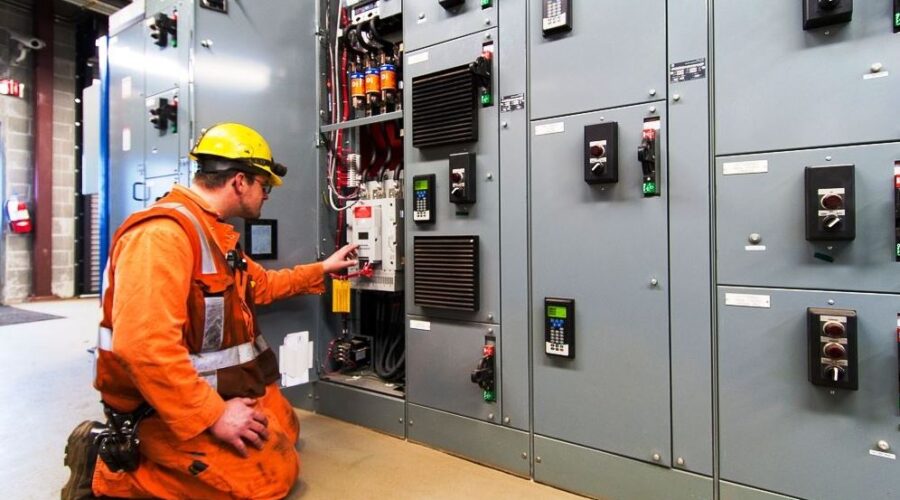
Industrial electricians install, maintain, diagnose and repair industrial electrical equipment and associated electrical and electronic controls in a production environment.

Industrial electricians need to familiarize themselves with the relevant rules and regulations. The work of an industrial electrical technician is often physically demanding. They may have to climb and stand for long periods to install and repair equipment. It must also be possible to operate the tool close to electrical components.

Industrial electricians specialize in working in industrial plants, including factories, warehouses, or factories. They work in confined spaces and are used to accessing hard-to-reach places. They understand how to work safely, use the right protective equipment, and navigate harsh environments.

Industrial electricians, also known as factory electricians or factory electrical technicians, install, maintain, troubleshoot, and repair industrial electrical equipment and related electrical and electronic controls. They often have a wide range of skills to handle a variety of electrical systems.

During repairs, problems are identified and then the best solution is considered and applied, including repair and replacement of critical electrical equipment and components.

Industrial electricians must also be able to understand and make decisions based on technical documentation such as drawings, or instructions. They should also be motivated to work independently and as part of a team. Strong communication skills are a necessary part of this position.

Maintenance work often involves generating reports on the condition of various electrical systems so that parts and equipment can be replaced or repaired on time. It helps create evidence that the proper maintenance essential to compliance is being performed.

Industrial Electrician Responsibilities:

Here are the responsibilities of an industrial electrical technician that represents the typical tasks that are likely to be performed in their role.

  • Installs, repairs and maintains electrical components of industrial equipment.
  • Supervises and motivates staff by managing the daily maintenance of Children’s Hospital and Medium Boarding School.
  • Troubleshoot Relay Control Units, Variable Frequency Drives (VFDs), Motor Control Centers, and Synchronous Drives.
  • Maintenance of major AC and DC power generation systems.
  • Read power distribution diagrams and high voltage power distribution systems and peripherals.
  • Work as a team or complete a project alone.
  • Comply with Safety and Electrical Code.
  • Design electrical installations following applicable NEC regulations, wiring configuration, load calculations, and line resistance and losses.
  • The position requires extensive reading, interpretation, and application of drawings, diagrams, and technical drawings.
  • Design and connect electrical panels for material handling equipment, debug PLC logic, and troubleshoot electrical/electronic controls and circuits.
  • Independent work in the engineering department to design and manufacture new computerized and PLC integrated equipment for process control and monitoring systems.
  • Perform routine tasks, ductwork shut down electrical and instrumentation equipment, and work in engine control centers. We perform TIG, MIG, and electrode welding to make or repair parts.
  • Make decisions based on technical documentation.
  • Performs testing and quality checks.
  • Reports and tracks all maintenance activities in the company’s CMMS program.
  • Establishes and drafts LOTO policies, procedures, and guidelines for the operation and maintenance of the enterprise.
  • Install wires, cables, drive motors, variable frequency drives, sensors, and encoders.
  • Install new switch panel, connect CNC machine, install resin pump and grinder gun.
  • Install lighting and motor control circuits, landfill service wiring, feeders, and drop panels per NEC specifications.
  • Follow facility policies following OSHA, EPA, NFPA 70E, Lockout/Mark/Test Safety, and Access Restrictions.
  • Install, repair, and maintain fire and safety systems by NFPA and NEC.
  • Assesses the purchase of electrical avionics equipment.
  • Diagnosis, troubleshooting, and repair of all electrical and avionics systems on various Learjet business aircraft.

When You Need an Industrial Electrician

In many cases, you may need the assistance of an industrial electrician. One of the important points when going to a qualified electrician in an industrial environment is when you need to install new electrical equipment, from lighting and wiring to new equipment.

With a professional and experienced electrician, everything can be installed safely. It is important to protect our employees and property. Repairs or routine maintenance may require an industrial electrician. It can also provide ongoing maintenance of electrical equipment and systems to prevent problems and reduce the need for larger repairs in the future.

Industrial Electrician Education and Training

Although no formal degree is generally required to become an industrial electrical technician, some employers may prefer a technical degree or associate’s degree in electrical or mechanical technology.

Most employers require candidates to have a government apprentice electrician license. Voluntary certificates are also offered by professional organizations and associations. Industrial electrician training is offered through on-the-job training or apprenticeship programs.

Industrial Electrician Salary

According to the BLS, an industrial electrician earns an average annual salary of $55,610. Those in the lower percentile can earn an annual salary of $34,820, and the highest-paid industrial electricians can earn an average salary of $85,440. Industrial electrical technicians in the East Coast, West Coast, and Texas tend to be paid more than electricians in the Midwest.

Industrial Electricians Work For People

Industrial electricians have a large target audience in an industrial environment. Clients may include businesses and organizations that own and operate a variety of industrial buildings and facilities. This may include factories and manufacturing sites, factories, warehouses, and other similar manufacturing facilities. The reason these customers need professional industrial electricians is that they need electricians who are familiar with working in these environments.

Emergency services are also available to meet the needs of customers who may suddenly need the assistance of a qualified electrician. Electricians can help customers in a variety of industries. If your work environment is industrial, no matter the primary purpose of your business or organization, a professional electrical technician is ready to tackle any issues that may arise.

How To Find An Electrician? 8 Tips for Hiring a Reliable Electrician

Are you building a new home or rewiring your existing home? When having any type of electrical work around your home. You always want to get quality work at a reasonable cost. In electrical work, many potential risks are involved, so never do DIY. In such a case hiring a qualified electrician is the first step. But finding a reliable and expert electrician is challenging. If you don’t already have a trustworthy electrician.


Tips About How To Find An Electrician


Here are some tips on how to find an electrician and what to look for in an electrician.


1) Ask for Referrals

Ask your family, friends, or neighbors for referrals. You might know someone who just finished rewiring a home. Maybe any of your friends had hired an electrician to resolve the electrical problem. Ask for recommendations from people you trust the most because they will be glad to give you honest reviews about the electrician they hired.

You cannot entirely judge any electrician based on his website. So, if you know people who worked with them, they will guide you more efficiently. They can tell you the behavior of the electrician, the time he took for a complete job, and the quality of his work.

Nowadays, social networks are more in use for communication than in person, so you can ask for a recommendation in a local group of WhatsApp or Facebook to get more opinions.


2) Search Electrical Service Options

Usually, an electrician handles all common electrical issues. Such as rewiring a home or repairing a specific part of the electrical system. However, some electricians only offer limited electrical services. Such as some electricians provide residential work services while others offer only commercial electrical work.

An easy solution to find about the offered services by companies is to visit their websites. You can also contact electricians to tell them about the electrical work that needs to be done to ensure if they are providing. You can also ask the electrician about his experience in the specific work you are requesting. Hiring an electrician who is an expert in what you want can make you feel more relieved and confident. If the company also provides emergency services, you can be surer by knowing they will be available if anything unpredicted pops up.


3) Check out Multiple Companies

It’s always beneficial to check on different electricians than to stick on the first you find. Research multiple options and check their services and experience. Narrow options to two or three electricians and contact them to ask questions related to your electrical work and make a decision. By checking on different local companies, you can have an idea about the local rates and services provided in your area.

If it is your first time hiring an electrician, you can get an idea about how to find an electrician by checking out multiple companies. You might find a feasible one immediately based on interactions.


4) Look into Experience and Training

Handling electrical work can be more delicate. Make sure to find an experienced company because the company that provides poor services cannot survive in this industry. Companies with years of experience know how to handle electrical work. In case you see a new company, look at the experience of an electrician who has started the company. There is a possibility that an electrician has more than 15 years of experience in this field and then decided to establish his own company.

Look for trained and experienced electricians. Training is as necessary as experience because with evolving technology the electrical system is also getting advanced. Only trained electricians can handle such projects and provide the best services.


5) Reviews and Ratings

Snoop around the company website to know what other people think about the company you are considering hiring. Online reviews and ratings of the company can help you out to judge the company. Each company has mixed reviews and ratings, but check how the company responded to negative reviews.

If you notice a lot of bad reviews and lower ratings, you should avoid hiring such electricians. You can also search the company through BBB (Better Business Bureau) to see complaints filed against the company.


6) Check License and Insurance

Licensing is the necessary factor to consider before hiring a company. License is proof that the electrician has done specific training and courses of electrical work. Make sure that the electrician you are hiring has a current license and covers all types of electrical work you require.

It is also important to make sure that the company carries all essential insurances. Liability insurance covers all damages that an electrician might make. If you are hiring an electrician without proper insurance, you can face high risks. If an electrician causes any damage, you can be responsible financially.


7) Get Quotes

It can be beneficial to get quotes from various companies. Clearly explain the electrical work you need to get accurate quotes. Such as if you want to install lighting. You should know how many light fixtures are involved or which type of fixture you want.

Cheap is not always the most reliable way to go. An electrician who offers his services at an exceptionally lower rate may not have experience in the skills your project requires.

Also, by getting quotes from several electricians, you can make an accurate decision about which electrician to choose based on their services and price ranges.


8) Attitude and Behavior

You never want to work with an electrician who shows a bad attitude and poor work. You have to notice if they provide you a quote on time. Or if they are responding to your queries professionally. You should hire a company that understands your requirements better and can fulfill them. Unprofessional behavior and attitude reflect in the work they provide.

For large electrical jobs, such as installing whole house wiring, electricians have to get plans generated by architects. The plan shows the location of switches and outlets, so you have to inform the electrician about your requirements. An expert electrician completes your work efficiently, so make sure to do deeper research before hiring one. These tips will help you to decide the best company for your work. We hope that here your research about “How To Find An Electrician” is ended.

What Does An Electrician Do?

Being in the IT and security business, we get asked a lot of questions. And anyone from our team would agree that this is the best part of our work. We get to solve your problems and provide the best possible answers to your questions. One of the most frequently asked questions is “what does an electrician do?”.

If you are wondering if that is quite basic and should be common knowledge, you are not alone. Many people do know what an electrician does but rarely understand it. Although there is no need to understand the details of each task they handle, one must know the scope of this trade.

Whether you are an aspiring electrician, homeowner, commercial building manager, security, or remodeling expert, you will need the help of an electrician. Actually, every other trade is somehow connected with the job of an electrician.

Let’s say you are a doctor and use medical equipment to treat your patients. Other than a trained technician, you do need the services of a reliable electrician to set up power supplies and maintain them. In order to make the job of an electrician more comprehensible, we have created this simple guide for you.

Electricians Read Technical Diagrams Or Blueprints

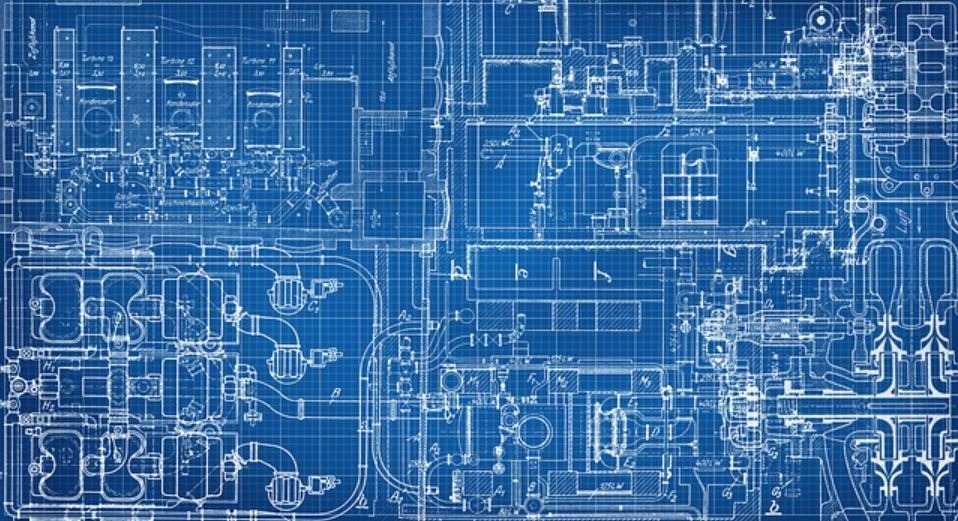
The most important and basic job of an electrician is to read the electrical blueprints of a building. These technical diagrams play a pivotal role in the architectural design of the building. These include the details such as locations of wires, light fixtures, receptacles, and other parts of the electrical system.

A glance at an electrical blueprint is enough for an electrician to identify the signs and symbols. They are trained to read the keys that come with each diagram to decide all the information in these plans. Blueprints are 2D drawings that include a site plan, floor plan, wiring diagrams for various physical connections, electrical circuits, and schedules. Hiring a trained electrician for reading blueprints saves you a lot of time, money, and inconvenience.

Inspect Existing Electrical Systems

Inspect Existing Electrical Systems

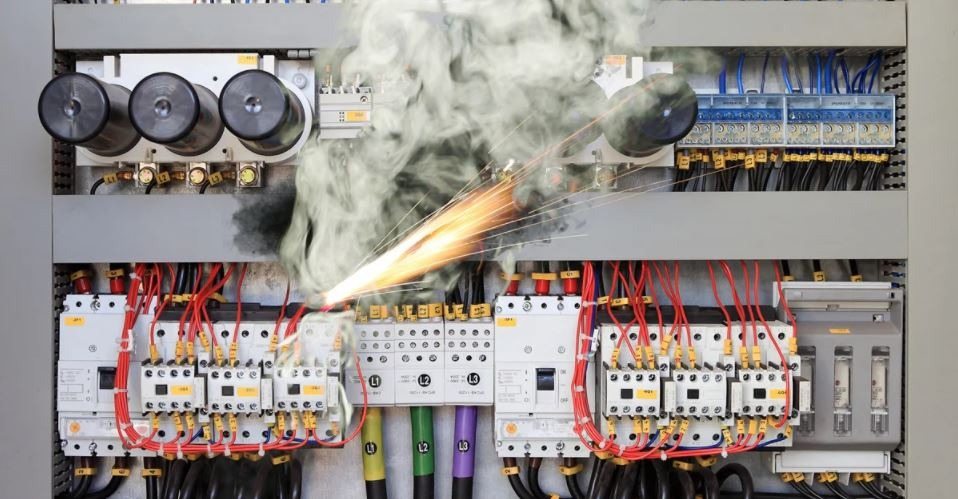
One of the key jobs of an electrician is to inspect existing electrical systems for residential and commercial buildings. They first check the technical diagrams for the said building and determine if all of the circuits, outlets, load centers, and panel boards are installed at the right places. Once they have determined that wires and outlets are at their recommended places, they check them for any damages.

A trained electrician can identify the damaged area much faster than anyone working with a hit and trial method. They have got techniques and equipment to identify the faults and fix them. An annual inspection by a licensed electrician is a must for most building types in the US. They will test all the components and ensure the safety and compatibility of the components.

Repair Damages In The Electrical Systems

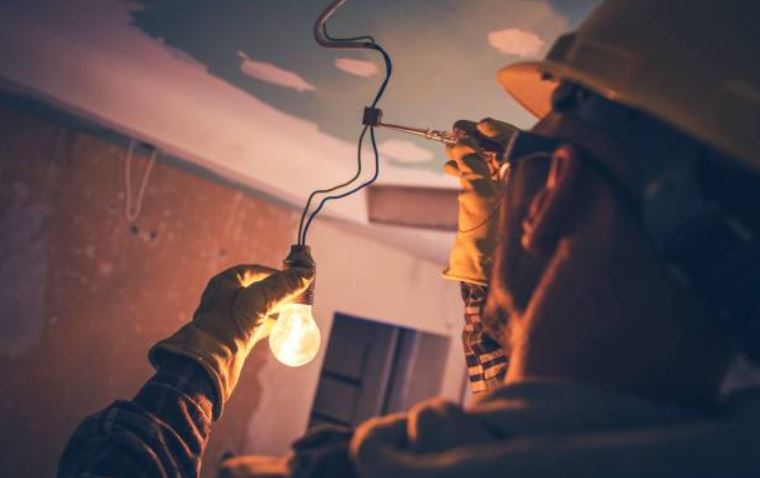
Be it your water heater or a heavy-duty fermenter in an industry, things go wrong sooner or later. You will need the help of a trained electrician to make the necessary repairs. Owing to the risky nature of electrical repairs and installations, it is best to hire professional electricians to ensure your safety.

An electrician has completed training programs and worked under the supervision of an experienced technician before they can handle any repairs. You can contact our team for a wide range of electrical repairs. Starting from changing your light fixture to troubleshooting the glitches in a piece of factory equipment, electricians can handle it all.

Handle New Installations

Handle New Installations

One of the most common tasks handled by electricians is the installation of various equipment. Electricians use state-of-the-art tools to handle installations. If you are hiring an electrician for installations in your home, they will mostly use basic hand tools such as pliers, knives, screwdrivers, wire strippers, hacksaws, and conduit benders for the job. Powered saws and drills are used for more complex tasks.

Thus a reliable technician is trained to use all sorts of tools and equipment to ensure smooth and safe installations. As they manage installations, electricians play key roles in construction or remodeling sites.

Maintenance Work In Residential And Commercial Settings

Maintenance Work In Residential And Commercial Settings

You will find electricians employed at all the major companies, business settings, and construction firms at hefty salaries. That’s because having an electrician on-site ensures smooth operations. If anything breaks down, call in the electrician and they will provide quick repairs to keep the progress on track.

In commercial settings, every minute counts and equals major losses worth thousands of dollars. Electricians expert at maintenance works keeps up the workflows. They have the necessary expertise to repair and replace any components of electrical systems.

If you are a homeowner, you need to hire an electrician to resolve common issues like flickering lights, bulb burnouts, circuit tripping, and faulty switches. Yearly inspection and maintenance are crucial for your safety.

Install And Maintain IT Setups

Install And Maintain IT Setups

According to the Bureau of Labor Statistics, an electrician handles the basic jobs during IT setups. They are tasked with repairing, installing, and maintaining control systems, communications, lighting, and electrical power in IT firms. Every business or commercial building needs to have an IT setup to monitor and control all sorts of operations. A licensed electrician not only helps in the setup but can be called upon for timely repairs and maintenance tasks. With their ammeters, ohmmeters, and voltmeters they will ensure that your connections are never lost or interrupted.

Assist In Cabling And Networking

Assist In Cabling And Networking

With the most experienced and skilled team on board, we can help keep your business connected, secured, and protected at all times. Feel free to get in touch with us today. We will be pleased to answer any of your queries and provide quality services. Your peace of mind and safety is what we aim for.