Month: April 2026

NYC Audio Video & Security Installer Guide (2026)

If you’re a New York property owner or business operator searching for an audio-visual, security, or smart-home installer in 2026, the decision is significantly more complicated than it was even five years ago. The technology stack has converged. CCTV systems now run on the same network as your phones. Conference room AV depends on the same Wi-Fi as your point-of-sale system. Access control is no longer a standalone product, it’s a cloud platform that touches your IT infrastructure, your video surveillance, and your visitor management.

That convergence has created a problem: most New York installation companies are still organized the old way. The CCTV company doesn’t really do AV. The AV company doesn’t really do networking. The IT company doesn’t touch low-voltage cabling. And the homeowner or business owner ends up managing four different vendors, three different invoices, and zero clear accountability when something breaks.

This guide is designed to help New York property owners, particularly in Manhattan, Brooklyn, Queens, Murray Hill, the Upper East Side, and Midtown, make a smarter decision when hiring a single installation partner for AV, surveillance, structured cabling, smart home automation, and IT services.

The State of NYC Installation in 2026: What’s Actually Changed
Three shifts have fundamentally changed what a “good” AV and security installer looks like in New York:

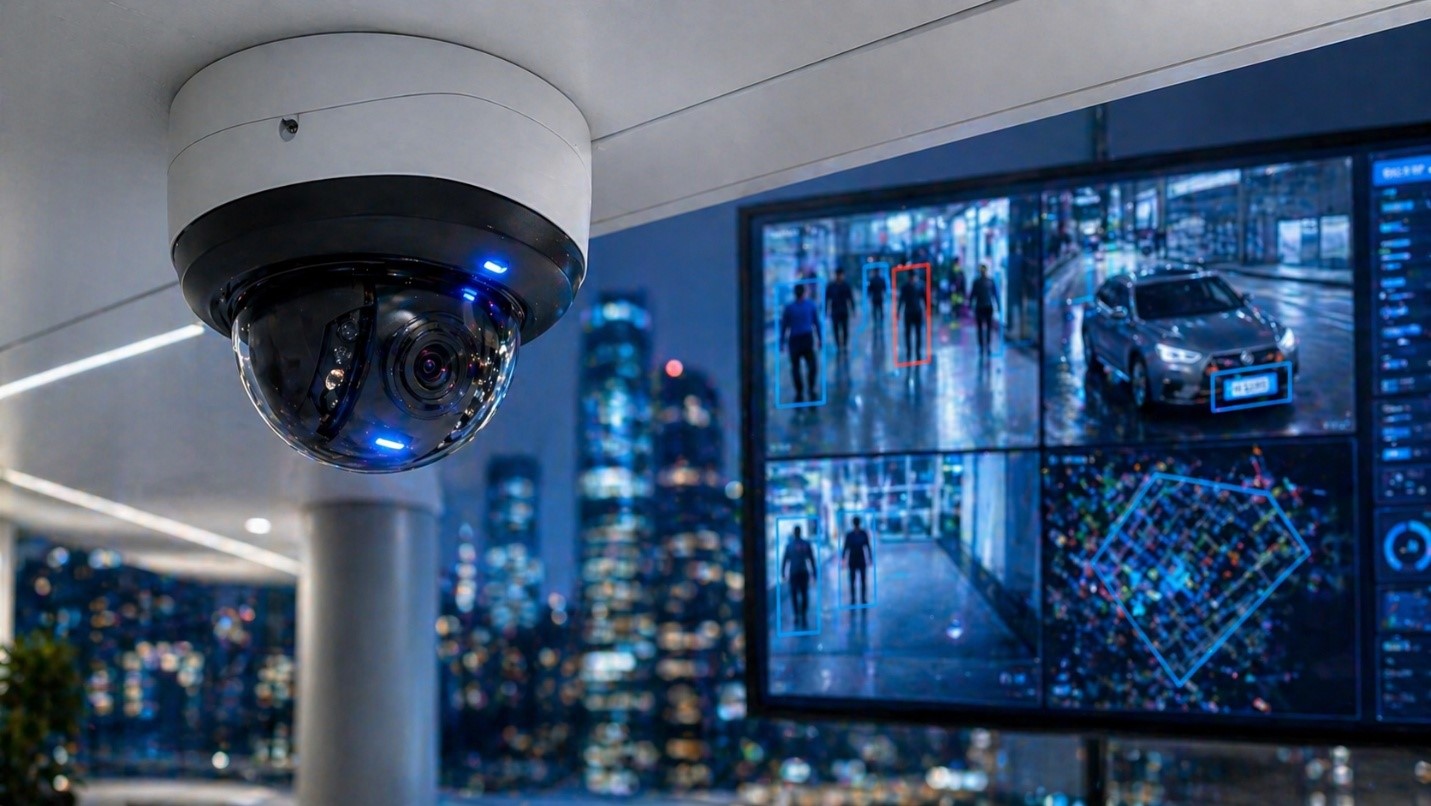
1. AI video analytics is now table stakes. Cameras that simply record video are no longer competitive. Modern surveillance systems perform license plate recognition, people counting, motion-zone alerts, intrusion detection, heat mapping, and intelligent search across hours of footage. Any installer who is still selling 2018-era DVR systems with passive recording is selling you something that will be obsolete within 24 months.

2. Cloud-based access control has replaced traditional alarm panels. Brivo, Verkada, Avigilon Alta, and similar platforms have moved access control off-premise, which means the installer needs to understand cloud architecture, mobile credentials, and integration APIs, not just how to wire a magnetic lock.

3. Smart home and commercial AV have merged into the same skill set. A Savant home automation install in an Upper East Side apartment uses the same Crestron-adjacent control logic as a Zoom Rooms conference deployment in a Murray Hill office. Installers who specialize in only one or the other are increasingly behind.

The implication: the right installer in 2026 is one who can speak fluently across IT, AV, surveillance, networking, and smart automation, and who has the in-house team to execute all of it.

The Six Service Categories That Matter Most
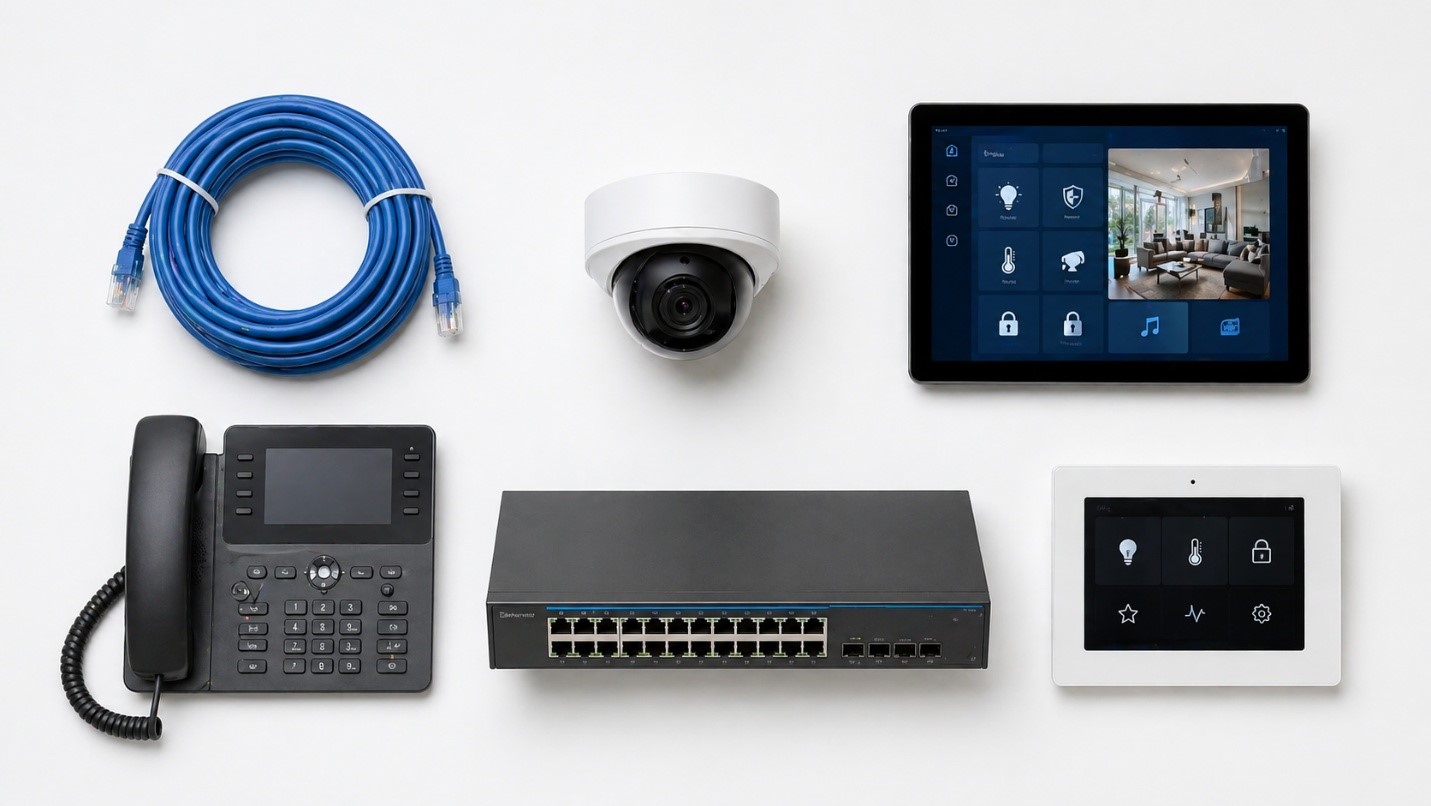
Before evaluating any installer, decide which of the following six service categories your project requires. Most NYC properties, residential or commercial, need at least three.

Audio Video Installation

This category covers conference room AV (4K displays, video conferencing, wireless screen sharing), commercial digital signage, distributed audio systems, and home theater installation with surround sound and acoustic treatment. In NYC, the constraints are usually physical: pre-war ceilings, concrete floors, narrow conduit paths, and co-op board approval requirements all influence installation design. A serious AV installer in New York will conduct a proper site survey before quoting and will design around the building rather than fighting it.

Surveillance & Security Systems

CCTV, IP cameras, NVR/DVR systems, AI video analytics, video intercom, and alarm systems. The right installer will recommend IP cameras over analog (60x better resolution, plus support for motion detection, audio detection, and tampering alerts), will specify proper PoE-grade cabling, and will integrate the surveillance system with access control and alarm panels rather than treating them as separate islands.

Smart Home Automation

This is where Savant, Crestron, and similar platforms come in. A proper smart home install integrates lighting, motorized shades, climate, audio, video distribution, security, and entertainment under a single mobile or in-wall interface. In NYC luxury residential, particularly the Upper East Side, Tribeca, and Manhattan brownstones, Savant installation has become the de facto standard for high-end clients who want one app to control the entire residence.

Structured Cabling

Cat6, Cat6A, fiber optic, low-voltage cabling, and patch panel termination. This is the foundation layer for everything else. New construction projects, gut renovations, and office buildouts all require professional cabling design before any AV, surveillance, or networking equipment is even ordered. Any cabling work in NYC requires familiarity with NYC building codes, fire-stopping requirements, and union vs. non-union job site rules.

IT Help Desk & Network Security

Day-to-day IT support, server maintenance, firewall configuration, managed switches, secure Wi-Fi deployment, endpoint protection, and HIPAA-compliant network design for medical and legal clients. For commercial clients in NYC, this is increasingly bundled with AV and surveillance because the same team is already on-site managing the network that everything else runs on.

VoIP Phone Systems

Cloud-based phone systems with auto-attendant, voicemail-to-email, multi-site extension dialing, call recording, and CRM integration. VoIP has effectively replaced legacy PBX systems in NYC commercial environments, but only when paired with a properly configured network that supports QoS for voice traffic.

Neighborhood-Specific Considerations

NYC is not a uniform installation market. The right approach varies meaningfully by neighborhood and building type.

Midtown Manhattan & Murray Hill

Predominantly commercial. Office buildouts, conference room AV, structured cabling, VoIP, and managed IT dominate the workload. Building management companies and union site rules often apply. Same-day response capability matters because conference room AV failures and CCTV outages happen at corporate offices that cannot afford operational downtime.

Upper East Side

Luxury residential. Savant home automation, distributed audio, home theater, video intercom upgrades for pre-war buildings, and discreet camera installation that respects architectural detail. Co-op board approval and fully insured installers (typically $2M minimum liability) are non-negotiable.

Lower East Side & Downtown Manhattan

A mix of residential lofts, restaurants, retail, and creative offices. AV, surveillance, and Wi-Fi deployment in older buildings with limited conduit access. Restaurants in particular need POS integration, surveillance for loss prevention, and reliable Wi-Fi for guests.

Brooklyn

Brownstones, multi-family buildings, restaurants, and a growing creative-office market. Common projects include video intercom upgrades, residential CCTV, AV installation in renovated brownstones, and structured cabling for new commercial buildouts in DUMBO, Williamsburg, and Downtown Brooklyn.

Queens

Multi-family residential, light industrial, retail, and a heavy concentration of medical and dental practices. CCTV, access control, video intercom, VoIP for medical offices, and HIPAA-grade network security are all in high demand.

Red Flags: How to Identify a Weak Installer Before You Sign

These are the warning signs that a NYC installer is going to cause you problems:

1. They quote without a site survey. If a CCTV, AV, or cabling estimate arrives based on a phone call alone, the number is fictional. You will be hit with change orders the moment work begins.

2. They subcontract the work they claim to do. Ask directly which portions of the scope will be handled by their employees versus a subcontractor. Subcontracted work is fine for specific specialties (electrical, sometimes fire alarm), but if the camera installation, AV mounting, and cabling are all going to different companies, you don’t have one accountable vendor, you have three.

3. They cannot produce a current certificate of insurance. Most luxury Manhattan buildings, co-ops, and commercial property managers require $2M+ liability coverage to even allow a vendor on-site. If the installer can’t produce a COI on request, they are either uninsured or work primarily on small-scale residential.

4. They sell only one brand. Installers who push only one camera manufacturer, one AV brand, or one home automation platform are usually trying to maximize their margin rather than design the right system for your property. A serious installer is brand-agnostic and recommends equipment based on the use case.

5. They cannot answer integration questions. Ask: “How will the access control system talk to the surveillance system?” “How will the conference room AV authenticate against our network?” “How will the alarm system trigger camera recording?” If the answer is vague, the installer doesn’t actually understand integration.

6. No emergency response plan. Things break. CCTV systems go down. AV equipment fails before client meetings. A serious installer has a documented response process and can dispatch a technician within hours, not days.

What a Properly Integrated NYC Installation Looks Like

To make this concrete, here is what a real, properly executed NYC commercial installation should include:

A 30-person Murray Hill law firm engages a single installer for a full office buildout. The scope includes:

  • Cat6A structured cabling throughout 8,000 square feet of office space
  • Three conference rooms equipped with 4K displays, ceiling microphones, Zoom Rooms integration, and wireless screen sharing
  • 14 IP cameras with AI video analytics covering reception, hallways, file rooms, and entry points
  • Cloud-based access control with mobile credentials for 35 employees
  • Cisco-grade managed switches, business-class firewall, and secure Wi-Fi with separate guest and employee networks
  • 30-station VoIP phone system with call recording and voicemail-to-email
  • Ongoing managed IT and help desk support with documented response SLAs

A single installer with the right team handles all of it on a coordinated timeline, with one project manager, one invoice structure, and one accountability point. This is what a 2026 NYC installation should look like and why the old model of hiring four separate vendors is increasingly obsolete.

Why NYC IT Tech Was Built for This Market

NYC IT Tech operates from 286 Madison Avenue in the heart of Midtown Manhattan and serves clients across Manhattan, Murray Hill, the Upper East Side, Lower East Side, Chelsea, Downtown Manhattan, Brooklyn, Queens, and the Bronx, with the specific operational model described above.

The company was structured from the start as a full-stack technology integrator rather than a single-discipline installer. The same in-house team that runs Cat6A cabling for a new-construction office in Murray Hill will also configure the firewall, install the managed switches, mount the conference room AV, commission the surveillance cameras with AI video analytics, and stand up the VoIP phone system. For residential clients on the Upper East Side or in Brooklyn brownstones, that same model applies to Savant home automation, home theater installation, distributed audio, video intercom systems, and integrated security.

Service Capability at a Glance

Service Category NYC IT Tech Capability
Conference Room AV Installation Full design, install, and integration with Zoom Rooms, Microsoft Teams, and Google Meet
Home Theater Installation Dolby Atmos surround sound, 4K/8K projection, acoustic design
CCTV & Surveillance IP cameras, NVR systems, AI video analytics, license plate recognition, people counting
Savant Home Automation Certified Savant integration of lighting, shades, AV, climate, security
Video Intercom Systems Multi-family residential and commercial intercom design and installation
Commercial Security Systems Access control, alarm systems, integrated CCTV for offices, retail, and medical
Structured Cabling Cat6, Cat6A, fiber optic, new-construction pre-wire, low-voltage subcontracting
IT Help Desk Support Remote and on-site help desk, server maintenance, moves/adds/changes
Network Security Solutions Firewalls, managed switches, secure Wi-Fi, HIPAA-compliant network design
VoIP Phone Systems Cloud VoIP with auto-attendant, call recording, multi-site extensions
New Construction Services Pre-wire, site surveys, fully insured cabling subcontracting

Coverage Areas

Manhattan (Midtown, Murray Hill, Upper East Side, Lower East Side, Chelsea, Downtown, Uptown), Brooklyn, Queens, the Bronx, and parts of New Jersey.

Contact

286 Madison Avenue, New York, NY 10017 (212) 671-3330 nycittech.com

Bottom Line

The NYC installation market in 2026 rewards integration over specialization. The companies winning the best commercial and residential projects are the ones who can handle the full technology stack, IT, AV, surveillance, smart home, cabling, and VoIP, under a single accountable team.

For property owners and businesses in Manhattan, Murray Hill, the Upper East Side, Brooklyn, and Queens who want to make one good hiring decision instead of four mediocre ones, the framework above should make the choice substantially clearer.

If you’d like a no-pressure site survey for an upcoming project, whether it’s a single conference room, a full office buildout, a luxury residential automation system, or a multi-property surveillance deployment, NYC IT Tech offers free consultations across the New York metro area.

Frequently Asked Questions

Audio video installation costs in New York City typically range from $500 for a basic TV mount to $25,000+ for a fully integrated home theater or commercial conference room AV system. Pricing depends on the equipment selected, the complexity of the structured cabling, and whether the project requires new construction pre-wire or retrofitting in pre-war buildings. Most professional NYC AV installers offer free site surveys before providing detailed estimates.

CCTV (closed-circuit television) traditionally refers to analog camera systems that record to a DVR, while IP security cameras transmit digital video over a network to an NVR or cloud platform. IP cameras offer up to 60x better resolution, AI video analytics, motion detection, license plate recognition, and remote viewing through smartphones, making them the preferred choice for both residential and commercial installations in New York City.

Yes. New York State requires security system installers to hold a valid security or low-voltage license, and most NYC luxury buildings, co-ops, and commercial property managers also require installers to carry at least $2 million in liability insurance. Always request the certificate of insurance and license number before signing any contract for CCTV, alarm, or access control work.

Savant is a premium home automation platform that integrates lighting, motorized shades, audio, video, climate control, and security under a single mobile or in-wall interface. It is particularly popular in luxury NYC residential properties, Upper East Side apartments, Tribeca lofts, and Manhattan brownstones, because it allows homeowners to control every system in their residence from one app, increasing both convenience and property value.

A typical commercial audio video installation in Manhattan takes anywhere from 3 days for a single conference room to 4–8 weeks for a full multi-floor office buildout. Timelines depend on building access rules, union vs. non-union job site requirements, the complexity of structured cabling, and whether AV equipment integrates with existing IT and security infrastructure. New construction projects benefit most from coordinated low-voltage pre-wire scheduling.

Yes, and it’s increasingly the preferred model. Full-stack technology integrators like NYC IT Tech handle audio video installation, surveillance, structured cabling, VoIP, network security, and managed IT under one roof. This single-vendor approach reduces project timelines, eliminates finger-pointing between contractors, and typically lowers total cost of ownership for commercial and high-end residential clients.

NYC IT Tech provides audio video, surveillance, smart home automation, and IT services across all five NYC boroughs and surrounding metro areas, including Midtown Manhattan, Murray Hill, Upper East Side, Lower East Side, Chelsea, Downtown Manhattan, Brooklyn, Queens, the Bronx, and parts of New Jersey. Their headquarters is located at 286 Madison Avenue, New York, NY 10017.

How to Plan Access Control for a New Corporate Office Build in NYC

A new corporate office build in NYC is expensive on its own. But the real budget hit comes when security gets treated as an afterthought. Retrofitting access control wiring after walls are sealed and union crews have moved on can cost three to five times more than getting it right during construction. In a city where labor rates are already some of the highest in the country, that kind of rework is not something most project budgets can absorb.

This corporate office access control planning guide walks through the decisions that need to happen before drywall goes up, not after. If you are managing a build-out, relocating, or overseeing new construction in Manhattan or the outer boroughs, this is the planning window that matters most.

Why Access Control Needs to Be Part of the Architectural Blueprint?

Access control must be planned during the architectural phase because it dictates low-voltage wiring routes, door frame prep, and power requirements that become far more expensive to change once construction is underway.

Think about what happens when access control wiring during office construction gets skipped or delayed. Conduit paths that should have been mapped in the blueprint now need to be carved into finished walls. Door frames installed without recesses for card readers or electric strikes need to be pulled and replaced. Power drops that should have been routed to entry points during rough-in now require a second electrician visit and, in many NYC buildings, a second permit.

A proactive plan treats every controlled door, every reader location, and every cable run as part of the architectural package from day one. A reactive plan tries to bolt hardware onto a finished space and hopes it all connects. For projects involving low-voltage cabling and infrastructure for new construction, planning the access control backbone at the same time as data and power runs saves significant time and money.

Mapping How People Move Through the Space

A well-designed access control plan maps the daily flow of employees, visitors, and contractors so credentialed users move through the space without friction while unauthorized access is blocked at every layer.

This is where the concept of layered security becomes practical, not theoretical. Start at the elevator bank and work inward. Employees arriving in the morning should badge in at the lobby, ride the elevator to their floor, and enter the suite without pulling out a second card or waiting for someone to buzz them in. Visitors should be directed to a reception area where their access is limited to common spaces until someone escorts them further.

Defining Access Zones by User Type

Every office has areas with different sensitivity levels. The main entry, conference rooms, executive offices, server rooms, and storage closets all represent different tiers. Mapping these zones during the planning phase lets you assign the right level of control to each door before hardware decisions are made.

Contractors and temporary workers add another layer. If your build-out phase will overlap with early occupancy, you need a credentialing plan that gives construction crews access to specific areas without opening up the rest of the suite.

Integrating with NYC Building Management Systems

Corporate tenants in NYC high-rises need their internal access control system to integrate with the building’s base-building security so employees can use a single credential for lobby turnstiles, elevators, and their office suite.

This is one of the most overlooked steps in planning access control for a new office build in NYC. Many Manhattan commercial buildings operate destination dispatch elevator systems tied to the building’s own access platform. If your tenant system does not communicate with that platform, your employees end up carrying two cards and tapping in twice every morning.

Working with Building Management Early

The right time to start this conversation is before lease negotiations are finalized, or at minimum before construction drawings are submitted. Building management teams often have specific requirements around which platforms they support, how tie-ins to lobby turnstiles work, and what credential technology is allowed. Getting these answers late can force you to swap hardware or redesign wiring paths you already roughed in.

Choosing the Right Hardware for Your Office

Hardware selection comes down to matching the right device to each door’s function, balancing the look of the space with the level of security each entry point requires.

A glass-front conference room does not need the same reader as a back stairwell exit. Sleek mullion-style readers work well on frameless glass doors where aesthetics matter. Heavier-duty, vandal-resistant keypads or readers belong on utility doors, stairwells, and secondary exits where durability is the priority.

The Shift Toward Mobile Credentials

Plastic keycards are still common, but mobile credentials are gaining ground fast. Smartphone-based access removes the need to print, distribute, and replace physical cards. It also gives administrators more flexibility to issue temporary credentials to visitors or revoke access remotely. Designing around mobile-first access with card fallback is a practical way to future-proof the investment.

For a full breakdown of access control hardware and installation options in NYC, evaluate reader types, lock mechanisms, and controller platforms before finalizing construction drawings.

Who Needs to Be in the Room During Planning

Access control planning falls apart when it happens in a silo. If the security consultant, architect, IT team, and general contractor are not coordinating from the start, the result is a system full of compromises.

Key Stakeholders

The security team defines access tiers and credentialing policies. The IT team handles network integration and user provisioning. Building managers flag traffic patterns and maintenance realities. Contractors and installers know what fits in the walls, where conduit can run, and how devices connect to panels.

Bring all of them together before construction drawings are finalized. One planning meeting costs a fraction of what it takes to fix a misaligned system after occupancy.

Budgeting for Access Control in a New Build

Start with a hardware inventory. Count every controlled door, reader, electronic lock, control panel, and power supply. Get vendor quotes based on real quantities. Software licensing is the other variable. Some platforms charge per door, others per user, and some run on annual subscriptions. Compare models based on your expected headcount over the next three to five years.

Why Early Adoption Costs Less

Installation during the rough-in phase is significantly cheaper than post-construction work. Cable runs follow the original blueprint. Door frames are prepped before they are hung. Panels and power are placed before ceilings are closed. When access control enters the project late, every one of those tasks becomes a change order, and in NYC, change orders come with premium labor rates.

When to Install Access Control in a New Office Build-Out

The short answer is during pre-construction, ideally at the same time low-voltage cabling, data infrastructure, and power distribution are being designed. The conduit paths, door prep, and panel locations for access control overlap heavily with other low-voltage systems, so planning them together avoids redundant labor and conflicting cable routes.

If your project is already past the blueprint stage, the next best window is during rough-in, before walls are closed and ceilings are finished. The earlier access control enters the conversation, the more options you have and the less you spend fixing problems that did not need to happen.

Cat6 vs. Cat6a vs. Fiber: How to Pick the Right Cabling for Your Corporate Network

If you are planning a corporate office build or upgrading an aging network, the cabling conversation usually starts with the same question: should you go with Cat6, Cat6a, or fiber?

All three have a place in a modern commercial office network. But the best ethernet cable for your corporate office build depends on how far your cable runs need to go, how much bandwidth you need now and in the next five to ten years, and how many devices you plan to power through the network itself.

This guide breaks down the real differences between Cat6, Cat6a, and fiber so you can make a decision that fits your building, your budget, and your growth plan.

What These Cables Actually Are (and Why It Matters)

The short answer: Cat6 and Cat6a are copper cables that carry data and power. Fiber is a glass or plastic cable that carries data using light. That single difference changes everything about where and how each one gets used.

Cat6 and Cat6a both fall under the family of copper twisted-pair Ethernet cables. They plug into the network switches, desk ports, phones, cameras, and access points your team uses every day. Fiber, on the other hand, connects the bigger pieces of your network together. It links server rooms to remote closets, bridges multiple floors, and handles the heaviest data traffic in the building.

Most businesses do not pick one and use it everywhere. The real question is which cable goes where, and that is what the rest of this guide will help you figure out.

Cat6: The Current Standard for Most Office Desk Drops

Cat6 is the standard copper cable in most modern offices, supporting speeds up to 10 Gbps over short distances (up to 55 meters) and delivering reliable Power over Ethernet (PoE) to connected devices.

For a typical commercial office network, Cat6 handles everyday tasks without breaking a sweat. It is the go-to cable for standard workstations, VoIP desk phones, network printers, and lower-density areas where bandwidth demand stays moderate.

Where Cat6 starts to show its limits is on longer runs and in environments with heavy electrical interference. If you need consistent 10-gigabit performance across the full 100-meter distance that structured cabling standards allow, Cat6 is not the cable for that job. It works well for general desk drops in smaller offices, shorter horizontal runs, and spaces where the network layout is simple and interference is low.

Cat6a: The Future-Ready Copper Option for High-Bandwidth Offices

Cat6a (Augmented) supports 10 Gbps speeds over the full 100-meter distance and features thicker shielding to reduce crosstalk, making it the stronger choice for high-density Wi-Fi access points, AV-over-IP systems, and conference rooms with heavy usage.

If you are weighing cat6 vs cat6a for a commercial office network, the main difference comes down to headroom. Cat6a gives you more room to grow. It handles interference better in real-world conditions, especially in busy ceiling spaces and dense cable pathways where bundles of cable run close together.

The tradeoff is that Cat6a cables are physically thicker and stiffer than Cat6. That means your structured cabling installation needs clean pathway planning, proper conduit sizing, and careful termination work. When installed correctly and held to enterprise structured cabling standards like TIA-568, Cat6a gives a corporate network the kind of performance consistency that pays off for years.

Fiber Optic Cabling: The Network Backbone That Handles Distance and Speed

Fiber optic cables use light to transmit data at massive speeds over extremely long distances without picking up electromagnetic interference, making them the right choice for connecting server rooms, linking network closets across floors, and running backbone links between switches.

So should you use fiber optic or copper cabling for your business? In most cases, the answer is both. Fiber is rarely run directly to an employee’s desk because most end-user devices still need copper for PoE. Laptops, phones, cameras, and Wi-Fi access points all draw power through their Ethernet connection, and fiber cannot deliver that.

Where fiber becomes irreplaceable is in the backbone of your network. It connects your main distribution frame (MDF) to intermediate distribution frames (IDFs) on other floors, carries high-capacity uplinks between core switches, and bridges buildings in campus-style office setups. For any run that exceeds the 100-meter copper limit or needs to be completely immune to electrical noise, fiber is the clear answer.

Side-by-Side Comparison: Cat6 vs. Cat6a vs. Fiber

FeatureCat6Cat6aFiber
Max Speed10 Gbps (up to 55m)10 Gbps (up to 100m)10 Gbps to 100+ Gbps
Max Distance100m (1 Gbps) / 55m (10 Gbps)100m at 10 GbpsHundreds of meters to kilometers
PoE SupportYesYesNo
Interference ResistanceModerateHigh (better shielding)Immune to electromagnetic interference
Cable ThicknessStandardThicker, stifferThin, lightweight
Best Use CaseDesk drops, phones, printersHigh-bandwidth rooms, Wi-Fi APs, 10G uplinksBackbone links, multi-floor runs, switch uplinks
Relative CostLowerModerateHigher (cable + optics)

PoE and Why It Changes the Cabling Conversation

Power over Ethernet lets your network switches deliver electrical power and data through a single cable, which is why copper cabling remains essential for cameras, phones, access points, and access control readers.

In a modern commercial office, PoE-powered devices are everywhere. Security cameras, VoIP handsets, Wi-Fi access points, and door access readers all run on power delivered through the same Ethernet cable that carries their data. That means every one of those devices needs a copper cable run back to the network closet.

This is the main reason fiber has not replaced copper at the endpoint level. While fiber handles the heavy lifting between switches and across long distances, copper Cat6 and Cat6a cables are the ones actually powering and connecting the devices your team interacts with every day. When planning cable runs for PoE devices, it helps to work with an experienced cabling subcontractor who understands how to map dedicated runs and manage power budgets at the switch.

10-Gigabit Ethernet: Do You Need It at Every Desk?

Most offices do not need 10 Gbps to every workstation today, but having the infrastructure in place to support it where it counts is what separates a good network build from one you will need to redo in three years.

The places that benefit most from 10-gigabit connections in a corporate network right now are switch-to-switch uplinks, backbone links between closets, high-density Wi-Fi access point connections, and workstations used for media production, engineering, or large data transfers. For the average office worker sending emails, joining video calls, and accessing cloud apps, a well-built gigabit connection is still plenty.

The smart approach is to run Cat6a to locations where 10-gigabit performance might matter in the near future, and use standard Cat6 for desk drops that do not need that level of throughput. That way you are not overspending on cable while still keeping the door open for faster speeds down the road.

How to Choose the Right Mix for Your Office Build

The best corporate networks use a hybrid approach. Fiber optics for the backbone between switches, Cat6a for high-bandwidth devices like Wi-Fi 6E access points and conference rooms, and Cat6 for standard desk drops.

Here is how that plays out in a typical office build:

  • Backbone and riser links get fiber. These are the runs between your MDF and IDFs, between floors, and between core network switches.
  • Conference rooms, collaboration spaces, and access point locations get Cat6a. These areas see the heaviest bandwidth demand and benefit from the extra performance headroom.
  • Standard desk drops, printer locations, and phone connections get Cat6. These are reliable, cost-effective runs that handle everyday office traffic without issue.

This blended design keeps costs manageable while meeting structured cabling standards for enterprise networks. It also means your infrastructure can handle new technology and higher bandwidth demands without a full recabling project.

Structured Cabling Design Tips That Save You Money Later

Good cable is only half the equation. The installation itself determines how well your network performs over time.

Labeling and Documentation

Every cable run should be labeled at both ends with a clear, consistent naming scheme. A complete port map and cable schedule make troubleshooting faster and keep future moves, adds, and changes from turning into guesswork.

Pathway Planning and Cable Management

Cables need clean pathways using J-hooks, cable trays, or conduit where building codes require it. Protecting bend radius and avoiding crushed or pinched bundles keeps signal quality high and reduces the risk of performance issues years after the install.

Testing and Certification

Every terminated run should be tested and certified before the walls close up. This is the one step that confirms your cabling meets the performance ratings printed on the box, and it catches termination errors before they become expensive problems.

Interference, Noise, and Why Your Cable Choice Matters More Than You Think

In a lot of office environments, interference is invisible but still impacts network performance. Dense cable bundles, fluorescent lighting, elevator motors, HVAC equipment, and nearby power lines can all introduce electrical noise that degrades copper signal quality.

Cat6a handles many of these challenges better than Cat6 thanks to its thicker shielding. But for the most critical links in your network, fiber avoids the problem entirely because light signals are immune to electromagnetic interference. If your building has known electrical noise issues or your cable runs pass through mechanical spaces, fiber is worth considering for more than the backbone.

Picking the Right Cable for the Right Run

The best ethernet cable for a corporate office build is not a single product. It is a combination that matches each cable type to the job it does best. Cat6 covers the basics, Cat6a adds performance where it is needed most, and fiber ties the whole network together.

Getting this mix right at the design stage means your network supports what the business needs today and grows with it over the next decade. And it means you are not pulling new cable through finished walls two years from now because the original plan cut corners in the wrong places.

How to Budget for IT Infrastructure in a New NYC Office Build

Most businesses moving into a new commercial space budget carefully for walls, floors, furniture, and branding. IT infrastructure rarely gets the same attention. That gap between what teams plan for and what they need is where budgets fall apart.

If you are building out a new office in New York City, the IT line item is almost always more complex than it looks on paper. Between structured cabling, server room buildouts, AV systems, and physical security, the hidden IT costs when moving offices can add up fast. This guide breaks down the major categories so you can budget with clarity instead of scrambling to cover overages later.

Structured Cabling Is the Foundation of Every Office Network

Your cabling budget should be calculated by the number of “drops” you need. A drop is a single connection point, and you will need them at every workstation, Wi-Fi access point, printer, phone, and conference room. Cat6 handles most standard office environments, while Cat6a is better suited for high-bandwidth areas like AV-over-IP systems or dense wireless zones.

Why Wi-Fi Cannot Replace a Wired Backbone

One of the most common mistakes in estimating structured cabling costs for a business is assuming Wi-Fi alone can carry the load. It cannot. Wireless networks depend on a wired backbone. Every access point needs a cable run back to a switch, and high-traffic devices like VoIP phones perform far more reliably on a physical connection.

Labor is a significant part of this budget. In Manhattan, union requirements, freight elevator scheduling, and building access rules add real cost to every cable pull. If you are planning new construction cabling for a commercial space, get a drop count estimate early and build in a 10 to 15 percent buffer for unforeseen runs.

Building a Server Room That Performs

The Main Distribution Frame needs its own dedicated electrical circuits, 24/7 cooling, and uninterruptible power. A server room is not a repurposed storage closet. It is the nerve center of your office network, and underbuilding it creates problems that are expensive to fix after occupancy.

Server racks need to be sized for current equipment and at least two to three years of growth. Dedicated high-voltage circuits should be separated from general office power, and the HVAC system serving the room must run around the clock, independent of the building’s standard schedule. An Uninterruptible Power Supply keeps systems running during outages and protects hardware from surges.

How much you spend on the MDF depends on the equipment you are housing. A small business running cloud-based tools might need a single rack with a switch, firewall, and patch panel. A company with on-premise servers or hybrid cloud infrastructure will need considerably more. Either way, setting up a server room for your business starts with power and cooling requirements.

Conference Room AV and Collaboration Technology

AV budgets should be calculated per room, not as a single lump sum. Every meeting space has different needs. A two-person huddle room might only need a display and a USB camera. A 20-seat boardroom requires commercial-grade screens, ceiling microphone arrays, intelligent video conferencing cameras, and a control system that ties everything together.

Hybrid work has turned conference room technology into one of the largest IT expenses in a commercial office buildout. Rooms need to support remote participants at the same quality level as in-person attendees, which means auto-framing cameras, distributed microphones, speakers, and a scheduling panel at the door.

Control Systems Are the Budget Line Most Teams Miss

The control system is the piece most teams overlook. Without a control system, employees spend the first five minutes of every meeting troubleshooting connections. Crestron, Extron, and similar platforms simplify the experience, but they add cost. For a deeper look at conference room AV installation and pricing, budget ranges shift significantly based on room size and feature set.

Physical Security and Access Control

Plan for cloud-based access control readers at every main entry point and IT closet, plus PoE security cameras for reception areas and corridors. Security infrastructure has to be wired during the initial build. Adding it after walls are closed means opening ceilings and pulling cable through finished spaces, which costs significantly more.

Access control has moved well beyond keycards. Modern setups use mobile credentials, time-restricted guest codes, and audit trails that log every entry. At minimum, readers should cover the front door, the server room, and any sensitive storage areas.

PoE Cameras Simplify Wiring and Cut Costs

PoE cameras run both data and power over a single Ethernet cable, which reduces runs and eliminates the cost of installing separate electrical outlets at each camera location. If your commercial security system is planned alongside the structured cabling, camera placement becomes part of the cabling scope instead of a separate project.

The NYC Premium on IT Installation

Union labor, freight elevator fees, and complex building permitting will add 15 to 30 percent to your IT installation costs compared to other markets. This is baked into how commercial buildings in Manhattan operate.

Most buildings enforce strict rules about work hours, noise levels, and material staging. Freight elevator time is shared among multiple tenants, so your cabling crew might only get a two-hour window per day to move materials. Insurance certificates, security sign-ins, and mandatory building engineer supervision all add hours. Build these logistics costs into your IT budget as a separate line item.

VoIP and Phone System Infrastructure

VoIP phones run on your data network, so they need to be planned as part of the cabling scope, not added later. Every desk phone needs its own dedicated network drop, and the switch infrastructure has to support PoE to power those phones without separate adapters.

If your team is still on a traditional phone system, an office move is the natural time to upgrade to VoIP. Running dedicated phone lines in a new build costs nearly the same as running data drops, so there is little reason to carry a legacy system into a new space. Factor in switch hardware, cloud PBX licensing, and per-drop cabling.

Planning for Moves, Adds, and Changes After Day One

No office stays the same after move-in. Teams grow, departments reorganize, and new equipment arrives. The IT infrastructure you install on day one needs to accommodate those changes without a full re-pull of cabling.

Build in extra capacity at the patch panel and switch level. Run spare drops to areas that might become workstations or meeting rooms within a year or two. Adding infrastructure during initial construction is a fraction of what it costs to retrofit later. If you are planning a corporate office relocation or reconfiguration, budgeting for flexibility up front saves you from costly surprises.

What a Realistic IT Budget Looks Like

The total IT costs for a commercial office buildout depend on the size of the space, the density of technology users, and the AV and security requirements. A 3,000-square-foot professional office might spend $50,000 to $80,000 on IT infrastructure. A 10,000-square-foot tech-heavy space with conference rooms, a full server room, and building-wide security could reach $200,000 or more.

Stop treating IT as one vague line item. Break it into cabling, server room, AV, security, and the NYC logistics premium. Get estimates for each separately. That gives you real numbers and a clear picture of where the budget is going.

Upgrading Your Corporate Intercom to a Video, Cloud, and Mobile System

If you still have an audio-only buzzer at the front of your office building, you already know the problem. Someone rings, you hear a voice you can’t identify, and you either buzz them in blindly or walk to the lobby yourself. It’s outdated, it’s a security gap, and it creates friction for your team every single day.

A corporate video intercom system for an office building looks completely different from what most people picture. Today’s cloud-based intercoms connect to smartphones, integrate with your building’s access control, and give you a visual record of every visitor who shows up at the door.

What Is a Cloud-Based Video Intercom?

A cloud-based video intercom is a modern entry system that routes visitor calls through an internet connection directly to employees’ phones or computers, no matter where they are.

Traditional intercom setups are hardwired to a single desk phone or a wall-mounted receiver inside a specific unit. If nobody is at that desk, the visitor stands outside with no way in. Cloud-based systems eliminate that bottleneck. The visitor presses a button at the building entrance, a live video feed is sent to a mobile app or desktop application, and the recipient can unlock the door remotely with a tap. This works from inside the building, from home, or from a different city altogether.

How This Differs from Legacy Wired and Telephone Systems

Most older office buildings in NYC still run one of two intercom types. Wired systems connect a lobby panel to in-unit receivers through physical cabling installed during original construction. Telephone entry systems route calls over landline or cellular connections, and the recipient presses a key on their phone to unlock the door.

Both have real limitations. Wired systems can’t be easily moved or expanded, and replacement parts for legacy hardware are often discontinued. Telephone intercoms carry monthly line fees of $50 to $90, and they offer no way to see who’s at the door before granting access. Upgrading an office buzzer to a video intercom removes the dependency on aging wiring and expensive phone lines.

The Security Benefits of Visual Verification

Video intercoms drastically improve building security because your team can visually confirm a visitor’s identity before unlocking the door, which prevents unauthorized tailgating and forced entry.

With an audio-only system, anyone can claim to be a delivery driver or a maintenance worker. There’s no way to verify that without walking to the lobby. A video intercom system changes the dynamic completely. You see the person’s face, you see what they’re carrying, and you make a decision from wherever you happen to be.

Most modern systems also keep a visual log of every entry request. That means you have a timestamped record of who came to the door, when they arrived, and who granted them access. For buildings that handle sensitive operations or need to comply with internal security protocols, that audit trail is valuable. Businesses looking to upgrade their commercial security systems in NYC often start with the intercom because it’s the first layer of physical access.

Managing Deliveries and After-Hours Access Without a Doorman

Cloud-connected intercoms allow building administrators to issue temporary PIN codes or QR codes to delivery couriers, so packages are handled securely without anyone leaving their desk.

Package volume in corporate offices has grown significantly in recent years. Between daily FedEx and UPS shipments, catering orders, and supply deliveries, the front entrance sees more traffic than it used to. In a building without a 24/7 doorman or lobby attendant, that becomes a real challenge.

A mobile app intercom system for your business acts as a virtual concierge. Administrators can create time-restricted access codes for specific couriers that expire after a set window. A catering company arriving at noon for a lunch meeting gets a code that works from 11:45 to 12:15 and then deactivates. No keys floating around, no propping doors open, and no need for your receptionist to interrupt what they’re doing every fifteen minutes.

Popular Video Intercom Models and Features to Compare

Not every system offers the same functionality, and the right choice depends on the size of your building and the features your team needs. Here’s what to compare.

Entry Panel Hardware

Some systems use touchscreen panels, while others rely on a simple button with a built-in wide-angle camera. Vandal resistance matters for panels installed in lobbies or exterior locations. Look for IK10-rated housings if the panel will be exposed.

Mobile App Capabilities

The mobile app is where most daily interaction happens. Compare how calls are routed, how many users can be added, and how visitor logs are stored. Some platforms support both video calls through the app and traditional phone calls as a backup for tenants who prefer that option.

Cloud Management Dashboard

A cloud-based intercom for commercial buildings should include a web-based dashboard where property managers can add or remove tenants, assign access schedules, pull visitor logs, and push firmware updates to all panels without scheduling a technician visit.

Multi-Location Support

For businesses that manage multiple office locations, some platforms allow you to control intercom systems across all sites from a single dashboard. This is especially useful for property management companies overseeing several commercial buildings in NYC.

Integration with Corporate Access Control

The most effective video intercoms tie directly into a building’s existing access control system, so employees can use one app or one credential for the front door, the elevator, and their office suite.

When the intercom runs on its own isolated system, it creates another set of credentials for people to manage. The real value comes from connecting it into a larger security ecosystem.

A well-integrated setup lets an employee tap their phone or badge at the lobby intercom, ride the elevator to their floor using the same credential, and unlock their office door without switching between apps. If your building already has access control installation in NYC, a cloud intercom can often plug into that same platform and share the same user directory. This also simplifies offboarding. Removing a former employee from the access control system simultaneously revokes their intercom permissions, elevator access, and office door credentials.

The Replacement Process for Existing Buildings

Swapping a legacy intercom for a cloud video system is less disruptive than most property managers expect. The existing unit at the entrance is removed and replaced with a new panel that connects to the building’s internet. Buildings without common-area internet can use cellular-based connectivity through telecom partnerships, which avoids the need for a separate ISP contract.

The rollout typically includes a tenant onboarding phase where employees download the app, create their profiles, and optionally enroll in features like mobile unlock or face recognition. Most buildings are fully transitioned within a few days.

Why NYC Office Buildings Are Moving Away from Audio-Only Buzzers

The shift toward video intercom technology in commercial buildings isn’t about chasing trends. It’s about solving real problems that building managers deal with daily. Unverified visitors, missed deliveries, expensive phone line fees, and the inability to manage access remotely all add up.

A cloud-based video intercom fills that gap. It gives your team the ability to see, communicate with, and grant or deny access to every visitor from their phone, and it creates a record of every interaction you can review later.

The Commercial Security Camera Maintenance Schedule Your Business Needs

You installed cameras. You have coverage at the front door, the loading dock, the lobby. Everything looked great on day one. But when was the last time anyone checked if those cameras are still recording?

Most businesses treat their surveillance systems like a “set it and forget it” investment. The problem is that cameras degrade, firmware gets outdated, lenses get dirty, and storage fills up. You usually don’t find out until something happens and you pull up footage that’s blurry, corrupted, or missing entirely.

A structured commercial security camera maintenance schedule is the difference between a system that protects your business and one that gives you a false sense of security.

Why Preventative Maintenance Protects More Than Your Cameras

Regular maintenance keeps your video evidence clear, retrievable, and legally usable for HR disputes, slip-and-fall claims, insurance investigations, and criminal cases.

Think about what happens when an incident occurs and you go to pull the footage. If the camera was offline, or the NVR ran out of storage two weeks ago, or the lens was so coated in grime that faces are unrecognizable, that footage is worthless. And the liability falls on the business.

Preventative maintenance for corporate security cameras is about risk management as much as it’s about keeping equipment running. A commercial security system that goes unchecked is a liability waiting to surface. Companies that maintain clear documentation of their camera servicing history are in a much stronger position if a legal claim ever requires video evidence.

What a Commercial CCTV Maintenance Schedule Looks Like

Not every task needs to happen at the same frequency. Some checks are quick digital verifications your internal team can handle monthly. Others require physical inspection quarterly. And at least once a year, a professional integrator should do a full system review.

Monthly Digital Health Checks

Every month, IT or security staff should verify that all cameras are online, confirm the NVR or server is actively recording, and check that storage capacity hasn’t hit its limit.

This is the bare minimum, and it catches the majority of silent failures. Cameras go offline for all kinds of reasons. A power fluctuation, a loose Ethernet connection, a firmware glitch. If nobody is checking, a dead camera can sit unnoticed for months.

Your monthly checklist should include verifying that date and time stamps are synced across all cameras, reviewing playback quality from a few angles, and confirming that motion detection alerts are triggering correctly. If your business relies on IT support for day-to-day operations, folding these checks into your existing IT workflow makes sense.

Quarterly Physical Inspections

Every three months, physically inspect camera housings for damage or tampering, clean the lenses with microfiber cloths, and trim any foliage or obstructions blocking the field of view.

NYC’s environment is hard on exterior cameras. Subway dust, vehicle exhaust, and seasonal temperature swings from freezing winters to humid summers all build up on lenses and wear down housings faster than you’d expect. Interior cameras aren’t immune either. Office renovations shift furniture, new signage blocks angles, and cobwebs accumulate in corners where dome cameras sit.

During your quarterly walk-through, check that mounting brackets haven’t loosened and that cable connections at each camera are still snug. If you have PTZ cameras, cycle through the full range of motion to confirm the motors are responding.

Annual System Deep Dive

Once a year, a professional integrator should update all camera and NVR firmware, test UPS battery backups, audit cybersecurity settings, and evaluate if camera placements still match the current office layout.

Firmware updates are one of the most overlooked tasks in CCTV maintenance. Manufacturers release patches that fix bugs and close security vulnerabilities. A camera running outdated firmware is a potential entry point for a network breach, which is a growing threat for businesses with IP-based surveillance.

The annual review is also the right time to assess if your camera locations still make sense. Offices change. Walls go up, desks move, new entry points get added. What was full coverage a year ago might have blind spots today.

Maintenance Frequency by Camera Environment

How often you service a business CCTV system depends on where the cameras are installed and how much environmental stress they face.

Camera LocationRecommended Maintenance CycleKey Concerns
Indoor office camerasEvery 6 monthsDust, layout changes, storage capacity
Outdoor building camerasEvery 3 monthsWeather, exhaust, lens buildup, housing wear
Parking and loading areasEvery 3 monthsVibration, vandalism, extreme temperature shifts
Lobby and entry camerasEvery 3 monthsHigh foot traffic, lighting changes, access control integration
Server room and IT closetsEvery 6 monthsTemperature monitoring, restricted access verification

Businesses with cameras in high-exposure areas should increase their inspection frequency during summer and winter months when temperature extremes put the most stress on equipment.

Cleaning and Maintaining Office Surveillance Cameras the Right Way

Microfiber cloths are essential for lens cleaning. Paper towels and regular rags scratch the surface and degrade image quality over time. A manual air blower removes dust without the moisture risk that comes with compressed air cans. For stubborn grime on outdoor cameras, use a lens cleaning solution formulated for optical surfaces, applied to the cloth first, never directly to the lens.

For cable and connector checks, a basic cable tester can confirm signal integrity across your structured cabling infrastructure. Corroded or loose BNC and Ethernet connections are a common cause of intermittent camera failures, especially in buildings with older wiring.

Signs Your System Needs Attention Before the Next Scheduled Check

Sticking to a schedule is important, but some problems don’t wait for the calendar.

Fuzzy or washed-out footage from cameras that previously delivered clear images usually means a dirty lens or a failing sensor. Intermittent recording gaps in the NVR timeline often point to a storage drive nearing the end of its life. Cameras that randomly go offline and come back could have a power delivery issue, especially if they’re running on Power over Ethernet from an aging switch. And if your system’s remote access becomes unreliable, that’s a potential network or firmware issue that needs attention right away.

What Happens If You Skip Maintenance Entirely

Blurry footage that can’t identify a face. Storage drives that filled up weeks ago and stopped recording. Cameras that lost their alignment and now point at a wall instead of the entrance. Firmware so outdated that it’s vulnerable to exploits that were patched two years ago.

Every one of those scenarios has happened to real businesses. And in most cases, the cost of the incident or the failed insurance claim far exceeded what regular camera maintenance would have cost over the life of the system. The businesses that invest in ongoing IT support and fold surveillance maintenance into their broader technology management strategy avoid these situations entirely.

Building a Maintenance Routine That Sticks

Start with a shared document or spreadsheet that lists every camera by location, model, and installation date. Assign monthly digital checks to someone on your IT or facilities team. Set quarterly calendar reminders for physical walkthroughs. And book your annual professional review at the same time every year so it doesn’t fall off the radar.

The goal of a commercial security camera maintenance schedule isn’t busywork. It’s a lightweight, repeatable process that keeps your commercial security system performing the way it did on day one. Because the only thing worse than not having cameras is having cameras that don’t work when it matters.

Power over Ethernet for Security Cameras Explained: What Your Business Needs to Know

If you are planning to upgrade or install security cameras in your office, the way you power those cameras matters more than you might think. Traditional setups require separate cables for data and electricity, which means more labor, more materials, and a bigger bill. Power over Ethernet (PoE) changes that equation completely, and for most businesses, it is the smarter path forward.

How PoE Works and Why It Matters for Office Security

A single standard Ethernet cable, like Cat6, carries both data and electrical power to devices like security cameras. That is the core idea behind Power over Ethernet. Instead of running a data cable to a camera and then hiring an electrician to install a dedicated power outlet nearby, a PoE setup sends everything through one cable connected to a PoE switch.

The switch itself is the power source. It pushes low-voltage electricity through the same network cable that transmits your video feed. Current PoE standards (IEEE 802.3af and 802.3at) deliver enough wattage to run most commercial-grade IP cameras, and the newer 802.3bt standard pushes that ceiling even higher, supporting devices that need up to 90 watts.

The Financial Benefits of PoE Cameras for Business

PoE drastically reduces installation costs by removing the need for dedicated electrical work at every camera location. With traditional security camera setups, each camera needs two runs: a data cable and a high-voltage power line. That second run usually requires a licensed electrician, which adds labor costs fast.

With PoE, your cabling contractor pulls one Cat6 cable per camera back to the switch. No additional outlets, no separate power conduit, no electrician invoices stacking up. For older commercial buildings where adding new electrical circuits is restricted by building codes or requires expensive permits, this is a significant advantage. A single cable run is also faster to install, which means less disruption during business hours.

Do You Need an Electrician for PoE Cameras?

In most cases, no. Because PoE cameras receive power through low-voltage Ethernet cables, the installation typically does not require high-voltage electrical work. A structured cabling installation handles the physical infrastructure, and once the cables are terminated and connected to a PoE switch, the cameras power on automatically.

The exception would be the switch itself. Your PoE switch still needs to be plugged into a standard electrical outlet, and if your server room or network closet does not already have sufficient power capacity, you may need an electrician for that specific piece. But that is one outlet in one location, not dozens spread across your building.

Choosing a PoE Switch for Your Office Surveillance System

The right PoE switch depends on how many cameras you plan to run and how much power each one draws. Switches come in managed and unmanaged versions, with port counts ranging from 8 to 48 or more.

Here is a general breakdown of what different office sizes typically need:

PoE Switch Sizing by Office Type

Office SizeCamerasRecommended SwitchPower Budget
Small office or single floor4 to 88-port unmanaged PoE+120W to 150W
Mid-size office or multi-floor8 to 1616-port managed PoE+250W to 380W
Large corporate or campus16 to 48+24 or 48-port managed PoE++500W+

Managed switches give you more control over traffic prioritization and network segmentation, which matters when your security cameras share bandwidth with other office devices. For a growing business, investing in a slightly larger switch than you need today saves you from replacing hardware six months down the road.

Reliability and Centralized Backup Power

All cameras powered from a central PoE switch can be protected by a single Uninterruptible Power Supply (UPS), keeping your entire surveillance system running during a power outage. This is one of the biggest advantages of PoE that often gets overlooked.

With traditional camera setups, each camera relies on its own outlet. If that outlet loses power or a breaker trips, the camera goes dark and you have a gap in your coverage. A centralized PoE setup eliminates that vulnerability. One UPS connected to your switch keeps every camera online until power is restored or a generator kicks in. For businesses that need continuous coverage, especially those handling commercial security systems for lobbies, loading docks, or server rooms, this kind of reliability is not optional.

Scaling Your System as Your Business Grows

Adding a new PoE camera means running one network cable back to the switch and plugging it in. There is no electrical planning, no permit applications, and no waiting for an electrician to become available. If your office expands to a new floor or you need coverage in a previously unmonitored area, the process is the same every time.

This flexibility also applies to repositioning cameras. Seasonal changes in office layout, construction in adjacent spaces, or new security concerns might require shifting camera angles or locations. With PoE, relocating a camera is a cabling task, not an electrical project.

Beyond Cameras: Other Devices That Run on PoE

PoE is not limited to surveillance. The same infrastructure that powers your cameras can also support wireless access points, VoIP phones, digital signage, biometric access panels, and IoT sensors. Building your office network around PoE from the beginning creates a foundation that supports multiple systems without duplicating cabling runs.

For businesses planning a new office build or a major renovation, designing the network with PoE in mind from day one means fewer contractors, less cable clutter, and a cleaner, more manageable infrastructure overall.

What the Future of PoE Looks Like

The latest IEEE 802.3bt standard supports up to 90 watts per port, which opens the door to powering even more demanding devices like PTZ cameras with heaters, large displays, and high-performance Wi-Fi 6E access points. As more business equipment moves to PoE-compatible designs, the network switch becomes the central hub for an increasing share of your office technology.

For businesses thinking about long-term infrastructure decisions, investing in PoE-ready cabling and switches today means fewer costly retrofits later. The technology is fully mature, widely supported, and already the standard for most new commercial installations.

How to Choose the Right Commercial AV Integrator for Your NYC Office

Picking a commercial AV integrator is one of those decisions that seems simple on paper but gets complicated fast. Every firm you talk to will promise seamless systems and top-tier results. The reality is that there is a wide gap between an AV company that sells equipment and one that actually builds a cohesive system your team can rely on every day.

This guide breaks down what to look for in an AV integration firm, the questions worth asking before you sign anything, and the mistakes that cost NYC businesses the most time and money.

What Does a Commercial AV Integrator Actually Do?

A commercial AV integrator designs, installs, programs, and maintains audio-visual systems so that every component in a room works together as a single, unified experience. That means the displays, cameras, microphones, speakers, and control interfaces all communicate with each other and with your network, not as separate pieces of hardware plugged in and left to figure themselves out.

This is different from buying a display and a soundbar off a catalog. Integration means the system is configured, tested, and calibrated for your specific room dimensions, acoustics, lighting conditions, and workflow. It also means programming control systems like Crestron or Extron so that starting a meeting takes one button press instead of five.

The Difference Between an AV Installer and an AV Integrator

An installer mounts and wires equipment. An integrator designs a complete system around your business needs, then programs and connects every piece so it functions as one unit.

If you are outfitting a conference room AV system for your NYC office, the distinction matters more than you might think. An installer will hang displays and run cables. An integrator will assess the room layout, recommend camera angles for hybrid meetings, select ceiling microphones that match the room’s acoustic profile, and program a touch panel so your staff can launch a video call in seconds.

Key Certifications and Credentials to Look For

Look for technicians who hold Certified Technology Specialist credentials from AVIXA, specifically CTS, CTS-I for installation, and CTS-D for design. These are the industry benchmarks that signal a firm has invested in formal training and testing.

Beyond AVIXA certifications, ask about manufacturer credentials. A firm that programs Crestron systems should have Crestron-certified programmers on staff. The same goes for Extron, Biamp, QSC, and other platforms. Certifications are not a guarantee of quality, but they are a useful filter when you are comparing commercial audio visual companies in NYC and trying to narrow the field.

Why a Site Survey Should Happen Before Any Quote

A credible AV integration firm will insist on visiting your space before giving you a number. Without a real site assessment, vendors can miss critical details like freight elevator scheduling, ceiling heights, glass wall acoustics, HVAC noise, and existing cable infrastructure.

In NYC commercial buildings, the physical constraints of the space shape every design decision. A high-rise in Midtown will have very different cabling pathways and logistics than a loft office in SoHo. If a company offers a detailed proposal without stepping foot in your building, that is a red flag.

How a Good AV Firm Runs a Project

The best commercial AV integrators follow a clear delivery process that starts with discovery and ends with training and ongoing support. Vague timelines and loose project management are among the top reasons AV installations go sideways.

Here is what a solid project lifecycle looks like in practice:

  • Discovery and stakeholder workshops to identify the rooms, the users, and the goals
  • Design documentation including wiring schematics, rack elevation drawings, and signal flow diagrams
  • Installation coordinated around your building management’s rules and your business schedule
  • Commissioning and testing with documented results before handover
  • Staff training on day one, with refresher sessions offered after a few weeks of real-world use

If you are planning a new audio visual installation in NYC, ask prospective firms to walk you through each of these stages. How they describe the process will tell you a lot about how they manage projects.

Network Readiness and IT Alignment

Modern AV systems live on your network, and if IT is not part of the conversation from day one, you are setting yourself up for performance problems. Video conferencing, AV over IP, wireless presentation tools, and digital signage all depend on bandwidth, VLANs, QoS policies, and network security configurations.

When hiring an AV consultant for a corporate office, ask how the firm handles coordination with your IT department. Specifically, find out who is responsible for troubleshooting if a firmware update breaks compatibility. A good integrator will have a network engineer on the team or a defined process for working alongside yours.

Post-Installation Support and Service Agreements

Your AV system is not finished on the day the installer leaves. Firmware needs updating. Hardware will eventually fail. Staff will turn over and need fresh training. The real value of an AV partner shows up after the install is complete.

When evaluating firms, ask for clear answers on these points:

  • What support channels are available, such as remote, phone, and on-site
  • What are typical response times and how escalation works
  • What falls under warranty versus what requires a service agreement
  • What the annual or monthly cost looks like for ongoing maintenance

If a firm cannot clearly articulate its support model, that is a sign they are transactional rather than relationship-driven.

Common Mistakes That Drive Up Costs

Choosing Solely on Price

Low quotes are often low for a reason. The proposal may exclude commissioning, training, documentation, or post-install support. Those costs surface later as change orders, frustrated employees, and meeting rooms that nobody trusts to work on the first try.

Ignoring the Support Plan

If the system goes down during a board presentation or a client call, the cost is measured in lost credibility and wasted time, not invoices. Ask about support before you need it.

Skipping the Site Visit

Without a thorough on-site assessment, design assumptions are guesses. That leads to rework, equipment returns, and delays that push your project timeline weeks past the original target.

Questions to Ask During the Vetting Process

When you are comparing AV integration firms for a corporate office project, the answers to these questions will separate the serious contenders from the sales-driven ones:

  • Can you share case studies from similar NYC office build-outs?
  • Who on your team holds current AVIXA CTS certifications?
  • Do you have in-house Crestron or Extron programmers?
  • How do you handle supply chain delays, and what is your lead time for major equipment?
  • What does your training program look like for end users?
  • Will you provide as-built documentation after the project wraps?

How to Think About the Decision Long-Term

The right commercial AV integrator is the one that can prove competence through credentials, walk you through a repeatable delivery process, coordinate with your IT team, and back up their work with a support plan that protects your investment.

AV technology changes fast. The partner you choose now will likely be the one managing firmware updates, room additions, and system expansions for the next several years. Prioritize the relationship, not the lowest line item on a spreadsheet.