Conference Room AV Standards for Multi-Room Corporate Offices
A conference room AV standard gives every meeting room a consistent way to join calls, share content, hear and see participants, and get support. It defines room types, approved equipment patterns, network and account requirements, testing, and exception rules. The goal is not identical rooms. It is a predictable experience across huddle rooms, boardrooms, training spaces, and multiple offices.
What Should Conference Room AV Standards Include?
A useful standard gives IT, workplace, facilities, and support teams one shared set of rules for how rooms should work. It should cover the user experience as well as the technology behind it.
| Part of the standard | What it controls |
|---|---|
| User experience | Joining meetings, sharing content, audio, video, controls, and guest use |
| Room archetypes | Huddle, small, medium, large, training, executive, and specialty rooms |
| Approved patterns | Hardware, software, cabling, and configuration for each room type |
| Network and identity | Connectivity, accounts, calendars, security, and device management |
| Acceptance testing | What must work before a room is handed over |
| Support and lifecycle | Monitoring, spares, updates, ownership, and approved exceptions |
The standard should stay useful after installation. If no one owns firmware, spares, support, or exceptions, room consistency usually starts to break down over time.
Do All Meeting Rooms Need the Same Equipment?
No. Good meeting room hardware standards create the same user experience without forcing the same equipment into every space.
A six-person glass-walled huddle room does not have the same acoustic or camera needs as a large training room. Standardize the outcome first. Joining should be simple, voices should be clear at every seat, remote participants should be framed well, and content sharing should work for employees and guests.
The hardware can then change by room type while the experience stays familiar.
How to Define Huddle, Small, Medium, and Large Room Standards
Room archetypes should reflect how people use the space, not seat count alone. Capacity matters, but so do room shape, table layout, acoustics, lighting, viewing distance, and support needs.
For each room type, document:
- Typical capacity and common use
- Table layout and viewing distances
- Display size and placement
- Camera coverage and framing
- Microphone and speaker coverage
- Room controls, scheduling panels, and cabling
- Acoustic, lighting, and accessibility needs
- Support level and recovery expectations
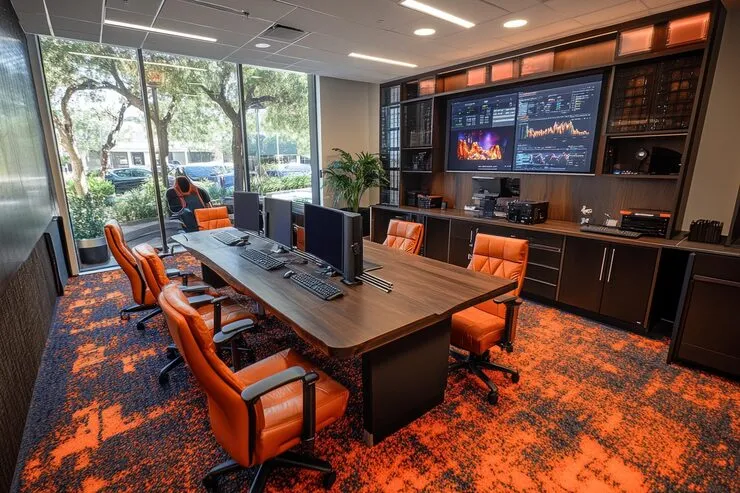
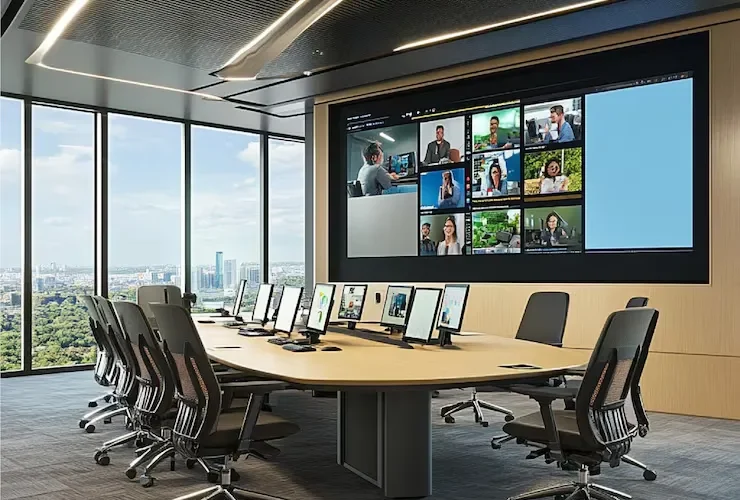
A huddle room setup may use a compact all-in-one system, while an executive boardroom may need separate cameras, microphones, displays, and control hardware. Both can still follow the same rules for joining, sharing, testing, and support.
Training rooms, divisible rooms, executive rooms, and all-hands spaces usually need their own archetype rather than being treated as larger versions of a standard conference room.
Can Teams Rooms, Zoom Rooms, and BYOD Follow One Standard?
Yes. One corporate meeting room standard can support Microsoft Teams Rooms, Zoom Rooms, and BYOD, but each platform should have its own approved configuration.
For every supported platform, define the device families, resource accounts, calendar setup, licensing ownership, guest-join rules, update process, monitoring, and fallback path.
The platform decision also affects how those standards are built. Differences between Microsoft Teams Rooms and Zoom Rooms influence licensing, device management, guest access, calendar setup, and the user experience people see when they walk into a room.
BYOD belongs in the standard too. Spell out how laptop users connect, share content, use room audio and video, and recover if the dedicated room system is unavailable.
What Network, Identity, and Calendar Requirements Belong in the AV Standard?
Conference rooms rely on more than AV hardware. Network access, room accounts, calendars, security policies, and device management all affect how reliably a room works.
Assign clear ownership for:
- Wired connectivity, switch ports, VLANs, and QoS where used
- PoE capacity for cameras, panels, and other devices
- Room resource accounts and calendar permissions
- Device enrollment and access policies
- Scheduling panel setup and licensing
- Remote monitoring, alerts, and vendor access
Those requirements should be planned alongside the office’s network design and installation so AV devices are not added later to a network that was never designed around them.
Wireless conditions matter too, especially for guest access and wireless presentation. Glass walls, dense meeting-room layouts, nearby access points, and competing signals can all change performance, which is where a WiFi site survey for the office can help identify coverage and interference before rooms are standardized.
Conference Room Acceptance Testing Checklist for Teams and Zoom
Acceptance testing should follow real meeting tasks, not only confirm that devices power on. Test the room from both an employee and guest perspective before sign-off.
- Join a scheduled meeting from the room controls
- Start or join an ad hoc meeting
- Send and receive clear audio with a remote participant
- Check video framing across the full seating area
- Share wired content from an approved device
- Share wireless content where supported
- Connect and share from a guest laptop
- Check microphone pickup from every seat
- Restart the room system and confirm recovery
- Test the fallback path for a login or platform problem
Record the results against the room archetype so support teams know what was tested and what the room is expected to do.
For a new office or major renovation, AV testing should follow the same project schedule as cabling and technology infrastructure for the new space. That keeps cable paths, network connections, power, mounting locations, and room hardware aligned before final commissioning.
Who Owns Conference Room AV Support After Installation?
A standard only works if support ownership is clear. Users should not have to figure out which team owns the room each time something fails.
Define who handles first-line support, who receives AV or unified communications escalations, how rooms are monitored, which spare devices are kept available, and who approves firmware or platform updates.
The same applies to newer features. Intelligent framing, transcription, speaker tracking, and other AI-powered conference room features should follow the same approval, support, and lifecycle rules as the rest of the room system rather than being enabled independently from one room to the next.
How to Manage Exceptions Without Losing the Standard
Some rooms will need exceptions. The key is to document why the standard cannot be followed and what changes as a result.
Common reasons include:
- Architectural limits on mounting or cable paths
- Executive or specialty workflows
- Accessibility requirements
- Regional platform or compliance needs
- Temporary substitutions during supply or product transitions
Each exception should record the business reason, the approved variation, the risks, how it will be tested, who approved it, and when it should be reviewed again.
That keeps a one-off room from quietly becoming the new default.
Conference Room AV Standards for Multi-Floor NYC Offices
Multi-floor NYC offices add practical constraints that should be built into the standard from the start. Glass walls and hard finishes can affect acoustics. Compact floor plates can limit display and camera placement. Ceiling systems, HVAC, lighting, and existing infrastructure can also change what works from room to room.
Project logistics matter too. Building COIs, freight elevator access, after-hours work windows, and riser rules can affect when cabling, racks, displays, and room systems can be installed.
Those decisions are much easier to control when conference room technology is planned before the room is built. Furniture, power, cabling, network connections, displays, cameras, and mounting locations can then be coordinated as one room plan rather than corrected later.
When Conference Room AV Standards Consulting Makes Sense
Conference room AV standards consulting becomes useful when room-by-room decisions are creating inconsistent meetings, repeated support issues, or extra work during every new rollout.
Common signs include:
- Users have different joining or sharing experiences from room to room
- Every new office starts its AV design from scratch
- Support ownership for rooms is unclear
- Firmware, spares, accounts, or monitoring have no consistent owner
- Exceptions have become common but are not documented
- Rooms pass installation checks but still cause problems in real meetings
Meeting room standardization services can bring those pieces into one operating framework before the next rollout adds more variation.
For offices planning several rooms, floors, or locations, the same standards can carry directly into conference room AV design and installation. That gives IT, facilities, workplace, and support teams one repeatable model instead of rebuilding the approach for every room.
Frequently Asked Questions (FAQs)
Cost depends on room count, room type, existing equipment, cabling, and construction needs. Conference room AV costs in NYC can vary widely between huddle rooms, standard meeting rooms, and executive spaces.
Yes. Displays, cabling, speakers, mounts, and other equipment may be reused if they still meet the new standard. Retrofitting AV in finished conference rooms can affect cost and scope.
No. Display height should reflect screen size, viewing distance, table layout, sightlines, camera placement, and accessibility.
Yes, if they are used across the office. Their placement, power, network connection, calendars, and room-booking system integration should be standardized too.
Sometimes. Glass and hard surfaces can increase reflections and affect microphone performance, so conference room acoustics may require different hardware or treatment.
Yes. Start with the target standard, audit existing rooms, then prioritize upgrades by room type, condition, and usage.
It depends on the number of rooms, existing infrastructure, equipment availability, building access, and whether new cabling or construction is needed.