
The Hidden Costs of Retrofitting AV in Finished Conference Rooms
Most teams plan conference room technology after the space is already built. By then the walls are closed, the ceiling grid is set, and adding cameras, microphones, displays, and control panels means cutting into finished surfaces.
The hidden costs of retrofitting AV in a finished conference room come from extra labor, wall repair, change orders, and design trade-offs that early planning would have removed. A room wired before the drywall goes up often costs a fraction of the same room fitted out months later.
Here is a clear look at where that money goes, why New York offices feel it more than most, and what your options are if the room is already finished.
Why Retrofitting AV Costs More Than Pre-Wiring
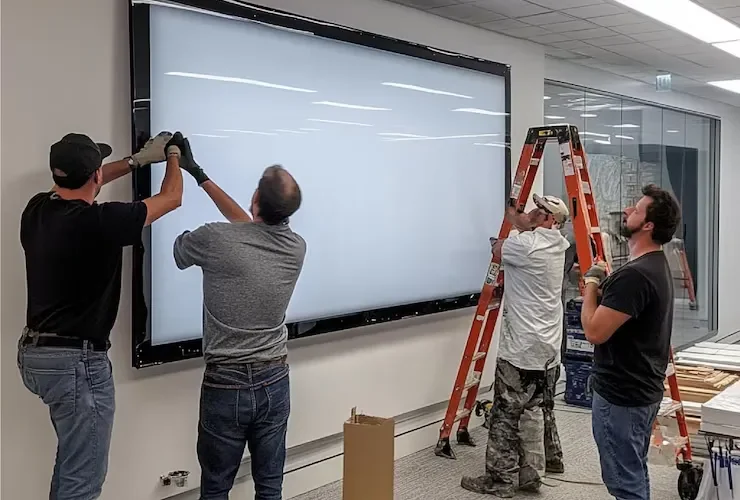
Retrofitting is expensive because technicians have to work around finished surfaces instead of open framing. Running cable through an exposed wall cavity is fast. Running that same cable through a closed wall means fishing it behind drywall, drilling past fire-stops, opening access points, and patching every hole once the pull is done.
Timing piles on top of that. During a build-out, the AV crew shares the room with electricians and framers, so coordination is baked into the schedule. After move-in, the same crew has to work around occupied desks, weekend building access, and narrow freight elevator windows. Each of those limits turns into billable hours.
How Change Orders Inflate NYC Conference Room Budgets
A single change order on a finished space can add thousands before any equipment goes on the wall. Once a project is underway, anything outside the original scope gets priced as a change order, and finished-room AV work almost always falls into that bucket.
Union labor and building rules
In many Manhattan commercial buildings, low-voltage and electrical work falls under union jurisdiction, with set rates and crew minimums. Opening a wall, running new conduit, and patching it can pull in more than one trade, and after-hours rules common in NYC towers push some of that work into premium overtime windows. A retrofit that looks simple on paper can carry coordination fees a pre-construction plan would never trigger.
Pre-Wire vs Retrofit AV Cost, Side by Side
Pre-wiring removes most of the demolition, patching, and scheduling costs that make retrofits expensive. The table below compares the same mid-size conference room handled two ways, using typical New York ranges.
| Cost factor | Pre-wire during build-out | Post drywall AV installation cost |
| Cable pathways | Run through open walls, low labor | Fished behind closed walls, high labor |
| Wall and ceiling repair | None needed | Cutting, patching, repaint |
| Change orders | Folded into base scope | Added on top, often at premium rates |
| Trade coordination | Shared with other crews | Standalone visits, building access fees |
| Cable concealment | Hidden inside walls | Surface raceways, added materials |
| Timeline | Aligned with construction | Stretched across occupied hours |
The gap is rarely small. Materials are a minor line item, while labor, repair, and lost time carry the real weight once a room is closed up.
The Aesthetic Problem in Soho Pre-War and Brooklyn Brick Offices
Older NYC spaces make retrofits harder because there is nowhere clean to route cable. Pre-war Soho buildings often have solid plaster ceilings with no accessible cavity, so a technician cannot lift a tile and feed a line overhead.
Exposed-brick Brooklyn offices create the same headache from a design angle. The look that makes those rooms appealing also leaves wiring with no place to disappear. Surface raceways handle the function but break the aesthetic, and chasing channels into brick or plaster is slow, messy, and rarely reversible.
How to Hide Cables in a Finished Glass Conference Room
In a glass-walled room you route cable through the floor, the ceiling above the glass, or slim furniture-integrated channels rather than the partition itself. Glass gives you no cavity, so the wiring has to travel around the perimeter or up through the table.
Practical routing options
Floor boxes and poke-throughs bring power and data straight to the conference table, which keeps cable off the glass entirely. Where the ceiling is accessible, a tech can drop a clean feed at the display and run everything else above the grid. Table grommets and cable cubbies cover the last few feet to laptops and room controllers. None of these match the result of cable run before the glass went in, but they keep a finished room usable without tearing it apart.
Which Room Size and Equipment Models Shape the Final Cost
The amount of cabling, and therefore the retrofit cost, scales with room size and the gear you choose. A small huddle space built around an all-in-one video bar needs far fewer runs than a large boardroom with ceiling mics, dual cameras, and a control processor.
Common equipment tiers
A six-person room often runs on a single video bar such as a Poly Studio X30 or Logitech Rally Bar Mini, paired with one display and a wireless presentation unit like Barco ClickShare.
A mid-size room for eight to twelve people usually adds a PTZ camera, a beamforming ceiling microphone, a DSP, and a touch panel, with kits like the Crestron Flex or Poly G7500. Large boardrooms layer in dual cameras, more ceiling speakers, voice control, and a Poly Studio X70 class system. Every added microphone, speaker, and camera is one more cable, and in a finished room each of those runs carries the retrofit premium described above.
Bringing In an AV Integrator Before the Walls Close
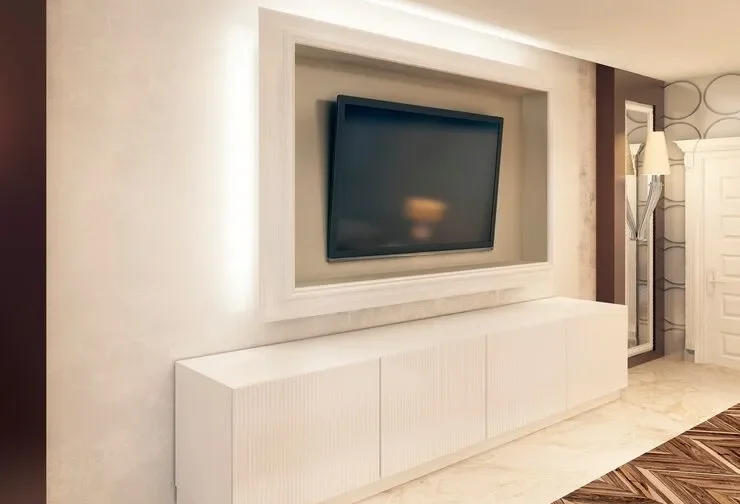
The cheapest moment to plan AV is during design, well before drywall. If you are building or renovating, looping in an integrator early lets the cable paths get drawn alongside the electrical plan, which is the entire value of pre-construction cabling for a new space.
If the room is already finished, the work still gets done. It simply costs more and asks for a few design compromises. A walkthrough with a team that handles conference room AV installation will tell you what can route cleanly, what needs a raceway, and where the budget will land. Either way, knowing the cost drivers ahead of time keeps the expensive surprises off your invoice.
Recent Comments