
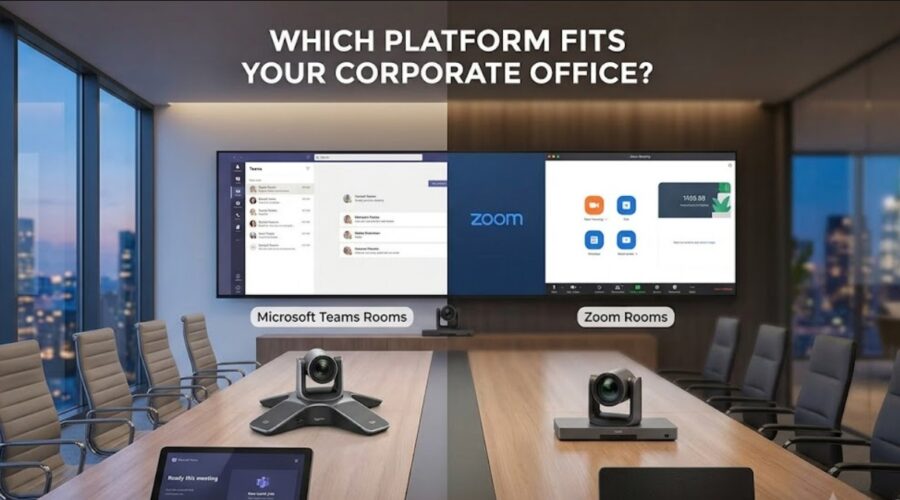
Microsoft Teams Rooms vs Zoom Rooms, Which Platform Fits Your Corporate Office?
If your team is standing up new conference rooms, the first real decision is not which camera to buy. It is which platform the rooms will run on. Microsoft Teams Rooms or Zoom Rooms? Both work. Both have gotten sharper over the last few years. The choice that holds up over five years comes down to three things. What your team already uses every day, how you want licensing to work, and how meetings really run across the business.
This piece walks through what each system does, what it costs in 2026, what certified hardware supports it, how cross-platform meetings work now that Direct Guest Join is stable, and how to pick without vendor bias pushing the call one way or the other.
What Is Microsoft Teams Rooms and How Does It Work?
Microsoft Teams Rooms turns a conference room into a one-touch meeting space tied to Microsoft 365. It runs on certified devices from Logitech, Poly, Yealink, Cisco, and Lenovo, and it is built for companies already living in Outlook, OneDrive, SharePoint, and Intune.
A Teams Room is not the same as the Teams desktop app. The room itself has a resource account in Azure AD, pulls invites from Outlook, and joins the meeting at start time with one tap. Deployment splits into two paths. Teams Rooms on Windows carries the full feature set with more processing headroom and dual-screen support, and it fits medium and large rooms. Teams Rooms on Android runs on simpler appliances like the Poly Studio X70 or Yealink MeetingBar, which are cheaper and quicker to deploy in huddle spaces. Copilot handles meeting summaries and speaker identification, though those AI features require the Pro license, not the free Basic tier.
Why Teams Rooms Feels Native in a Microsoft-First Office
Booking a room happens from Outlook. Files open straight from OneDrive without downloading anything. Microsoft Whiteboard runs as a shared canvas for everyone in the meeting. For IT teams already managing laptops through Intune, room hardware shows up in the same admin console, which cuts tool sprawl. That single-pane management is one of the strongest arguments for Teams Rooms in a company already deep in the Microsoft stack.
What Is Zoom Rooms and How Does It Work?
Zoom Rooms pairs certified hardware with Zoom’s video platform, from a two-person huddle up to a 20-seat boardroom. Licensing is simpler than Microsoft’s tiered approach, and AI features are bundled into the base price instead of sold as an add-on.
Zoom charges one flat rate per room per month. You get the full feature set from day one. Zoom AI Companion is included at no extra cost, covering meeting summaries, action item extraction, and smart recording. Companies that would rather rent than buy can use Hardware as a Service, which folds a certified room kit into the monthly subscription. Zoom Workspace Reservation handles desk and room booking, and the platform plays well with Slack, Google Workspace, and Salesforce.
What End Users Notice First Inside a Zoom Room
The touch console is the reason end users tend to prefer Zoom Rooms in blind comparisons. No per-user sign-in for the room itself. Starting or joining a meeting is one tap. For offices where non-technical staff need to walk in, hit a button, and run a client meeting without calling IT, that experience often wins out over any spec sheet difference.
What Does Teams Rooms vs Zoom Rooms Pricing Look Like in 2026?
Teams Rooms Basic is free for up to 25 rooms if you already have Microsoft 365. Teams Rooms Pro runs $40 per room per month. Zoom Rooms is $49 per room per month with AI included. The cost question depends on your room count and how much of the Microsoft stack you already pay for.
| Cost Factor | Microsoft Teams Rooms | Zoom Rooms |
| Entry License | Free at Basic tier, up to 25 rooms | $49 per room per month |
| Full License | $40 per room per month at Pro tier | $49 per room per month |
| Annual Billing | $480 per room per year at Pro | $499 per room per year |
| AI Features | Extra cost through Copilot add-on | Included with AI Companion |
| Hardware Model | Buy certified devices outright | Buy or rent through Hardware as a Service |
For most Microsoft 365 shops under 25 rooms, the software cost is essentially zero and hardware is the only real spend. For a mid-size company that is not tied to Microsoft, Zoom’s flat pricing with AI baked in makes the finance conversation easier, since there is no separate line item to defend later. Room count usually decides which side of the fence is cheaper over five years. Companies planning a wider buildout also need to plan technology for a new conference room around layout, cabling, camera placement, acoustics, display size, and how the room will actually be used.
Can a Teams Room Join a Zoom Meeting, and the Other Way Around?
Yes. Both platforms now support cross-platform join. Teams Rooms uses Direct Guest Join for Zoom meetings, and Zoom Rooms uses Zoom Interop for Microsoft Teams. This is one of the bigger recent changes, and older articles still tell people it cannot be done.
Direct Guest Join works from the touch panel. Someone taps a Zoom link on a calendar invite, and the room launches a browser-based Zoom session inside its console. Zoom Interop does the same the other direction. Advanced features do not always cross the bridge though. Reactions, breakout rooms, and some host moderation tools may be limited depending on which side hosts the meeting. For companies whose clients live on the other platform, this matters more than either vendor’s marketing suggests. Telling a client you cannot join their meeting from your own conference room is a bad look, and usually the moment IT gets a Slack from the CEO.
What Certified Hardware Do Teams Rooms and Zoom Rooms Support by Room Size?
Hardware is grouped by room size, and many of the most popular devices are dual-certified for both platforms. For an IT team hedging its bets or planning to standardize later, dual-certified devices are the safer starting point.
| Room Type | Teams Rooms Options | Zoom Rooms Options |
| Huddle, 2 to 5 people | Logitech Rally Bar Mini, Poly Studio, Yealink MeetingBar A20 | Logitech Rally Bar Mini, Neat Bar, Poly Studio |
| Medium, 6 to 12 people | Logitech Rally Bar with Tap console, Lenovo ThinkSmart Core with Jabra PanaCast 50 | Logitech Rally Bar, Poly Studio X70, Yealink MeetingBoard |
| Large, 12 to 20 plus people | Logitech Rally Plus, Cisco Room Kit Pro | Logitech Rally Plus, Poly Studio X70 with expansion microphones |
Notice the overlap. Logitech Rally Bar and Rally Plus, Poly Studio X70, and several Yealink models are certified for both platforms out of the box. That is why many NYC corporate offices standardize on Logitech across a full floor and then choose the software platform based on licensing and ecosystem, not hardware. If you switch platforms later or run a mix, the hardware can stay in place. For smaller rooms, huddle room AV setup for offices should account for room size, camera framing, microphone pickup, display placement, and whether the space needs to support quick internal calls or client-facing meetings.
What About Cabling and Bandwidth Behind the Wall?
Modern rooms running 4K video, dual displays, and wireless content sharing depend on wiring nobody sees. Cat6a is the practical minimum for new corporate builds in 2026, and larger rooms may need fiber runs back to the closet. Structured cabling for corporate networks supports the bandwidth and reliability those rooms need, while AV over IP for offices keeps multi-room signal routing cleaner across a full floor.
Which Platform Delivers Better Video and Audio Quality?
Zoom Rooms usually has a slight out-of-the-box edge on video and audio. Teams Rooms has closed most of the gap and now leads on collaboration and productivity features. In real rooms, hardware matters more than software.
Zoom refined its video and audio behavior across years of remote work as the core product. Teams has caught up with IntelliFrame, AI-powered noise suppression, and better background segmentation. Both support 4K cameras and spatial audio in 2026. The bigger variable is the room itself. Glass-walled NYC conference rooms reflect sound in ways software cannot fully fix, so designing Zoom Rooms for acoustic equity in hybrid meetings often comes down to ceiling mics, acoustic treatment, and better room planning, not vendor presets.
How Do You Decide Between Teams Rooms and Zoom Rooms for Your Office?
Look at your software stack, your room count, and how your team runs external client meetings. The table below is a starting point for the internal conversation, not a final call.
| If your company… | The likely fit is… | Because… |
| Uses Microsoft 365 heavily across the business | Teams Rooms | Native calendar, file, and identity integration |
| Runs most external meetings on Zoom | Zoom Rooms | Better Zoom-native experience for client calls |
| Has fewer than 25 rooms and lives in Microsoft | Teams Rooms Basic | Free software license, hardware is the only cost |
| Wants AI features in the base price | Zoom Rooms | AI Companion bundled at no extra cost |
| Needs wide third-party integrations | Zoom Rooms | Deeper non-Microsoft app connections |
| Runs a large deployment that needs central control | Teams Rooms Pro | Teams Admin Center and AI-powered diagnostics |
A few real-world factors are worth folding in. Start with the ratio of internal to external meetings. Companies that run 80 percent internal meetings care more about calendar and file integration than raw video quality. Then look at what leadership uses. If the CEO takes every client call on Zoom, standardizing rooms on Teams creates daily friction they will feel. Finally, think about the five-year plan. Return-to-office mandates across Manhattan through 2025 and 2026 have pushed more companies to lock in one platform for meeting equity between the office and home, and switching later means retraining staff, renegotiating licenses, and often replacing peripheral hardware.
What About Hybrid Setups That Run Both Platforms in the Same Office?
Some NYC companies deploy both, with client-facing rooms on Zoom and internal team rooms on Teams. Dual-certified hardware makes this workable without doubling the hardware budget.
The pattern usually looks like this. Executive briefing rooms and boardrooms run Zoom Rooms because that is where most client demos happen. Internal team rooms and huddle spaces run Teams Rooms because everyday collaboration already flows through Outlook and Teams chat. The same Logitech or Poly device can run in both room types with a license swap on the back end. IT overhead does go up, since two admin portals, update cycles, and support contracts add friction. For most mid-size companies, standardizing on one platform is cleaner. Larger enterprises with separate internal and external meeting cultures may get more value from a hybrid setup, especially when wireless presentation systems are built into the room design for easier guest content sharing.
The Bottom Line for NYC Corporate Offices
If your company runs deep on Microsoft 365, Teams Rooms is the natural fit, and the free Basic tier makes it easy to justify for the first 25 rooms. If you are platform-agnostic, video-quality focused, or already committed to Zoom for external meetings, Zoom Rooms edges ahead on user experience and pricing simplicity. Either direction, the hardware investment lands in a similar range, so the real call comes down to software licensing, ecosystem alignment, and which platform your leadership and clients already use every day.
Whichever platform you land on, the room itself has to be built for it. Microphone placement, camera field of view, cabling, network configuration, and acoustic treatment shape the actual meeting experience more than the brand on the touch panel. For NYC companies planning a full conference room AV installation, the platform decision is one piece of a larger buildout that also has to account for cabling, control systems, and how the room will be used five years from now.

Recent Comments