
- Home
- IT Services
- AI Video Analytics & Intelligent Video Systems
- Savant Home Automation
- Help Desk & Maintenance
- Advanced Networking Security
- Audio Visual Installation
- Moves, Adds and Changes
- Structured Cabling & Networking
- VoIP Installation in NYC
- Smart Home Automation Systems in NYC
- Audio Video NYC
- Media Room & Home Theater Installation in NYC
- Audio Video Structured Cabling NYC
- Security & Surveillance
- New Construction
- Area
- Brooklyn, NY
- Queens, NY
- Home Security Services NYC
- Home Security Services New Jersey
- Manhattan, NY
- Audio Video Downtown Manhattan
- Audio Video Midtown Manhattan
- Audio Video Midtown
- Audio Video Upper East Side
- Audio Video Lower East Side
- Audio Video Uptown Manhattan
- Video Camera Installation in Murray Hill, Manhattan, NY
- Video Camera Installation in Chelsea NY
- IT Help Desk Support Queens, NY
- Home Automation Installation Queens, NY
- VoIP Phone Systems Installation Manhattan, NY
- CCTV Camera Installation Bronx, NY
- Access Control Systems Queens, NY
- Structured Cabling Installation Manhattan, NY
- Network Security Services Brooklyn, NY
- News
- Projects
- Contact
World Cup AV Setup for NYC Bars and Restaurants
If you are hosting World Cup matches at your NYC bar or restaurant, your AV setup needs to be ready before the crowd walks in. Guests should be able to see the match clearly, hear the sound without it overwhelming the room, and enjoy the game without interruptions.
That usually means more than just turning on a TV. Your screens, projector, sound system, streaming source, wiring, internet, and controls all need to work together during a busy service.
Below, we’ll cover what to plan before setting up video and sound for World Cup watch parties.
What AV Setup Do Bars and Restaurants Need for World Cup Watch Parties?
NYC bars and restaurants need a World Cup AV setup with clear displays, balanced audio, stable video sources, simple staff controls, and a full pre-event test before guests arrive.
The exact setup depends on the size of the room, the number of guests, daylight, seating layout, and sight lines. Some venues only need one main viewing wall. Others need separate zones for the bar, dining room, patio, or private event area.
For most hospitality spaces in NYC, that means commercial TVs or a projector, speakers connected through a mixer or amplifier, clean cabling, reliable internet or cable access, and controls the staff can use without confusion. A strong watch party setup is not just one screen behind the bar. It is a full video and sound plan built for a busy room.
TVs, projectors, or a video wall: which display fits your venue?
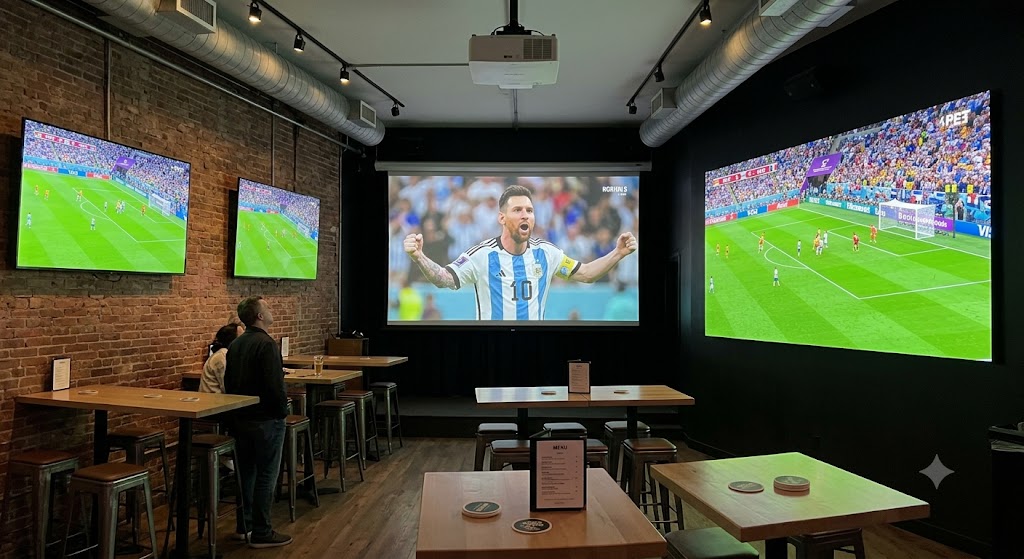
TVs win in bright bars and for everyday use, projectors suit large watch-party areas you can darken, and video walls fit premium sports bars or high-capacity rooms. A temporary screen covers a one-off event when a permanent install is not on the table.
| Setup Type | Best For | Strengths | Watch-Outs |
| Wall-mounted TVs | Bars, dining rooms, sports bars | Bright, reliable, easy daily use | Needs viewing-angle planning |
| Projector and screen | Large parties, private rooms, event areas | Big image, flexible | Needs light control and placement |
| Video wall | Premium sports bars, high-capacity venues | Strong visual impact for crowds | Higher planning and install cost |
| Temporary screen | One-time World Cup events | Fast and event-specific | Must be tested before guests arrive |
The best display choice depends on your room lighting, crowd size, seating layout, and viewing angles. A projector may look great in a dark private room, but it can fail in a bright bar. One TV may work for a small lounge, but it will not serve a packed venue with guests spread across multiple areas.
Daylight, Patios, and Rooftops
Bright rooms usually need TVs instead of projectors, especially when matches are shown during the day. A projector can work well in a darker room, but it may look washed out in direct sunlight or heavy glare.
Patios and rooftops need extra planning because the equipment has to handle outdoor conditions. For outdoor World Cup viewing, choose weather-rated displays, strong screen brightness, safe cabling, and speaker placement that reaches the seating area clearly. The screen should go where guests can watch the match, not just where it looks clean on the wall.
Temporary vs Permanent AV Setup for World Cup Events
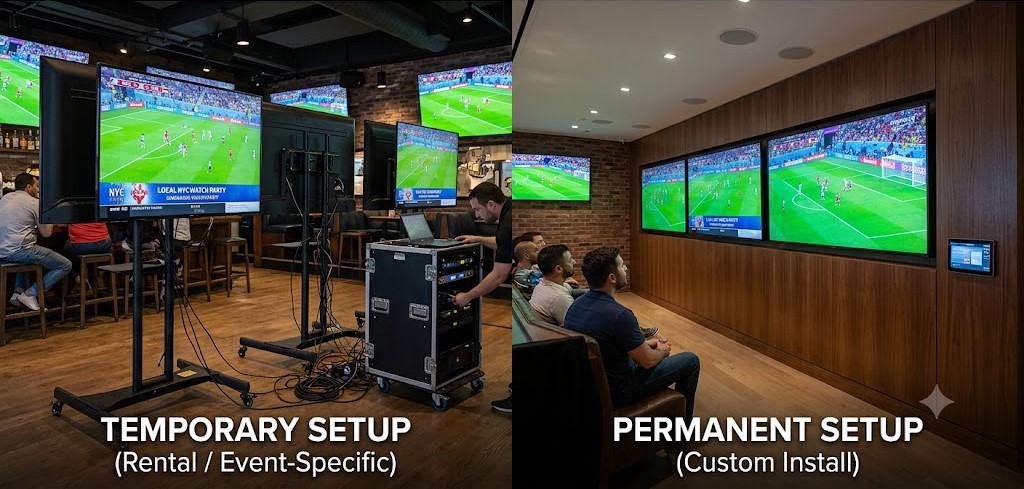
Go temporary for a one-off or short run of matches. Go permanent if you plan to keep hosting sports, private parties, and busy viewing nights after the final. Both can give a packed room a great night. The real differences are how it looks, how easily staff run it, and what it returns to you over time.
What Temporary AV Setups Usually Include
- Portable projector and screen or rented displays
- Short-term source connections for the match feed
- Temporary speaker or audio routing into the room
- Cabling secured and concealed for safety
- Setup and testing ahead of the event
What Permanent AV Setups Usually Include
- Mounted commercial TVs or fixed projector and screen
- Ceiling or wall speakers with defined audio zones
- A video distribution layer for multiple screens
- A control system with clean, hidden cable routing
- Staff-friendly source switching for daily use
| Question | Temporary Setup | Permanent Setup |
| Best for | One-time parties or short runs | Ongoing sports and events |
| Install speed | Usually faster | Requires more planning |
| Appearance | Functional, more visible gear | Cleaner and more polished |
| Staff control | Simple but limited | Better for daily operation |
| Long-term value | Lower if used once | Better for repeated events |
If the tournament is a one-time draw, temporary keeps the setup simpler. If watch parties are becoming part of the business, a permanent system is usually the better long-term choice.
How to Connect World Cup Audio to an Existing Bar Sound System
World Cup audio can usually run through an existing bar sound system, but the source, mixer, amplifier, speaker zones, and audio delay should be tested before the event.
The goal is clear sound, not just louder sound. Commentary should reach the main viewing area, while the dining room, patio, or private room can stay at a comfortable level.
The match feed may come from a cable box, streaming device, laptop, or receiver. From there, it needs to route cleanly into the right speakers. For venues with uneven sound or multiple speaker zones, a proper commercial sound system installation for restaurants can make match audio easier to control.
Showing Different Games on Different Screens in a Sports Bar
To show different games on different screens, a sports bar needs source routing, labeled inputs, and simple controls so staff can switch feeds without touching every TV.
This is especially helpful during busy match days when one area may show the main game while other screens carry different matches. A clear setup keeps the bar team from juggling remotes, guessing inputs, or interrupting service.
For venues with several displays, AV distribution for multi-screen systems makes it easier to send the right feed to the right screen from one control point.
Equipment and Models Commonly Used in Bar and Restaurant AV
Most bar and restaurant AV setups use commercial displays or projectors, distributed speakers, amplifiers, video routing, and simple control systems.
The exact equipment depends on the size of the venue, the number of screens, the audio zones, and how often the system will be used. For busy watch parties, commercial-grade gear usually makes more sense than consumer TVs or speakers because it is built for longer daily use.
A larger setup may also need clean source routing, labeled inputs, hidden cabling, and controls that staff can use quickly during service.
Displays and Projectors
- Samsung QM-series and LG UHD commercial displays for bar and dining areas
- Sony BRAVIA commercial panels for bright, high-traffic rooms
- Epson Pro L or Sony laser projectors for large watch-party walls
Audio
- JBL Control, Bose DesignMax, and FreeSpace or QSC AcousticDesign speakers
- QSC or Crown amplifiers paired with a DSP for zone control and clarity
Video Distribution and Control
- Atlona, ZeeVee, or Crestron NVX for routing sources to many screens
- RTI, URC, or Crestron control so staff switch feeds from one simple interface
Avoiding Bad Sound, Blocked Sightlines, and Game-Day Failures
Most World Cup watch-party problems come from poor screen placement, bad sound routing, loose cables, weak sources, skipped testing, or staff who do not know how to use the system.
Walk the room before guests arrive and check the view from booths, bar seats, tables, and standing areas. Test the audio too, especially sync, volume levels, and speaker zones.
Cables should be secured, inputs should be labeled, and staff should know how to switch sources before service starts. Keep a backup HDMI cable and spare source device nearby in case something drops during the match.
How Early Should NYC Venues Schedule World Cup AV Setup?
NYC venues should schedule World Cup AV setup as early as possible, especially if the job needs equipment ordering, building approval, after-hours access, cabling, or pre-event testing.
Waiting until the week of the match can limit your options. Displays, projectors, mounts, cables, and installer schedules may already be booked, especially before major games.
Many NYC buildings want a certificate of insurance, often called a COI, on file before a contractor can start, and they tend to limit work to after hours so service is not disrupted. Older brick and concrete walls, tight ceilings, and rooftop or patio quirks add time to a clean install. Leave room to order equipment, run cable, and walk your staff through the system before the first match you host.
NYC Venue Types That Benefit From a World Cup AV Setup
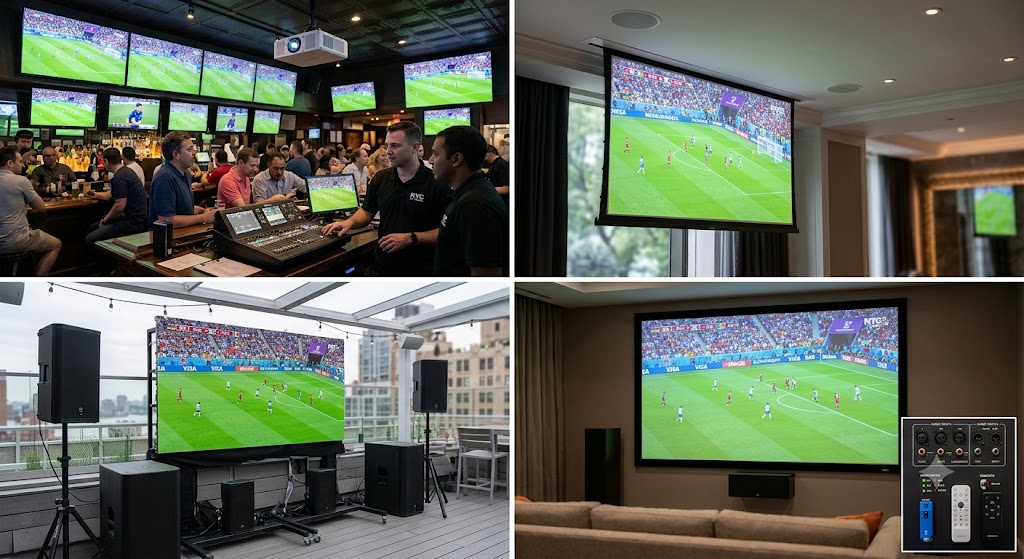
Any NYC venue expecting bigger crowds, private bookings, or multiple viewing areas during the World Cup can benefit from a planned AV setup. The more screens, speaker zones, and repeat events you have, the more important the setup becomes.
| Venue Type | Likely AV Need |
| Sports bars | Multi-TV control, game audio, source switching |
| Restaurants | TVs or projectors, dining audio, private room setup |
| Rooftop bars | Bright displays, outdoor audio, safe cable routing |
| Hotel bars | Flexible AV for guests, events, and private bookings |
| Lounges | Music and match audio switching |
| Breweries and pubs | Large screens, clear sound, crowd viewing |
| Private event rooms | Projector or screen, microphones, temporary or permanent AV |
A small restaurant may only need one or two well-placed screens. A packed sports bar may need several displays, separate audio zones, and a clear way for staff to switch between feeds. The goal is the same in every venue: guests should be able to see and hear the match clearly once the room is full.
World Cup AV Setup Checklist for Bars and Restaurants
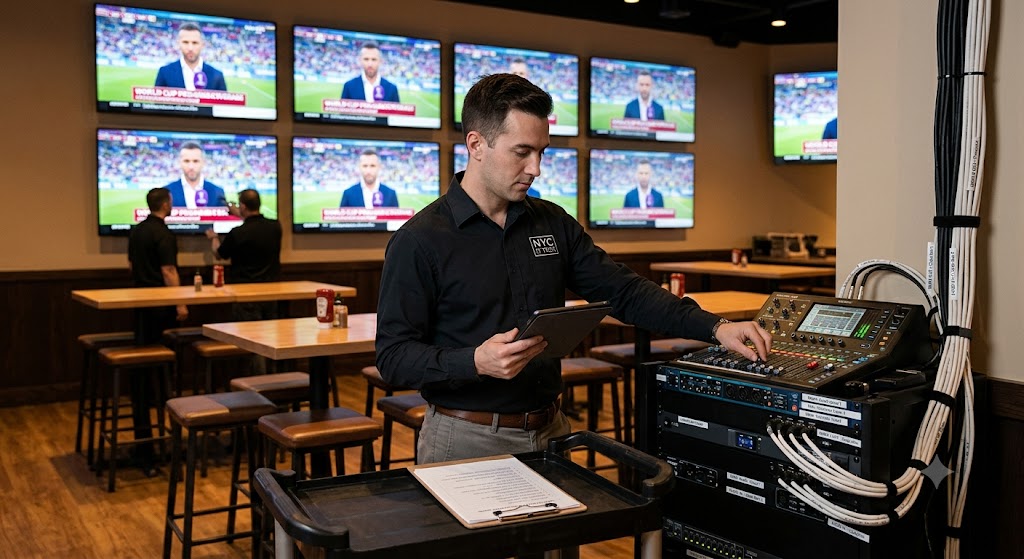
Before a World Cup watch party, test the screens, audio, source connection, cabling, controls, and backups before guests arrive. Do this the day before, not right before kickoff.
- Decide between TVs, a projector, a video wall, or a temporary screen
- Confirm the main viewing area and any secondary zones
- Test the match source on every display
- Check audio routing and sound sync
- Test volume levels in each speaker zone
- Check visibility from tables, booths, bar seats, and standing areas
- Secure and conceal cabling
- Label inputs and remotes for staff
- Keep backup HDMI and audio cables nearby
- Have a spare source device ready
- Walk staff through source switching and volume controls
- Test the setup at the same time of day if daylight affects the room
- For rooftops and patios, check brightness, wind, weather exposure, and cable safety
A good setup should feel simple once guests arrive: clear picture, clear sound, safe cabling, and staff who know what to do if something needs to change.
A World Cup AV setup does not need to be complicated, but it does need to be tested. When the screens, sound, sources, cabling, and staff controls are ready before guests arrive, the room can focus on the match instead of the equipment.