Author: SEO

The Commercial Security Camera Maintenance Schedule Your Business Needs

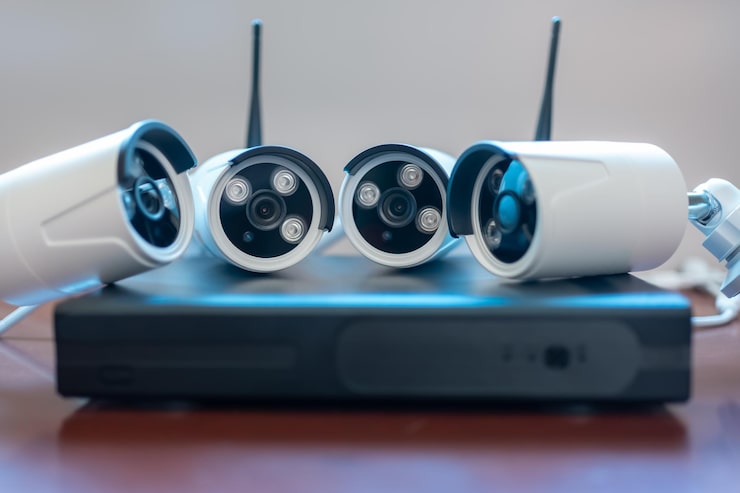
You installed cameras. You have coverage at the front door, the loading dock, the lobby. Everything looked great on day one. But when was the last time anyone checked if those cameras are still recording?

Most businesses treat their surveillance systems like a “set it and forget it” investment. The problem is that cameras degrade, firmware gets outdated, lenses get dirty, and storage fills up. You usually don’t find out until something happens and you pull up footage that’s blurry, corrupted, or missing entirely.

A structured commercial security camera maintenance schedule is the difference between a system that protects your business and one that gives you a false sense of security.

Why Preventative Maintenance Protects More Than Your Cameras

Regular maintenance keeps your video evidence clear, retrievable, and legally usable for HR disputes, slip-and-fall claims, insurance investigations, and criminal cases.

Think about what happens when an incident occurs and you go to pull the footage. If the camera was offline, or the NVR ran out of storage two weeks ago, or the lens was so coated in grime that faces are unrecognizable, that footage is worthless. And the liability falls on the business.

Preventative maintenance for corporate security cameras is about risk management as much as it’s about keeping equipment running. A commercial security system that goes unchecked is a liability waiting to surface. Companies that maintain clear documentation of their camera servicing history are in a much stronger position if a legal claim ever requires video evidence.

What a Commercial CCTV Maintenance Schedule Looks Like

Not every task needs to happen at the same frequency. Some checks are quick digital verifications your internal team can handle monthly. Others require physical inspection quarterly. And at least once a year, a professional integrator should do a full system review.

Monthly Digital Health Checks

Every month, IT or security staff should verify that all cameras are online, confirm the NVR or server is actively recording, and check that storage capacity hasn’t hit its limit.

This is the bare minimum, and it catches the majority of silent failures. Cameras go offline for all kinds of reasons. A power fluctuation, a loose Ethernet connection, a firmware glitch. If nobody is checking, a dead camera can sit unnoticed for months.

Your monthly checklist should include verifying that date and time stamps are synced across all cameras, reviewing playback quality from a few angles, and confirming that motion detection alerts are triggering correctly. If your business relies on IT support for day-to-day operations, folding these checks into your existing IT workflow makes sense.

Quarterly Physical Inspections

Every three months, physically inspect camera housings for damage or tampering, clean the lenses with microfiber cloths, and trim any foliage or obstructions blocking the field of view.

NYC’s environment is hard on exterior cameras. Subway dust, vehicle exhaust, and seasonal temperature swings from freezing winters to humid summers all build up on lenses and wear down housings faster than you’d expect. Interior cameras aren’t immune either. Office renovations shift furniture, new signage blocks angles, and cobwebs accumulate in corners where dome cameras sit.

During your quarterly walk-through, check that mounting brackets haven’t loosened and that cable connections at each camera are still snug. If you have PTZ cameras, cycle through the full range of motion to confirm the motors are responding.

Annual System Deep Dive

Once a year, a professional integrator should update all camera and NVR firmware, test UPS battery backups, audit cybersecurity settings, and evaluate if camera placements still match the current office layout.

Firmware updates are one of the most overlooked tasks in CCTV maintenance. Manufacturers release patches that fix bugs and close security vulnerabilities. A camera running outdated firmware is a potential entry point for a network breach, which is a growing threat for businesses with IP-based surveillance.

The annual review is also the right time to assess if your camera locations still make sense. Offices change. Walls go up, desks move, new entry points get added. What was full coverage a year ago might have blind spots today.

Maintenance Frequency by Camera Environment

How often you service a business CCTV system depends on where the cameras are installed and how much environmental stress they face.

Camera LocationRecommended Maintenance CycleKey Concerns
Indoor office camerasEvery 6 monthsDust, layout changes, storage capacity
Outdoor building camerasEvery 3 monthsWeather, exhaust, lens buildup, housing wear
Parking and loading areasEvery 3 monthsVibration, vandalism, extreme temperature shifts
Lobby and entry camerasEvery 3 monthsHigh foot traffic, lighting changes, access control integration
Server room and IT closetsEvery 6 monthsTemperature monitoring, restricted access verification

Businesses with cameras in high-exposure areas should increase their inspection frequency during summer and winter months when temperature extremes put the most stress on equipment.

Cleaning and Maintaining Office Surveillance Cameras the Right Way

Microfiber cloths are essential for lens cleaning. Paper towels and regular rags scratch the surface and degrade image quality over time. A manual air blower removes dust without the moisture risk that comes with compressed air cans. For stubborn grime on outdoor cameras, use a lens cleaning solution formulated for optical surfaces, applied to the cloth first, never directly to the lens.

For cable and connector checks, a basic cable tester can confirm signal integrity across your structured cabling infrastructure. Corroded or loose BNC and Ethernet connections are a common cause of intermittent camera failures, especially in buildings with older wiring.

Signs Your System Needs Attention Before the Next Scheduled Check

Sticking to a schedule is important, but some problems don’t wait for the calendar.

Fuzzy or washed-out footage from cameras that previously delivered clear images usually means a dirty lens or a failing sensor. Intermittent recording gaps in the NVR timeline often point to a storage drive nearing the end of its life. Cameras that randomly go offline and come back could have a power delivery issue, especially if they’re running on Power over Ethernet from an aging switch. And if your system’s remote access becomes unreliable, that’s a potential network or firmware issue that needs attention right away.

What Happens If You Skip Maintenance Entirely

Blurry footage that can’t identify a face. Storage drives that filled up weeks ago and stopped recording. Cameras that lost their alignment and now point at a wall instead of the entrance. Firmware so outdated that it’s vulnerable to exploits that were patched two years ago.

Every one of those scenarios has happened to real businesses. And in most cases, the cost of the incident or the failed insurance claim far exceeded what regular camera maintenance would have cost over the life of the system. The businesses that invest in ongoing IT support and fold surveillance maintenance into their broader technology management strategy avoid these situations entirely.

Building a Maintenance Routine That Sticks

Start with a shared document or spreadsheet that lists every camera by location, model, and installation date. Assign monthly digital checks to someone on your IT or facilities team. Set quarterly calendar reminders for physical walkthroughs. And book your annual professional review at the same time every year so it doesn’t fall off the radar.

The goal of a commercial security camera maintenance schedule isn’t busywork. It’s a lightweight, repeatable process that keeps your commercial security system performing the way it did on day one. Because the only thing worse than not having cameras is having cameras that don’t work when it matters.

Power over Ethernet for Security Cameras Explained: What Your Business Needs to Know

If you are planning to upgrade or install security cameras in your office, the way you power those cameras matters more than you might think. Traditional setups require separate cables for data and electricity, which means more labor, more materials, and a bigger bill. Power over Ethernet (PoE) changes that equation completely, and for most businesses, it is the smarter path forward.

How PoE Works and Why It Matters for Office Security

A single standard Ethernet cable, like Cat6, carries both data and electrical power to devices like security cameras. That is the core idea behind Power over Ethernet. Instead of running a data cable to a camera and then hiring an electrician to install a dedicated power outlet nearby, a PoE setup sends everything through one cable connected to a PoE switch.

The switch itself is the power source. It pushes low-voltage electricity through the same network cable that transmits your video feed. Current PoE standards (IEEE 802.3af and 802.3at) deliver enough wattage to run most commercial-grade IP cameras, and the newer 802.3bt standard pushes that ceiling even higher, supporting devices that need up to 90 watts.

The Financial Benefits of PoE Cameras for Business

PoE drastically reduces installation costs by removing the need for dedicated electrical work at every camera location. With traditional security camera setups, each camera needs two runs: a data cable and a high-voltage power line. That second run usually requires a licensed electrician, which adds labor costs fast.

With PoE, your cabling contractor pulls one Cat6 cable per camera back to the switch. No additional outlets, no separate power conduit, no electrician invoices stacking up. For older commercial buildings where adding new electrical circuits is restricted by building codes or requires expensive permits, this is a significant advantage. A single cable run is also faster to install, which means less disruption during business hours.

Do You Need an Electrician for PoE Cameras?

In most cases, no. Because PoE cameras receive power through low-voltage Ethernet cables, the installation typically does not require high-voltage electrical work. A structured cabling installation handles the physical infrastructure, and once the cables are terminated and connected to a PoE switch, the cameras power on automatically.

The exception would be the switch itself. Your PoE switch still needs to be plugged into a standard electrical outlet, and if your server room or network closet does not already have sufficient power capacity, you may need an electrician for that specific piece. But that is one outlet in one location, not dozens spread across your building.

Choosing a PoE Switch for Your Office Surveillance System

The right PoE switch depends on how many cameras you plan to run and how much power each one draws. Switches come in managed and unmanaged versions, with port counts ranging from 8 to 48 or more.

Here is a general breakdown of what different office sizes typically need:

PoE Switch Sizing by Office Type

Office SizeCamerasRecommended SwitchPower Budget
Small office or single floor4 to 88-port unmanaged PoE+120W to 150W
Mid-size office or multi-floor8 to 1616-port managed PoE+250W to 380W
Large corporate or campus16 to 48+24 or 48-port managed PoE++500W+

Managed switches give you more control over traffic prioritization and network segmentation, which matters when your security cameras share bandwidth with other office devices. For a growing business, investing in a slightly larger switch than you need today saves you from replacing hardware six months down the road.

Reliability and Centralized Backup Power

All cameras powered from a central PoE switch can be protected by a single Uninterruptible Power Supply (UPS), keeping your entire surveillance system running during a power outage. This is one of the biggest advantages of PoE that often gets overlooked.

With traditional camera setups, each camera relies on its own outlet. If that outlet loses power or a breaker trips, the camera goes dark and you have a gap in your coverage. A centralized PoE setup eliminates that vulnerability. One UPS connected to your switch keeps every camera online until power is restored or a generator kicks in. For businesses that need continuous coverage, especially those handling commercial security systems for lobbies, loading docks, or server rooms, this kind of reliability is not optional.

Scaling Your System as Your Business Grows

Adding a new PoE camera means running one network cable back to the switch and plugging it in. There is no electrical planning, no permit applications, and no waiting for an electrician to become available. If your office expands to a new floor or you need coverage in a previously unmonitored area, the process is the same every time.

This flexibility also applies to repositioning cameras. Seasonal changes in office layout, construction in adjacent spaces, or new security concerns might require shifting camera angles or locations. With PoE, relocating a camera is a cabling task, not an electrical project.

Beyond Cameras: Other Devices That Run on PoE

PoE is not limited to surveillance. The same infrastructure that powers your cameras can also support wireless access points, VoIP phones, digital signage, biometric access panels, and IoT sensors. Building your office network around PoE from the beginning creates a foundation that supports multiple systems without duplicating cabling runs.

For businesses planning a new office build or a major renovation, designing the network with PoE in mind from day one means fewer contractors, less cable clutter, and a cleaner, more manageable infrastructure overall.

What the Future of PoE Looks Like

The latest IEEE 802.3bt standard supports up to 90 watts per port, which opens the door to powering even more demanding devices like PTZ cameras with heaters, large displays, and high-performance Wi-Fi 6E access points. As more business equipment moves to PoE-compatible designs, the network switch becomes the central hub for an increasing share of your office technology.

For businesses thinking about long-term infrastructure decisions, investing in PoE-ready cabling and switches today means fewer costly retrofits later. The technology is fully mature, widely supported, and already the standard for most new commercial installations.

How to Choose the Right Commercial AV Integrator for Your NYC Office

Picking a commercial AV integrator is one of those decisions that seems simple on paper but gets complicated fast. Every firm you talk to will promise seamless systems and top-tier results. The reality is that there is a wide gap between an AV company that sells equipment and one that actually builds a cohesive system your team can rely on every day.

This guide breaks down what to look for in an AV integration firm, the questions worth asking before you sign anything, and the mistakes that cost NYC businesses the most time and money.

What Does a Commercial AV Integrator Actually Do?

A commercial AV integrator designs, installs, programs, and maintains audio-visual systems so that every component in a room works together as a single, unified experience. That means the displays, cameras, microphones, speakers, and control interfaces all communicate with each other and with your network, not as separate pieces of hardware plugged in and left to figure themselves out.

This is different from buying a display and a soundbar off a catalog. Integration means the system is configured, tested, and calibrated for your specific room dimensions, acoustics, lighting conditions, and workflow. It also means programming control systems like Crestron or Extron so that starting a meeting takes one button press instead of five.

The Difference Between an AV Installer and an AV Integrator

An installer mounts and wires equipment. An integrator designs a complete system around your business needs, then programs and connects every piece so it functions as one unit.

If you are outfitting a conference room AV system for your NYC office, the distinction matters more than you might think. An installer will hang displays and run cables. An integrator will assess the room layout, recommend camera angles for hybrid meetings, select ceiling microphones that match the room’s acoustic profile, and program a touch panel so your staff can launch a video call in seconds.

Key Certifications and Credentials to Look For

Look for technicians who hold Certified Technology Specialist credentials from AVIXA, specifically CTS, CTS-I for installation, and CTS-D for design. These are the industry benchmarks that signal a firm has invested in formal training and testing.

Beyond AVIXA certifications, ask about manufacturer credentials. A firm that programs Crestron systems should have Crestron-certified programmers on staff. The same goes for Extron, Biamp, QSC, and other platforms. Certifications are not a guarantee of quality, but they are a useful filter when you are comparing commercial audio visual companies in NYC and trying to narrow the field.

Why a Site Survey Should Happen Before Any Quote

A credible AV integration firm will insist on visiting your space before giving you a number. Without a real site assessment, vendors can miss critical details like freight elevator scheduling, ceiling heights, glass wall acoustics, HVAC noise, and existing cable infrastructure.

In NYC commercial buildings, the physical constraints of the space shape every design decision. A high-rise in Midtown will have very different cabling pathways and logistics than a loft office in SoHo. If a company offers a detailed proposal without stepping foot in your building, that is a red flag.

How a Good AV Firm Runs a Project

The best commercial AV integrators follow a clear delivery process that starts with discovery and ends with training and ongoing support. Vague timelines and loose project management are among the top reasons AV installations go sideways.

Here is what a solid project lifecycle looks like in practice:

  • Discovery and stakeholder workshops to identify the rooms, the users, and the goals
  • Design documentation including wiring schematics, rack elevation drawings, and signal flow diagrams
  • Installation coordinated around your building management’s rules and your business schedule
  • Commissioning and testing with documented results before handover
  • Staff training on day one, with refresher sessions offered after a few weeks of real-world use

If you are planning a new audio visual installation in NYC, ask prospective firms to walk you through each of these stages. How they describe the process will tell you a lot about how they manage projects.

Network Readiness and IT Alignment

Modern AV systems live on your network, and if IT is not part of the conversation from day one, you are setting yourself up for performance problems. Video conferencing, AV over IP, wireless presentation tools, and digital signage all depend on bandwidth, VLANs, QoS policies, and network security configurations.

When hiring an AV consultant for a corporate office, ask how the firm handles coordination with your IT department. Specifically, find out who is responsible for troubleshooting if a firmware update breaks compatibility. A good integrator will have a network engineer on the team or a defined process for working alongside yours.

Post-Installation Support and Service Agreements

Your AV system is not finished on the day the installer leaves. Firmware needs updating. Hardware will eventually fail. Staff will turn over and need fresh training. The real value of an AV partner shows up after the install is complete.

When evaluating firms, ask for clear answers on these points:

  • What support channels are available, such as remote, phone, and on-site
  • What are typical response times and how escalation works
  • What falls under warranty versus what requires a service agreement
  • What the annual or monthly cost looks like for ongoing maintenance

If a firm cannot clearly articulate its support model, that is a sign they are transactional rather than relationship-driven.

Common Mistakes That Drive Up Costs

Choosing Solely on Price

Low quotes are often low for a reason. The proposal may exclude commissioning, training, documentation, or post-install support. Those costs surface later as change orders, frustrated employees, and meeting rooms that nobody trusts to work on the first try.

Ignoring the Support Plan

If the system goes down during a board presentation or a client call, the cost is measured in lost credibility and wasted time, not invoices. Ask about support before you need it.

Skipping the Site Visit

Without a thorough on-site assessment, design assumptions are guesses. That leads to rework, equipment returns, and delays that push your project timeline weeks past the original target.

Questions to Ask During the Vetting Process

When you are comparing AV integration firms for a corporate office project, the answers to these questions will separate the serious contenders from the sales-driven ones:

  • Can you share case studies from similar NYC office build-outs?
  • Who on your team holds current AVIXA CTS certifications?
  • Do you have in-house Crestron or Extron programmers?
  • How do you handle supply chain delays, and what is your lead time for major equipment?
  • What does your training program look like for end users?
  • Will you provide as-built documentation after the project wraps?

How to Think About the Decision Long-Term

The right commercial AV integrator is the one that can prove competence through credentials, walk you through a repeatable delivery process, coordinate with your IT team, and back up their work with a support plan that protects your investment.

AV technology changes fast. The partner you choose now will likely be the one managing firmware updates, room additions, and system expansions for the next several years. Prioritize the relationship, not the lowest line item on a spreadsheet.

Security Camera Repair & Maintenance NYC

Security Camera Repair & Maintenance Services in NYC: What Every Property Owner Should Know

NYC IT Tech provides security camera repair, troubleshooting, and ongoing maintenance services across all five NYC boroughs. Whether you’re dealing with a camera that’s gone offline, blurry footage, a failed NVR, or a system that hasn’t been updated in years, their technicians diagnose and resolve issues on-site. The company also offers preventive maintenance plans that include firmware updates, lens cleaning, connection checks, and storage health monitoring, designed to catch problems before they result in gaps in your surveillance coverage.

Why Does Your Security Camera System Need Regular Maintenance?

A security camera system isn’t a set-it-and-forget-it investment. In New York City especially, cameras are exposed to conditions that degrade performance over time: dust and grime accumulation on lenses (construction dust is constant in NYC), spider webs triggering false motion alerts, firmware that becomes outdated and vulnerable to security exploits, hard drives that fill up or fail silently, and network configuration changes that knock cameras offline without warning.

The most dangerous failure mode is the one you don’t notice. A camera in your lobby might show a live image on the monitor but stopped recording three weeks ago because the NVR hard drive failed. A parking garage camera might be technically online but delivering footage so blurry from lens grime that it’s useless for identification. Regular maintenance catches these silent failures before they matter, before an incident happens and you discover your system wasn’t actually protecting anything.

What Are the Most Common Security Camera Problems in NYC?

After years of servicing surveillance systems across Manhattan, Brooklyn, Queens, and the Bronx, these are the issues NYC IT Tech’s technicians see most frequently:

  • Camera offline / no signal, Usually caused by a loose Ethernet connection, a failed PoE (Power over Ethernet) port on the switch, or a cable damaged during building maintenance. This is the most common service call and typically resolves in under an hour on-site.
  • Blurry or foggy footage, Lens contamination from dust, moisture condensation (common on outdoor cameras during NYC’s humid summers), or a camera that’s been bumped out of focus. Cleaning and recalibration restores clarity.
  • NVR hard drive failure, Hard drives have a limited lifespan, especially when recording 24/7. A failed drive means no footage is being stored even though cameras appear to be working. Proactive replacement every 3–4 years prevents this.
  • Night vision not working, IR LEDs burn out over time, particularly on cameras that run in night mode for extended hours. Replacement LEDs or a camera swap restores nighttime coverage.
  • Cannot access cameras remotely, Network changes (new router, updated firewall, ISP switch) can break remote access configurations. This requires reconfiguring port forwarding or DDNS settings.
  • False motion alerts, Spider webs, swaying tree branches, or headlights triggering motion detection. Adjustment of detection zones and sensitivity settings resolves most cases without hardware changes.

What Does a Professional CCTV Maintenance Plan Include?

A comprehensive maintenance plan from a company like NYC IT Tech typically covers both scheduled preventive visits and on-demand repair calls. Here’s what a proper maintenance program should include:

  • Physical camera inspection, Checking mounting brackets for stability, cleaning lenses, verifying camera angles haven’t shifted, and inspecting housings for weather damage (critical for outdoor cameras in NYC).
  • Firmware and software updates, Keeping camera firmware and NVR software current is essential for both performance and cybersecurity. Outdated firmware is the #1 entry point for network breaches through surveillance systems.
  • Storage health check, Monitoring hard drive health indicators (SMART data), verifying recording schedules are running correctly, and confirming footage retention meets your required timeframe (typically 30 days for NYC buildings).
  • Network connectivity audit, Testing every camera’s connection, checking PoE switch performance, verifying bandwidth allocation, and confirming remote access is functioning.
  • Cable and connection inspection, Checking junction boxes, weatherproof connectors, and cable runs for damage, especially important in NYC where building renovations and construction can inadvertently damage surveillance cabling.

Maintenance frequency: For most NYC properties, quarterly maintenance visits are the sweet spot. Monthly is ideal for high-security commercial properties. Annual-only is risky, too many things can fail silently over 12 months.

Should You Repair Security Cameras Yourself or Hire a Professional?

Some basic troubleshooting is fine to do yourself: restarting a camera, checking if a cable came loose, or cleaning an accessible lens. But for most repair scenarios in NYC, professional service is the practical choice for three reasons.

First, access. Many camera installations in NYC buildings involve cameras mounted at height, in ceilings, on building exteriors, or in locked utility rooms. Reaching them safely requires ladders, lifts, and building access coordination that a property manager shouldn’t be doing alone. Second, diagnostics. When a camera goes offline, the problem might be the camera itself, the cable, the PoE switch, the NVR, or the network configuration. A technician with diagnostic tools isolates the issue in minutes; without them, you’re guessing and swapping parts. Third, liability. In commercial buildings and apartment complexes, a surveillance gap caused by an amateur repair attempt can create liability issues if an incident occurs during the downtime.

Expert Tips for Maintaining Your NYC Security Camera System

  • Set a calendar reminder for lens cleaning. NYC air quality means exterior camera lenses accumulate grime faster than suburban installations. A simple lens wipe every 2–3 months dramatically improves footage clarity. For building staff with access, this takes 30 seconds per camera.
  • Monitor your NVR’s hard drive health proactively. Don’t wait for the drive to fail completely. Most NVR systems have health monitoring built in, enable email alerts for drive warnings. Replace drives every 3–4 years regardless of apparent condition.
  • Keep a log of your system’s IP addresses and passwords. When a technician arrives for a service call, not having login credentials wastes an hour of billable time. Maintain a secure document with all camera IPs, NVR login, network credentials, and remote access settings.
  • Upgrade firmware quarterly, not annually. Camera manufacturers release firmware updates that patch security vulnerabilities. In NYC’s dense network environment, an unpatched camera is a cybersecurity risk for your entire building network.

Frequently Asked Questions (FAQs)

NYC IT Tech provides help desk and on-site support across all five boroughs. Response times depend on location and urgency, but the company prioritizes security system issues because surveillance downtime creates immediate risk. Contact them at 212.671.3330 for current availability.

Yes. NYC IT Tech services and repairs surveillance systems regardless of the original installer. They work with all major camera brands and NVR platforms. During the repair visit, they’ll also assess the overall system health and flag any issues that need attention.

Repair costs depend on the issue. Simple fixes like cable reconnection or camera restart may be resolved quickly, while hardware replacements (failed camera, NVR drive, PoE switch) involve parts costs on top of labor. NYC IT Tech provides a diagnosis before any billable repair work begins, so you know the cost upfront.

Yes. Ongoing maintenance contracts are available for residential buildings, commercial properties, and multi-site portfolios. These typically include quarterly on-site visits, priority response for repair calls, firmware management, and storage health monitoring. Contact NYC IT Tech for a customized maintenance proposal.

Gradual footage degradation is almost always lens contamination (dust, grime, moisture film) or a camera that’s been physically bumped and shifted out of optimal focus. Less commonly, it can be a network bandwidth issue compressing video quality. A maintenance visit resolves all three causes.

Need a Security Camera Repair or Maintenance Plan?

Fast response. All five boroughs. Licensed & insured.

CCTV Installation Cost NYC – Security Cameras

CCTV Installation Cost in NYC: Security Camera Systems for Apartments & Outdoor Use

CCTV installation in New York City typically costs $1,500–$5,000 for a residential 4–8 camera system, $5,000–$15,000 for an apartment building with lobby, hallway, and entry coverage, and $10,000–$30,000+ for commercial properties with advanced features like AI video analytics. NYC IT Tech provides free on-site surveys across all five boroughs to assess your property and deliver a detailed quote. The company is fully licensed and insured for NYC work, handles both indoor and outdoor weatherproof installations, and offers ongoing maintenance to keep your system running year-round.

How Much Does CCTV Installation Cost in New York City?

The honest answer is: it depends on your property type, camera count, and the features you need. But unlike most NYC security companies that make you request a quote before sharing any numbers, here are realistic price ranges based on typical installations across Manhattan, Brooklyn, Queens, and the Bronx.

Property TypeCamera CountTypical Cost RangeWhat’s Included
Small Residential2–4 cameras$800 – $2,500IP cameras, NVR recorder, basic wiring, mobile app setup
Standard Residential4–8 cameras$1,500 – $5,000HD/4K cameras, NVR, structured cabling, night vision, remote access
Apartment Building8–24 cameras$5,000 – $15,000Lobby, hallways, entry points, parking, elevator cameras, centralized recording
Commercial / Office12–48+ cameras$10,000 – $30,000+AI analytics, access control integration, cloud storage, multi-site viewing

These ranges include equipment, labor, cabling, and basic configuration. Factors that push costs higher include long cable runs in large buildings, conduit requirements in commercial spaces, additional features like license plate recognition, and integration with existing access control or alarm systems. NYC IT Tech provides a free on-site survey before quoting, so you get an accurate number based on your actual property, not a generic estimate.

What Is the Best Security Camera System for an NYC Apartment Building?

The best security camera system for a New York City apartment building covers four critical zones: the main entrance and lobby, hallways on each floor, stairwells and emergency exits, and any parking or outdoor areas. The specific equipment depends on your building’s size, age, and management requirements, but the core principles are the same regardless of whether you’re managing a six-unit walkup in Brooklyn or a 40-unit elevator building in Midtown.

For apartment buildings, IP cameras are the clear standard over older analog systems. IP cameras deliver higher resolution (4K is increasingly common for lobby cameras where facial identification matters), they transmit over your existing network cabling, and they allow property managers to view live feeds remotely from a phone or laptop. Storage is handled by a centralized NVR (network video recorder), NYC IT Tech typically recommends systems that retain 30 days of footage, which satisfies most insurance and management requirements.

One factor that’s unique to NYC apartment buildings: co-op and condo board approval. Many buildings require management board sign-off before installation, especially if cabling needs to run through common areas. NYC IT Tech handles this coordination as part of their process, including providing documentation for board review and scheduling work around building access rules.

What Should You Know About Outdoor Weatherproof Security Cameras in NYC?

Outdoor security cameras in New York City face conditions that most suburban installations never deal with: temperature swings from below freezing to over 95°F, heavy snow and ice buildup, salt air corrosion (especially in coastal Brooklyn and Queens), driving rain, and high humidity in summer. Any outdoor camera installed in NYC needs an IP66 or IP67 weatherproof rating at minimum, anything less and you’re looking at replacement within 1–2 years.

Beyond weather ratings, outdoor cameras for NYC properties should have infrared (IR) night vision for clear footage in dark alleys, parking areas, and building perimeters, NYC nights are never truly dark (streetlights, signage), but shadows and poorly lit corners still create blind spots that basic cameras miss. Vandal-resistant housings (IK10 rating) are also worth considering for ground-level installations in high-traffic areas. NYC IT Tech’s commercial security team evaluates all of these factors during the site survey and recommends equipment rated for your specific exposure conditions.

NYC weather tip: Cameras mounted on building exteriors in areas exposed to direct wind-driven rain should use models with built-in heaters for defogging in winter. Without this, condensation on the lens makes the camera effectively blind during temperature transitions, exactly when break-ins are most common.

Expert Tips for CCTV Installation in NYC

  • Don’t cheap out on the NVR storage. NYC buildings generate enormous amounts of footage. A system that only stores 7 days means you might lose evidence of an incident that isn’t reported until the following week. Aim for 30–60 day retention with redundant storage, the cost difference is minimal compared to the risk.
  • 4K matters most at entry points. You don’t need 4K on every camera. Use 4K where facial identification and license plate capture matter (lobby, front entrance, parking gate). Standard 1080p is fine for hallway and stairwell monitoring where you mainly need to see movement patterns.
  • Run the cabling before the drywall closes. If your building is under renovation or new construction, have the CCTV cabling installed during the rough-in phase. Retrofitting cable through finished walls in a pre-war NYC building can double the labor cost.
  • Ask about AI video analytics. Modern surveillance systems can detect specific events, package delivery, loitering, perimeter breach, even smoke detection, and send real-time alerts to your phone. NYC IT Tech offers AI-powered video analytics that turn passive cameras into active monitoring systems.
  • Check your building’s insurance requirements. Many NYC building insurance policies require specific camera coverage (lobbies, exits, parking) and footage retention periods. Verify these requirements before designing your system, upgrading after installation is more expensive than getting it right the first time.

Frequently Asked Questions (FAQs)

Yes. All modern IP camera systems support remote viewing through manufacturer apps or third-party platforms. NYC IT Tech configures mobile access as part of every installation, so you can view live feeds, review recordings, and receive motion alerts from anywhere with an internet connection.

A typical 8–16 camera apartment building installation takes 2–4 days. Larger buildings with 20+ cameras and extensive cabling may take a full week. NYC IT Tech schedules work to minimize disruption to residents, often running cables during off-peak hours.

In most cases, a standard camera installation does not require a separate city permit. However, if the installation involves electrical work beyond low-voltage cabling, or if you’re in a landmarked building, permits may be required. NYC IT Tech handles permit coordination when needed.

IP cameras transmit digital video over a network, delivering higher resolution (up to 4K), remote access, and advanced features like AI analytics. Analog cameras use coaxial cable and are limited to lower resolutions. For new installations in NYC, IP cameras are the standard choice.

Contact NYC IT Tech directly at 212.671.3330 or through their website to discuss payment options for your project. Pricing is customized based on property size and equipment requirements.

Get a Free On-Site Security Survey

Licensed & insured. All five boroughs + NJ. Custom quotes after site assessment.

Conference Room AV Installation in NYC

Conference Room AV Installation in NYC: Everything You Need to Know

NYC IT Tech designs and installs conference room AV systems across Manhattan and all five NYC boroughs, from small huddle rooms to full executive boardrooms. The company handles everything in-house: on-site assessment, custom system design, equipment installation, structured cabling, and ongoing support. As a fully licensed and insured NYC contractor with experience in pre-war buildings, co-op board compliance, and new construction, they eliminate the guesswork that comes with AV projects in New York’s unique building landscape.


Who Are the Best Conference Room AV Setup Companies in Manhattan?

The best conference room AV companies in Manhattan combine technical expertise with real NYC building experience, and NYC IT Tech checks both boxes. Based at 286 Madison Avenue, the company has completed AV installations across Midtown, the Financial District, Chelsea, and throughout the five boroughs, working in everything from modern high-rises to pre-war office buildings.

What separates a good AV company from a great one in New York City isn’t just knowing which display to mount. It’s understanding that a Midtown office building built in 1925 requires a completely different cabling approach than a glass-walled modern space. It’s knowing how to coordinate with building management, handle co-op board requirements, pull permits, and run cables without damaging historic plaster. NYC IT Tech’s team carries active NYC licensing and insurance, and works alongside architects and interior designers when the project demands it.

How Does Conference Room Video Conferencing Setup Work in NYC?

A proper conference room video conferencing setup involves far more than mounting a screen and plugging in a webcam. It starts with an on-site assessment where technicians evaluate room dimensions, acoustics, ambient lighting, existing wiring, and network infrastructure, all factors that directly impact video and audio quality during calls.

For NYC offices specifically, network bandwidth is a critical consideration. Platforms like Zoom, Microsoft Teams, and Google Meet require stable, high-bandwidth connections, and many older Manhattan office buildings have legacy network infrastructure that can’t reliably support 4K video feeds across multiple rooms simultaneously. A thorough AV integrator will assess your network capacity before recommending equipment, and may include structured cabling upgrades as part of the project.

A typical setup includes a commercial-grade display (65–85 inches depending on room size), a dedicated conference camera with wide-angle capability, ceiling or tabletop microphones, integrated speakers, and a control interface. NYC IT Tech works with Sony BRAVIA, Samsung QLED, LG OLED for displays, and Bose, Sonos, and KEF for audio.

What’s Different About Boardroom AV Design vs. a Standard Conference Room?

Boardroom AV design is a different category from a standard conference room, the expectations, equipment, and budget are all higher. A boardroom is where executive decisions happen, clients get pitched, and board meetings take place. The AV system needs to be seamless, visually impressive, and completely reliable.

The key differences come down to three areas. Display technology: boardrooms typically use larger screens (75–98 inches) or dual-screen setups, compared to the single 55–65 inch display in most standard rooms. Audio: boardrooms often require distributed ceiling microphone arrays that capture voice clearly from every seat, rather than a single tabletop speakerphone. Aesthetics: cables need to be invisible, equipment concealed, and control panels clean enough to match executive design standards.

In Manhattan, boardroom AV projects often involve coordination with interior designers and architects, something NYC IT Tech handles regularly. The company’s structured cabling services ensure all wiring runs hidden behind walls and through conduit, maintaining the clean visual standard that executive spaces demand.

What Speakers and Microphones Work Best for NYC Conference Rooms?

The right speakers and microphones depend on room size, ceiling height, and usage. Here’s a practical breakdown based on real NYC installations:

  • Small huddle rooms (2–6 people): A high-quality all-in-one speakerphone or soundbar handles both audio input and output. These rooms are compact enough that a single device captures everyone clearly.
  • Mid-size conference rooms (6–14 people): Ceiling-mounted microphones paired with in-ceiling speakers deliver the best results. Ceiling mics eliminate the “pass the puck” problem. Beamforming arrays track the active speaker automatically.
  • Large boardrooms (14–30+ people): Distributed ceiling microphone systems with multiple pickup zones, combined with architectural speakers. Acoustic treatment may be needed to prevent echo in rooms with glass walls and hard surfaces, common in Manhattan executive offices.

NYC IT Tech assesses room acoustics during the initial on-site consultation before recommending equipment, preventing the common mistake of installing expensive hardware that sounds terrible because the room’s reflective surfaces were never addressed.

How Do You Find the Right AV Integrator for Corporate Offices in Midtown Manhattan?

Finding an AV integrator for Midtown Manhattan requires vetting beyond technical capability. Midtown’s commercial buildings have specific requirements: union labor rules, freight elevator scheduling for equipment delivery, building management approvals, and after-hours installation requirements.

Five questions to ask any AV integrator before signing:

  • Are you licensed and insured for commercial work in NYC? This isn’t optional. NYC buildings require specific insurance coverage and licensing.
  • Do you handle structured cabling in-house? Many AV companies subcontract cabling, introducing delays and coordination issues.
  • Can you work within building access and scheduling requirements? Midtown buildings often restrict contractor access to evenings and weekends.
  • Do you provide ongoing support after installation? Systems need firmware updates, troubleshooting, and periodic adjustments.
  • Have you done projects in similar buildings? Pre-war building experience is different from new construction. Ask for references.

Comparison Table: Conference Room Types and AV Requirements

Room Type Capacity Display Audio Est. Cost
Huddle Room 2–6 people 43–55” display All-in-one speakerphone $2K–$5K
Standard Conf. 6–14 people 65–75” commercial Ceiling mics + speakers $5K–$15K
Exec. Boardroom 14–30+ people 75–98” or dual Distributed arrays $15K–$50K+
Training Room 20–50 people Projector + screen PA + wireless mic $10K–$35K

Estimates include equipment, installation, and cabling. Costs vary by brand, room conditions, and NYC building requirements.

Expert Tips for AV Projects in NYC Buildings

  • Assess your network BEFORE choosing equipment. The most common AV failure isn’t bad speakers, it’s inadequate bandwidth. A 4K conferencing system on a 10-year-old network switch will buffer and drop calls.
  • Pre-wire during renovation, not after. Retrofitting cables through finished walls in a pre-war building costs 3–5x more than pre-wiring during construction.
  • Don’t cheap out on microphones. People tolerate mediocre video. They won’t tolerate bad audio. Prioritize audio over video in every budget.
  • Plan for wireless presentation from day one. Every conference room should support wireless screen sharing without dongles or adapters. It’s standard in 2026.
  • Get a service agreement, not just an installation. AV systems need firmware updates, calibration, and troubleshooting. A company that installs and walks away is a liability.

Frequently Asked Questions (FAQs)

Simple setups complete in 2–4 hours. Mid-size rooms with ceiling mics and cabling take 1–2 days. Full boardrooms with custom design and concealed wiring take 3–5 days depending on building access.

Yes. NYC IT Tech’s AV services include configuration for Zoom Rooms, Microsoft Teams Rooms, Google Meet, and other platforms. Equipment selection, display calibration, and audio tuning are all included.

Yes. NYC IT Tech serves all five boroughs, select areas of New Jersey, and Connecticut. Dedicated area pages exist for Brooklyn, Queens, Bronx, and multiple Manhattan neighborhoods.

NYC IT Tech provides ongoing support, firmware updates, troubleshooting, system adjustments, and service calls. This is structured support, not just a phone number on a business card.

Yes. NYC IT Tech regularly collaborates with architects and interior designers on commercial buildouts, providing technical specs, participating in planning meetings, and coordinating with construction schedules.

Ready to Upgrade Your Conference Room?

Free on-site assessment. Licensed & insured. All five boroughs + NJ.

About NYC IT Tech

NYC IT Tech Audio Video, CCTV And Surveillance Camera Installation is a fully licensed and insured AV, security, and IT company based at 286 Madison Avenue in Midtown Manhattan. The company serves clients across all five NYC boroughs, NJ, and CT with audio video installation, CCTV, access control, structured cabling, VoIP, smart home automation (Savant authorized), and IT support.


The team works with Sony, Samsung, LG, Bose, Sonos, KEF, Savant, Control4, Lutron, and Dell. Specializing in NYC’s unique building landscape, pre-war brownstones, co-op regulated buildings, and modern high-rises, and collaborating with architects and designers on complex projects.

How to Set Up a Server Room for Your Small Business in NYC

A 10-person office needs a home for its router, firewall, switches, and patch panels just as much as a large one does. The difference is that small businesses rarely plan for it. Get the space right early and the network holds up for years. Ignore it and you spend that time troubleshooting overheating gear and unexplained outages.

Does a Small Business Need a Dedicated IT Space?

Even in a cloud-heavy environment, physical networking hardware still needs somewhere to live. Routers, firewalls, switches, and access points all require a location that’s ventilated, organized, and accessible to whoever handles IT.

If your office runs local applications, handles sensitive data, or has grown past a handful of employees, a dedicated IT closet is not optional. It’s what everything else runs on.

Location Requirements for a New York City Office

Real estate in New York leaves little room for poor placement decisions. Networking gear near exterior walls picks up moisture and temperature swings. A closet next to a kitchen or bathroom brings humidity. HVAC ducts add dust and vibration.

A central interior room with limited foot traffic, a dedicated power circuit, and a clear cabling path is the target. These are baseline server room requirements for any NYC office, and the location is one of the few decisions that’s genuinely hard to reverse.

The Core Components That Goes Into a Small Server Room

The rack.

A server rack keeps equipment organized, ventilated, and off the floor. Wall-mounted racks work well in tight spaces and free up the floor entirely. Enclosed cabinets add dust and physical protection; open-frame racks cover most small office needs.

Circuits and backup power.

Networking equipment needs dedicated circuits. Sharing with workstations or appliances causes instability that shows up as random reboots and packet loss. A UPS keeps gear running through a short outage long enough to switch over cleanly. A generator connection is worth planning for if downtime carries a real cost.

Cooling and airflow.

Heat is the most common cause of hardware failure in small IT closets. Cooling and power for a small server room should be part of the initial layout, not addressed after equipment is in. A split-system A/C unit is the most dependable option. A high-capacity exhaust fan with passive intake handles it if the budget is tight. Target 65 to 80 degrees Fahrenheit and 40 to 60 percent relative humidity.

Cabling and patch panels.

Labeled cabling through a patch panel pays off the first time something needs troubleshooting. Businesses that invest in structured network cabling for a commercial office build from the start spend far less time diagnosing issues later compared to those untangling unlabeled runs added piecemeal.

Physical and network security.

The IT closet needs a lock. On the network side, a business-grade firewall, segmented VLANs, and access logging are standard for any commercial environment. Offices that use ongoing corporate IT support for their network tend to have these controls maintained consistently rather than set once and left.

Fire Suppression and Environmental Monitoring

Water-based sprinklers and networking hardware are a bad combination. A sprinkler event in an IT closet typically causes more damage than the fire. Clean agent systems, FM200, CO2, or nitrogen-based, suppress fires without residue or harm to electronics.

Environmental sensors are inexpensive relative to the hardware they protect. A temperature or humidity alert can flag a problem hours before a failure. Many rack units include onboard monitoring; standalone sensors are easy to add if not.

What Gets Missed When Planning an IT Closet for a New Office

  • Shared power circuits with workstations or appliances, causing instability that’s hard to pin down
  • No cooling plan, so a closet that’s fine in winter becomes a problem by summer
  • Unlabeled cabling that makes every future change a troubleshooting session
  • No UPS, turning a routine power flicker into a disruptive event
  • An undersized rack that needs replacing within a year or two
  • Humidity ignored, leading to corrosion or static damage over time
  • No door lock, a physical security gap that undermines everything else

Sizing Infrastructure in a Small NYC Office Build

Leave headroom in the rack, run conduit with room for additional cables, and size the UPS above current load. The cost difference at setup is small. Replacing undersized infrastructure mid-operation is not.

For businesses in a new office build or fit-out, getting an IT partner involved before the walls close matters. Planning low-voltage cabling during new commercial construction costs far less than retrofitting the same runs afterward.

Getting It Right From the Start

A well-planned server room does not require much space or a large budget. It requires treating the infrastructure as something worth planning, not an afterthought. Location, power, cooling, cabling, and security are what determine whether the network holds up or becomes a recurring problem. For NYC offices where space is tight and mistakes are costly, those five things are worth getting right the first time.

A Low-Voltage Cabling Guide for General Contractors Working on NYC Commercial Fit-Outs

Most commercial fit-outs hit the same wall. Structural work wraps up, mechanical systems go in, finishes get applied, and then someone asks about data cabling. By that point, the walls are closed and fixing the infrastructure costs two or three times what it would have during framing.

This guide covers what general contractors and project managers need to know about low-voltage cabling, what it includes, why it belongs on the sub list early, and how to plan for it before it becomes a cost problem.

The Real Difference Between Electrical and Low-Voltage Wiring

High-voltage electrical covers power circuits, panels, outlets, and HVAC controls. Low-voltage cabling covers data, voice, AV, and security systems. Both share walls and ceilings, but the trades, codes, and licensing requirements are completely separate.

Low-voltage systems run below 50 volts and fall under ANSI/TIA-568 standards. Testing, termination, and documentation requirements are different from electrical work. Treating one trade as a fill-in for the other leads to inspection failures, signal problems, and rework that nobody planned for.

What Low-Voltage Infrastructure Covers on a Commercial Build

In a New York commercial fit-out, low-voltage scope typically includes

  • Structured cabling, usually Cat6A Ethernet, forming the backbone of the corporate network
  • Fiber optic cabling for high-bandwidth backbone runs between floors and distribution frames
  • AV cabling for conference rooms and digital signage
  • Security wiring for IP cameras, access control readers, and door hardware
  • Fire alarm low-voltage components

Each system has its own sequencing within the construction schedule. A contractor managing all of them coordinates staging with other trades, catches conflicts early, and delivers clean as-built documentation at closeout.

Why NYC Commercial Projects Need a Dedicated Low-Voltage Sub

General electricians are trained for power work. That training does not cover how cable performance degrades with poor terminations, over-bent runs, or placement near EMI sources. Those issues rarely appear on a continuity test — they show up after the tenant moves in and the Wi-Fi is unreliable or a camera drops off the network.

On Class A and Class B office buildings across Manhattan and the outer boroughs, building management has strict expectations around pathways, plenum-rated cabling, and test reports at closeout. Working with contractors experienced in low-voltage subcontracting for NYC commercial projects means those standards are already built into how the work gets done.

Planning for Low-Voltage in Commercial Construction

What to Resolve Before the Walls Close

The best low-voltage installations start at the design table. Bringing a low-voltage contractor into schematic design reviews adds no cost and prevents most mid-project problems.

Early floor plan reviews identify where telecom rooms need to go, how conduit pathways route around mechanical and plumbing runs, and how many data drops each zone needs. MDF and IDF locations require dedicated power, adequate cooling, and physical space for racks and patch panels — straightforward to plan for during design, expensive to retrofit later. Locking in the structured cabling layout for an office fit-out while drawings are still open keeps those rooms from being undersized.

Cable labeling is one of the most skipped steps on fit-outs and one of the most regretted. Every run labeled at both ends, tied to the as-built drawings, saves significant time when someone needs to trace a dead port or add workstations down the road.

Cat6A and Fiber — Choosing the Right Cable for the Job

Cat6A is the standard for horizontal runs in corporate office construction. It supports 10 Gb/s up to 328 feet, handles high-wattage PoE devices without the heat buildup Cat6 develops under load, and aligns with current ANSI/TIA recommendations for commercial builds. It runs slightly larger than Cat6, so conduit fill calculations need to account for that during design.

Fiber optic backbone cabling connects the main distribution frame to each IDF on the floors above. It handles the bandwidth demands of unified communications platforms and high-density wireless networks. For conference rooms and AV-heavy spaces, dedicated conduit pathways for AV cabling during construction keep those runs clean and reduce disruption on future upgrades.

Contractors who regularly work on new construction cabling for commercial buildings in NYC plan for that separation from the start.

How Low-Voltage Decisions Affect Building Value

Tenants in New York evaluate connectivity alongside square footage. Buildings that support high-density Wi-Fi, IP security, integrated access control, and modern AV systems attract better tenants and hold their value longer. That starts with low-voltage decisions made during construction, not during tenant build-out.

Running cabling while pathways are open and trades are on site costs a fraction of going back in after finishes are complete. Getting the low-voltage scope right the first time protects the budget and gives the building a real advantage in a competitive leasing market.

Getting Low-Voltage Right on Your Next Project

Good planning comes down to three things: involving the right contractor during design, coordinating systems across trades, and following through on documentation. Projects that do those things avoid the expensive surprises that come from treating cabling as an afterthought.

For GCs and project managers on commercial fit-outs in New York, include low-voltage in the design-phase conversations, not the finishing-phase ones.

When to Upgrade Your Office Phone System & Why VoIP Makes Sense for Your NYC Business

Most offices hold onto old phone hardware longer than they should. The bills stay high, remote staff give out personal numbers, and adding a line means scheduling a technician. At some point, the friction costs more than the fix.

How to Tell Your Phone System Has Passed Its Expiration Date

The signals are usually straightforward. Staff cannot transfer calls or retrieve voicemail from home. Adding users requires hardware orders. The system has no answer for hybrid work.

For NYC businesses managing teams across multiple offices or boroughs, those limitations compound. High monthly telecom costs and a setup tied to one physical location are reliable signs an upgrade is overdue.

What Cloud-Based VoIP Means for a Corporate Office

VoIP stands for Voice over Internet Protocol. Rather than running calls through copper lines, the system converts voice into data and transmits it over a broadband connection — no dedicated desk hardware, no maintenance contracts on aging equipment.

A corporate VoIP platform is not a replacement phone. It is a unified communications system that brings voice, video meetings, internal messaging, voicemail-to-email, and call routing into one interface. For offices managing distributed teams, that consolidation changes daily operations in ways a traditional PBX never could.

The Real Benefits of VoIP for Small Businesses in NYC

Lower Monthly Costs, More Included Features

One of the clearest benefits of VoIP for small businesses in NYC is what disappears from the monthly bill. On-site hardware, long-distance charges, and maintenance contracts all go away. Features that legacy systems charged extra for  call recording, ring groups, voicemail-to-email are standard on most cloud plans.

Business Numbers That Follow Your Team

A cloud VoIP system keeps each employee’s business number active on a laptop, mobile device, or desktop app, wherever they happen to be. If the office loses power, calls keep routing. No manual forwarding, no clients hitting a dead line.

Visibility Into Call Activity Across the Office

Call analytics, queue monitoring, and CRM integrations give managers a clear view of volume, response times, and missed calls. For customer-facing teams, those tools make a measurable difference in how calls get handled day to day.

Adding Lines Without Waiting on Hardware

On a traditional PBX, adding a user means ordering equipment and scheduling a visit. On a cloud platform, it is done through an admin portal. For businesses with seasonal hiring or rapid growth, that difference in turnaround matters.

Cloud PBX vs. On-Premise PBX for a Corporate Office

The choice between a cloud PBX and an on-premise PBX for a corporate office comes down to how much infrastructure a business wants to own.

FactorOn-Premise PBXCloud PBX
HardwareServers, switches, desk phonesInternet connection and devices
Upfront CostHighLow
Monthly CostVariable, plus maintenancePredictable subscription
Remote WorkLimitedBuilt in
Adding UsersRequires hardwareDone through a portal
MaintenanceIn-house or contractedProvider-managed
Disaster RecoveryTied to the physical officeCalls route through any connection
UpgradesManualAutomatic

For growing businesses, the cloud model trades capital investment for predictable monthly costs, a practical exchange for teams that would rather not manage on-site telecom infrastructure.

How Switching to a VoIP Phone System Works in Practice

The transition is less disruptive than most businesses expect. Existing phone numbers are ported to the new platform, so clients and vendors reach the same numbers without any change on their end. Devices are configured and tested before go-live, and staff get a walkthrough of the new interface.

For larger offices, running both systems briefly in parallel during cutover is common. It reduces pressure on the go-live date and gives the team time to get comfortable before the old lines come down.

One factor worth addressing early is internet circuit quality. VoIP performance is tied directly to broadband reliability. A connection sized for light usage may need an upgrade before the phone system does, getting that assessed at the start prevents the most common post-launch issues.

Choosing the Best Corporate VoIP Provider for Your NYC Business

The right platform depends on your existing tools, team size, and how much internal IT capacity you have for ongoing management.

  • RingCentral is widely used at the mid-market level, with strong integrations across Salesforce, Microsoft Teams, and Google Workspace.
  • Microsoft Teams Phone works well for organizations already on Microsoft 365 — calling layers directly into the Teams interface without adding another app.
  • Zoom Phone is a good fit for teams already using Zoom for meetings, extending the same interface to voice with minimal administrative overhead.
  • 8×8 suits businesses with multiple locations or international calling needs, with per-user pricing that holds up at scale.
  • Vonage Business Communications has a long track record in the SMB space, offering a broad feature set and a flexible API for custom integrations.

Before committing to any platform, ask about uptime guarantees, E911 compliance, internet failover options, and how billing works when headcount changes. For businesses in regulated industries like finance, healthcare, legal, call recording retention and audit log capabilities are not optional, and a provider should be able to demonstrate them.

VoIP Performance Starts With the Network Underneath It

A VoIP system performs at the level of the network it runs on. Phone system setup and network infrastructure should be planned together, not treated as separate projects.

Structured cabling, Wi-Fi access point placement, and internet circuit capacity all affect call quality. For offices in a build-out or renovation, getting structured cabling and network infrastructure planned for commercial office spaces during construction avoids costly retrofitting once walls are closed.

For businesses going through a relocation, phone configuration, cabling, and IT setup all interact during the move. Treating them as one project rather than three keeps timelines intact and reduces the need for follow-up visits. A team that handles IT and cabling coordination during commercial office moves can manage those dependencies from the start.

After go-live, the system still needs monitoring, firmware updates, and occasional troubleshooting. For offices without dedicated IT staff, business IT support and managed services for NYC corporate offices fills that role without the overhead of a full-time hire.

Is Now the Right Time

An outdated phone system is not a crisis, but it creates friction that accumulates across every team and every client interaction. For businesses looking to support hybrid work, reduce fixed telecom costs, and build communications infrastructure that holds up as the company grows, a cloud-based VoIP platform is one of the more practical upgrades available.

The migration is manageable with planning, and the operational gains tend to show up faster than most businesses expect.

What Is Network Segmentation and Why NYC Small Businesses Need It

Most business owners don’t think about their network until something goes wrong. By that point, the question isn’t what broke, it’s how much was exposed before anyone noticed. Network segmentation comes up often in IT conversations, but it rarely gets explained in plain terms. This post does exactly that.

When Every Device Shares the Same Network, One Problem Becomes Everyone’s Problem

Picture an open floor plan with no walls and no separation between departments. That’s how a flat network operates. Employee laptops, a printer, a guest’s phone, a smart TV in the break room are all on the same network, able to reach each other freely.

The moment one device gets hit with malware, there’s nothing stopping it from spreading to everything else. Attackers who get inside a flat network can move around, find what they’re looking for, and cause serious damage before anyone notices. In dense, multi-tenant office buildings common across Manhattan, Brooklyn, and Queens, that risk is more immediate than it seems. A breach in a neighboring business can have spillover effects if your own network isn’t properly isolated.

Network Segmentation, Explained Without the Jargon

Network segmentation divides a single network into smaller, isolated sub-networks. Each segment has its own access rules, and a device in one segment can only communicate with another if those rules explicitly allow it. Most of the time, they don’t.

Think of it like a ship built with watertight compartments. If one floods, the rest stays intact. A compromise in one part of the network doesn’t automatically become a company-wide crisis.

Segmentation vs. a Firewall: Two Different Problems

A firewall controls traffic at the perimeter, managing what enters from the internet and what leaves. Segmentation works inside the network, controlling how devices communicate with each other. A compromised laptop, an unsecured IoT sensor, or an account with too much access are all internal threats a perimeter firewall won’t catch.

The Business Case for a Segmented Office Network

Breach Containment

When a device is compromised, lateral movement stops at the segment boundary. What could become a full network incident gets contained to one zone. That’s a meaningful difference in both damage and recovery time.

Network Performance

Video calls, large file transfers, and general web browsing compete for bandwidth on a flat network. Separating traffic by function gives each type its own lane, reducing congestion without requiring a hardware upgrade.

Regulatory Compliance

For NYC businesses in finance, healthcare, or legal services, segmentation is not optional. HIPAA, PCI DSS, and the NYDFS Cybersecurity Regulation all require sensitive data to be logically isolated from general traffic. Meeting network segmentation standards for PCI compliance in New York means cardholder data lives in a controlled, auditable segment, separate from everything else on the network.

The Four Segments Every Corporate Office Should Have

Employee Network

Workstations, internal applications, and shared drives belong here. Access is limited to managed, credentialed devices, and this segment should have no direct path to guest or IoT traffic.

Guest and Visitor Wi-Fi

Clients, contractors, and visitors need internet access. They don’t need visibility into internal systems. A properly isolated guest network keeps them connected while keeping your infrastructure out of reach. Guest Wi-Fi security best practices for business start with a separate SSID tied to its own VLAN, with no routing path back to corporate resources.

IoT and Peripheral Devices

Printers, IP cameras, environmental sensors, and smart displays often run outdated firmware with limited hardening. Isolating them to a dedicated segment limits the fallout if one gets exploited, and these devices get targeted more often than most businesses expect.

Servers and Sensitive Data

Databases, file servers, and backup systems belong in the most restricted segment. Only authenticated users and specific applications should reach them, and every access attempt should be logged.

How to Segment a Corporate Wi-Fi Network in Practice

The foundation of most segmentation deployments is VLANs, or Virtual Local Area Networks, which allow one physical infrastructure to carry multiple logically separated networks. Segmenting a corporate Wi-Fi network means configuring separate SSIDs, each tied to a different VLAN with its own access policy.

The core components are managed switches, enterprise access points, and a well-configured firewall. The design needs to account for which devices belong in which segment, where cross-segment communication is genuinely necessary, and how traffic between zones gets monitored. A flawed VLAN configuration can create gaps that are harder to detect than no segmentation at all. Businesses that work through a structured commercial network setup for NYC offices tend to get more consistent, lasting results than those piecing it together without a plan.

Compliance and Vendor Expectations for NYC Businesses

Auditors reviewing HIPAA, PCI DSS, or NYDFS compliance want clear evidence that sensitive data is separated from general traffic, and that access to those segments is controlled and logged. Segmentation holds up under that review or it doesn’t.

There’s also growing pressure from enterprise clients who require vendors to meet baseline security standards before signing contracts. For small and mid-sized firms working with banks, healthcare systems, or law firms in New York, a segmented network is less of a differentiator and more of a prerequisite. Businesses evaluating where their current setup falls short often benefit from a network security review for NYC small businesses before committing to a new design.

What Planning and Implementation Involves

Segmentation starts with a network audit, mapping every device, application, and data flow currently on the network. From there, assets get grouped by function and sensitivity, zones get defined, and access rules get written and tested. It’s not a one-time configuration. Traffic patterns change, new devices get added, and the rules need to stay current.

For most small businesses, this isn’t a solo project. The firewall rules and VLAN decisions made during implementation have long-term consequences. Working with a team experienced in corporate IT security planning for NYC office environments can make a real difference in both the quality of the initial design and how well it holds up over time.

Common Network Segments at a Glance

SegmentWho Uses ItKey Access Rule
Employee NetworkStaff on managed, credentialed devicesNo access from guest or IoT zones
Guest Wi-FiVisitors, contractors, clientsInternet-only, no internal routing
IoT and PeripheralsCameras, printers, sensorsNo path to corporate or server segments
Servers and DataDatabases, file shares, backupsStrict access control, full logging

A segmented network doesn’t eliminate risk. What it does is change the outcome when something goes wrong. Breaches get contained. Compliance becomes auditable. The network becomes infrastructure the business can actually depend on.