
Month: November 2026

Reusing Conference Room AV Equipment After an Office Move

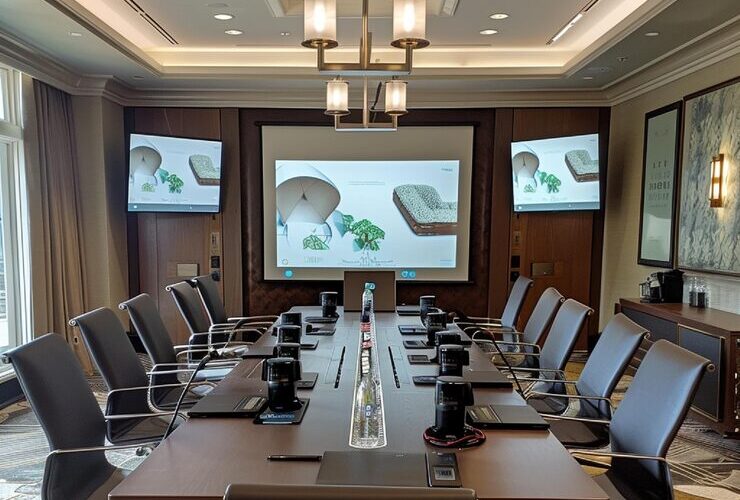
You can reuse conference room equipment after an office move once the hardware is owned or authorized to move, still supported, compatible with the planned meeting platform, and suited to the destination room. A working device is not automatically the right fit for a different space. The useful habit is to check those four conditions component by component before anyone disconnects anything, so retention is driven by evidence rather than by the fact that the gear already exists. Build these checks into your office IT relocation plan so the equipment decisions are settled before the move.

Can You Reuse Conference Room AV After an Office Move?

Check each component for ownership, support, compatibility and fit in the new room. Some items carry over with no issue, some need verification, and a few belong on a replacement list because the new room asks something the old setup cannot give. Framing the move this way avoids two costly mistakes: hauling dead weight into a new space and discarding hardware that still has years of service left. Make that decision for each piece of meeting room equipment rather than assuming the whole setup must stay or go.

Give each item one of four labels before removal.

  • Keep. Owned, supported, and a clear fit for the destination.
  • Verify. Likely reusable, pending a model, support, or room-fit check.
  • Replace. The destination or the platform rules it out.
  • Permission needed. Ownership, licensing, or landlord approval has to be confirmed first.

A short review against the planned layout is where most of these labels get settled. Use those decisions to plan the conference room AV setup in the new office before the old room is stripped.

Start With a Keep, Verify, Replace Inventory

Record the exact equipment and who owns it before any decision or removal. An inventory built from memory misses the details that decide reuse: the model number, the firmware, who holds the admin account, and how a device is mounted. Record its physical condition, connection interfaces and configuration owner alongside those details. Capture that first and the keep-or-replace calls move fast.

Keep sensitive identifiers out of any shared document. Serial numbers, license keys, and account logins belong in a controlled record, not a public move plan. The worksheet below shows the columns worth tracking, with illustrative rows rather than a specific room.

Component or recordOwnership and support evidenceDestination fit to checkDecisionNext owner
Camera or video barExact model, condition, firmware and current support statusCoverage, mounting, interfaces and planned platformKeep / Verify / Replace / Permission neededAV or IT assessor
Microphones and speakersExact models, condition and supported configurationSpeech pickup, playback coverage, room acoustics and connection compatibilityKeep / Verify / Replace / Permission neededAV assessor
Displays and mountsOwnership, model, condition and suitable mounting evidenceSightlines, physical fit and compatible mountsKeep / Verify / Replace / Permission neededFacilities or AV
Compute, console and controlModel, firmware or operating system, support and configuration ownershipPlanned platform, features, interfaces and device combinationKeep / Verify / Replace / Permission neededClient IT and AV
Accounts, licenses and configurationAuthorized owner and current termsTransfer, re-enrollment and access requirementsVerify / Permission neededContract or tenant administrator

Will Cameras, Microphones and Displays Fit the New Room?

The destination layout and the number of intended seats can change how well existing equipment performs, even if nothing is wrong with the hardware. A room that gains length, loses a wall of windows, or seats twelve instead of six changes the demand on every capture and playback device. Measure the new space against what each component can realistically cover before committing to a reuse plan.

Camera Coverage and Sightlines in the New Space

A camera framed for a small huddle room may miss the far seats of a longer table. A video bar that suited a tight space can underperform in a room that is longer or holds more people, so check the lens field of view against the new seating plan and confirm a clean sightline from the mount position to every chair. Furniture, columns, and glass partitions all affect framing, so confirm the view from the real mounting point rather than assuming the previous angle transfers.

Microphone Pickup and Room Acoustics

Speech pickup depends on the room as much as the microphone. A ceiling array tuned for a carpeted, soft-walled room can struggle in a space with bare glass, exposed concrete, or a higher ceiling. Count the seats outside the old pickup pattern and note any hard surfaces that add echo. Check speaker coverage across the intended seating area too. Assess these conditions before deciding to retain, reposition or replace the affected components.

Display Size and Mounting Points

A display sized for one room can read as too small from the back of a larger one, and the new wall may not offer the same mounting or power position. Check viewing distance from the farthest seat, the structural mounting point, the cable path feeding the screen and the approved electrical provision. Flag any need for new cabling or brackets early, since retrofitting AV into a finished conference room can add work and cost.

Which Devices Need Compatibility and Support Checks?

Verify the exact model and the planned platform rather than assuming a certification badge or a familiar connector guarantees every feature. Teams device certification covers defined hardware design and performance requirements and does not evaluate feature-level or cloud support, so a certified device can still lack a capability your team expects after the move. Confirm that the manufacturer still supports the specific model and the exact device and software combination you plan to run, checking the current certification and end-of-service listings for status.

For Teams Rooms on Android, certification expiry and platform support expiry are separate dates. Check both alongside the manufacturer’s support policy before deciding to replace a device solely because its certification has expired. Teams Rooms systems still running Windows 10 need an eligible Windows 11 upgrade or replacement to remain supported; continued operation alone does not justify a Keep decision.

For an all-in-one video bar, check the exact model, firmware and supported configuration against the destination requirements. For a modular system, record the separate camera, microphones, speakers, compute unit and touch console, then verify the combination you intend to reuse. A support or compatibility problem with one component needs its own decision; it does not establish that every display, microphone or mount must be replaced.

Two related checks are worth assigning before installation. If your office has several meeting rooms, check that the equipment you keep fits the AV standards used across those rooms. If the setup relies on existing in-wall network wiring, have that cabling tested before reusing it and scheduling commissioning.

Does Teams Certification Guarantee Every Feature After the Move?

No. Certification confirms a device met the platform’s hardware testing requirements, not that every current or future Teams feature works in your tenant and room. Confirm the specific features your meetings rely on against the exact model, supported software and licensing before labeling the equipment Keep.

Who Owns the Equipment, Licenses and Configuration?

Permission and control have to be established before any device is removed or re-enrolled. Separate the hardware into owned, leased, and landlord-owned categories, then identify who holds the configuration files, the control and admin accounts, and the license rights. A device you physically possess is not always a device you are cleared to take, and a license tied to the old site or a managed-services contract does not always travel with the box.

The physical side needs its own owner too. Identify who is authorized and qualified to disconnect, transport, reinstall, and commission each item. Large displays need protective handling and a booked freight route out of the old building and into the new one. If a Teams Room will use a new account or network, have IT prepare the account and network before installation. Coordinate removal with the building access and freight arrangements for the rest of the move.

What Must Be Tested After Reinstallation?

Reuse is complete only once the agreed room experience works in the new space, not once the devices power on. Run the test from the seats people will use in real meetings, and check the things a live call depends on. Include a remote participant so audio, camera framing and shared content can be checked at both ends. Document any gap so it becomes a punch-list item rather than a surprise in front of a client.

  • Meeting join works from the room console and from a calendar invite.
  • Remote participants can understand speech from the farthest and nearest seats, and people in those seats can hear remote participants clearly.
  • Screen sharing and in-room content control behave as expected.
  • Camera framing covers the full table from the mounted position.
  • Audio has no echo, clipping, or dead zones across the seating area.
  • Any exception is written down with the owner who will resolve it.

If a component fails its fit or support check and the room needs new hardware, allow for the cost of installing replacement equipment rather than forcing a marginal device into a space it no longer suits.

Keep the Decision Component by Component

The strongest moves reuse what fits and replace only what the new room or platform forces. Build the inventory, check each device against the new room’s requirements, confirm ownership and support, and test the experience from the seats people will use once everything is back in place. That discipline protects the investment already made without dragging unsuitable gear into a space it will underperform in, and it gives finance and facilities a clear, defensible record of every call. A short assessment of the new room early in the planning is usually what turns a long list of maybes into a confident keep or replace.

How to Compare Office Access Control Quotes for an NYC Office

Compare office access control quotes against the same door schedule, the same required functions, and the same split of installation responsibilities. A lower total can exclude cabling, door hardware work, programming, recurring software fees, or the closing handover records. Line those items up next to each other before you decide which proposal covers the scope you asked for.

Two bids can list the same number of doors and still describe very different amounts of work. One installer may assume your existing wiring and locks can be reused, while another prices a full assessment and new hardware. Before treating the gap as a price difference, confirm what each company agreed to deliver.

How Do You Compare Access Control Quotes Fairly?

Start every comparison from identical inputs. Before reading any prices, write down the fixed facts each bidder had to work from. Which doors are in scope, which entrances the building controls versus the ones your lease lets you touch, the hours work can happen, and what already exists on each opening. If one proposal was built on a looser version of that list, the totals are not describing the same project. Normalizing the door schedule first keeps the discussion about scope rather than headline numbers.

A simple worksheet does most of the work here. Use the same rows for both bids so missing items surface on their own.

Same requirement to compare Proposal A Proposal B Clarification needed Responsible party
Same doors and existing conditions Confirm scope Confirm scope Which reuse assumptions differ Buyer and bidder
Hardware and shared controller capacity Confirm included items Confirm included items Any needed components left out Installer
Door work, cabling, and power Identify inclusions Identify inclusions What is excluded or assigned elsewhere Relevant contractor
Programming and required interfaces Confirm agreed functions Confirm agreed functions Who configures and tests them IT or security and installer
Recurring fees and support Confirm actual term Confirm actual term What renews, scales, or changes Contract owner
Tests, training, and administrator ownership Confirm records Confirm records What is delivered and who controls it Client operations or IT

Replace the prompts in Proposal A and Proposal B with what each proposal actually states. Use the clarification column to record missing details or conflicting assumptions, then identify who needs to resolve each item before you sign.

What Is Included in an Access Control Quote

A complete access control proposal names the equipment, the installation labor, the outside dependencies, and the acceptance steps. A quote that stops at a hardware list and a lump of labor leaves important scope questions unanswered.

What Does Each Line Item Cover

Group what you are reading into a few buckets so nothing hides between categories. A thorough quote covers these areas.

  • Readers and controllers, with a note on how much spare capacity a shared control panel still has for the doors in this bid
  • Lock and door work, with the existing conditions and proposed hardware identified for each opening
  • Power and cable runs, including any work assigned to another trade
  • Programming, access groups, and any integration with your directory, video, or alarm system
  • Testing, commissioning, and staff training
  • As-built records and the administrator account handoff

If a line shows only labor with no description, ask what that labor delivers. Each quote should describe the commercial office access control installation included in the bid, with the same requirements applied to every proposal. For frameless entrances, compare how each bidder addresses the mounting and wiring limits of access control on glass office doors before assuming both proposals treat them alike.

Why Are Two Access Control Quotes So Different

An exclusion or an assumed reuse condition can explain a gap between quotes. Check those differences before deciding how much of the gap reflects price for equivalent work.

Same Doors, Different Assumptions

Picture two bids for the same eight interior doors. Proposal A assumes the existing card readers, wiring, and door hardware can be reused, so it prices mostly programming and a few replacement parts. Proposal B includes a site assessment, new readers, fresh cable pulls, and modifications to two doors that currently have no power. Both can be honest, but they have priced different assumptions. Ask each bidder to confirm which assumptions match the actual openings before comparing the totals. This example is hypothetical and carries no prices.

Signs a Quote Is Leaving Work Out

Watch for these gaps rather than treating the lower bid as a trick.

  • No line for cabling or power, which may mean it was assigned to your electrician or dropped
  • Reuse of existing hardware stated as a fact instead of a finding from a site visit
  • A single labor figure with no breakdown of what is being configured or tested
  • Software and credentials mentioned with no term length or renewal note
  • No acceptance test, training, or documentation at the end

Which Access Control Recurring Fees Continue After Installation

Compare the real software, credential, hosting, and support terms that apply to each proposal, not a generic monthly figure. Separate the installation total from any ongoing platform charges so both bids show the upfront commitment and the continuing costs.

A Short Access Control Recurring Fees Checklist

Ask each bidder to identify any monthly or annual platform fees, how those fees are calculated, and any charges for additional credentials. Platform pricing alone does not describe the installed scope. Get those charges in writing against your actual door and user count.

Monthly billing does not necessarily mean a month-to-month commitment. Compare the minimum contract term, automatic renewal, cancellation notice, and renewal-price provisions in the applicable order form and subscription terms.

  • Platform subscription and how it scales as you add doors or users
  • Credential costs, including any difference in charges for mobile credentials versus key cards
  • Hosting or cloud fees, if billed apart from the subscription
  • Support and monitoring terms, including any response commitment
  • Firmware and software update coverage

A platform support plan may exclude on-site visits. Have each proposal name who attends a door or wiring fault and what call-out charges apply.

How the System Model Shapes What You Pay

Confirm the hosting and licensing model in each proposal before comparing the totals. If one bid includes a cloud subscription and another includes software hosted by your organization, ask each bidder to identify the upfront charges, renewals, hosting responsibilities, updates, and backups included or assigned elsewhere.

For a quote comparison, the point is narrow. You do not need to choose a platform from a general comparison here. You need both proposals to make their costs and operational responsibilities explicit, so a difference in system model does not look like a discount on equivalent scope.

Who Owns the Accounts and Handover Records

The proposal should name who controls the administrator account, who holds the configuration records, and what the operational handoff includes. Confirm these responsibilities before approval.

What the Handover Should Include

Ask each bidder to identify who holds the platform’s owner role and which administrator permissions your organization receives. An administrator login may not include ownership-transfer rights. Then ask for the deliverables that let your team run the system without a support call for every change.

  • Administrator account control, with the ability to add or remove users yourselves
  • Access-group and door-configuration records in a readable format
  • Test results from commissioning
  • Training for the people who will manage day-to-day access
  • Support terms, and what happens if you move to another provider later

You do not need anyone to publish security-sensitive settings to answer these. You need to know the records exist and that they reach you at handover.

Which Access Control Quote Exclusions Need an Answer Before You Sign

Resolve the unpriced work, the split responsibilities, and the change-order rules before approval. An exclusion needs a named responsible party and a clear explanation of any cost outside the proposal.

Settle these items while you still have two bidders competing for the work: door, power, and cabling tasks assigned to another trade; building access assumptions like freight elevator windows, after-hours labor, and the certificate of insurance each building requires; any interface to video or alarm systems; who runs the acceptance test; and how change orders are priced if a door needs more work than expected. Confirm if the office access-control cabling work belongs to the access vendor or to your structured cabling contractor. For a larger office build, compare each proposal against the responsibilities and construction schedule established during access control planning.

Then apply one decision rule. Pick the proposal that covers the required scope at a fair price, not the lowest number on the page. A quote is only cheaper once it is priced for the same doors, the same responsibilities, and the same handover as the one beside it. If the whole gap is exclusions, the cheaper bid is not cheaper. It is smaller.

Choosing Access Control for Glass Office Doors

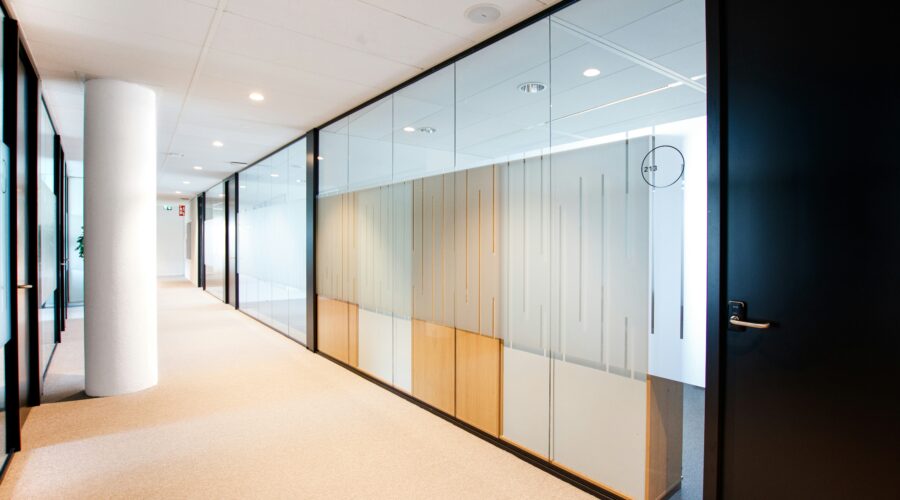
Access control for glass office doors can be possible, but the opening has to be assessed before any hardware gets chosen. A frameless entrance behaves differently from a framed one, and details like the header material, the existing fittings, available mounting space and a safe cable route all shape what will work. No single lock arrangement fits every glass door, so the honest answer to “can we add a reader to this door” usually starts with a look at the door itself.

This guide walks through what a corporate tenant, office manager or fit-out lead should document before talking to an installer, and why those details matter. It covers framed versus frameless openings, where a lock and its wiring can realistically go, what existing hardware might be reused, and who signs off on the work in a NYC building.

Can You Add Access Control to a Glass Office Door

Yes, a glass office door can take access control, but feasibility rests on the opening and a qualified assessment rather than on the credential you have in mind. A card reader or a mobile credential is only the user-facing part. What decides the project is how the lock mounts to glass, how power and signal reach it, and how the door is expected to behave for people leaving the space.

It helps to separate two things early. Securing entry controls who gets in. Controlling how people exit is a different question tied to life safety, and it changes the hardware conversation. Before a recommendation makes sense, an installer needs the door type, the frame or header, the current fittings and a workable cable path. A specialist handling access control installation for corporate offices can use these inputs to assess feasibility before recommending hardware.

Framed and Frameless Glass Door Access Control Explained

The mounting space you have, and the hardware you can reuse, differ sharply between a framed and a frameless opening. A framed glass door may provide a metal rail or frame for compatible locking hardware, subject to the opening assessment. A frameless or full-glass door gives far less to attach to, so it often relies on patch fittings, the metal clamps fixed to the glass edges, or on purpose-made glass mounting brackets.

Double doors add another layer. Two leaves, or moving door panels, mean you have to confirm which one is normally used for entry, how the pair meets in the middle and whether both need to be secured. For double glass doors, the assessment records the operating pattern of each leaf, not only the lock. A pair that looks symmetrical can still need different hardware on each side.

Door conditionWhat to recordWhy it affects the assessment
Framed or framelessDoor and header or frame constructionMounting space and the hardware interfaces available
Single or double leavesWhich leaf opens, swing direction and how the opening operatesOperating pattern and coordination needs
Existing lock and fittingsModels if known, photos, cutouts and conditionCompatibility and reuse evidence
Header and cable routeGlass or solid header, nearby accessible pathwaysMounting and wiring feasibility
Ownership and permissionTenant versus landlord-controlled openingWho can approve alterations and access work

What If the Door and the Header Are Both Glass

If the header above the door is also glass, a solid mounting surface that installers often rely on for a magnetic lock, or maglock, is absent. That does not rule out access control, but it narrows the options and usually calls for specific glass mounting components and a close look at where power can run. An all-glass opening is a clear case for a site assessment rather than a hardware guess.

Glass Door Lock Mounting Options and Cable Routes

Mounting options depend on the hardware selected and the real construction of the door and header. Neither can be settled from a photo alone, but a few patterns are common enough to explain up front.

Where the Lock Can Mount

On framed doors, the assessment checks where the frame or rail can accommodate compatible locking hardware. On frameless glass, mounting components must suit the specific lock and opening. Manufacturer documentation confirms that dedicated glass brackets and adhesive kits are available for particular magnetic locks, without meaning every lock suits every glass door. A qualified assessment confirms what the specific opening can carry.

The installer also needs to measure the usable flat mounting space and check the door swing against the selected hardware’s mounting requirements. A frame being present does not, by itself, establish that a lock will fit.

How the Wiring Reaches the Door

Lock and reader wiring needs a planned route; available concealment depends on the frame, header and adjacent construction. On a fit-out, the cable route is a coordination item, not a field improvisation, so it gets planned alongside other low-voltage runs. If the project is part of a buildout, planning the reader and lock cabling alongside other office fit-out cabling helps establish where wiring can be concealed and where surface-mounted containment may be needed.

Can You Reuse Glass Door Hardware for Access Control

Existing fittings and cutouts are useful evidence, not automatic proof that the door is ready. A glass door that already carries a lock, a closer or factory cutouts may save time, or it may have been prepared for hardware that does not match an access control plan. The point of recording what is there is to let a specialist judge reuse, not to assume it.

A few things are worth photographing before anyone quotes the job.

  • The existing lock and its model, if the number is visible
  • The door closer and whether it still operates cleanly
  • Patch fittings at the top and bottom edges and their condition
  • Any factory cutouts or prepared holes in the glass
  • Both sides of the door and any available documentation

One fact shapes most reuse decisions. Tempered glass cannot be drilled on site. New holes have to be made before the glass is tempered, so hardware that requires different holes or cutouts may mean a replacement panel. A qualified glazier and installer need to assess which fittings and preparations can stay before the opening is reworked.

Who Approves Glass Office Door Access Control in NYC

Approval comes down to three things. Your authority as a tenant over that specific door, the landlord or building rules that govern alterations, and the egress requirements that apply to the opening. A door inside your suite follows a different approval path from a shared lobby or an elevator-controlled entrance, which the building usually controls.

Glass entrance work tends to pull in several trades. A door or glazing specialist, a security installer and a licensed electrician may each have a role, and their responsibilities should be clear before hardware is ordered. Fire code and egress rules also apply to how a controlled door releases in an emergency, so those rules get checked against the actual opening rather than assumed. The 2022 NYC Construction Codes and the FDNY Fire Code set the official reference points, and a qualified project party confirms how they apply to a given door. Teams running a larger buildout often fold this into access control planning for a new office so approvals and ownership are settled early.

The assessment also needs to establish how people can exit during normal use and how the proposed hardware responds to power loss or fire-system activation. Those requirements depend on the locking arrangement; fitting a reader does not settle them.

Building permission does not replace any required city permits or filings. Qualified project parties should check the electrical scope under the current NYC Electrical Code, including applicable low-voltage exemptions and worker-qualification rules. Connections to fire alarms or other life-safety systems require particular attention to those rules.

What Photos and Details Help a Glass Office Entrance Access Control Assessment

Clear photos and a few condition notes reduce guesswork before anyone recommends hardware. The goal is to show the opening as it really is, from both sides, so an installer can make a preliminary assessment of mounting, wiring and reuse. A site visit may still be needed, but good photos can help focus that visit and the recommendation.

Take photos only where you have permission and can do so safely. These items help an installer most.

  • The full door and the header above it, from inside and outside
  • Close-ups of existing locks, closers and patch fittings
  • The door type, framed or frameless, single or double leaf, and its swing direction
  • The likely wiring access near the opening, such as a nearby ceiling or wall
  • Any building rules or landlord contacts you already know

Keep sensitive information out of what you send. Door photos and construction details are enough. There is no need to share credentials, access schedules or personal data to get a useful first read.

Does Choosing Mobile Credentials Fix the Mounting Problem

Switching to a phone-based credential changes how people unlock the door, not how the lock fastens to glass. The lock, its mounting and the cable route still have to be solved. Choosing between mobile credentials and key cards does not replace the opening assessment.

Getting the Assessment Right Before You Buy Hardware

A glass entrance may accommodate access control, but the path runs through the opening, not around it. Document the door type, the header, the fittings and the likely cable route, gather clear photos from both sides, and confirm who controls the door before you ask for hardware. With those details in hand, an installer can recommend something that fits the opening instead of a generic setup, and you can compare office access control quotes on equal terms once the scope is clear.

Office WiFi Installation Costs in NYC

Most people reach this question with a quote already in hand and no clear way to tell if the number is fair. The cost of office WiFi installation in NYC reflects the work packed into the quote, not a fixed rate every office pays. The figure covers access points, the cabling that feeds them, mounting, configuration, testing, and the management arrangement you settle on afterward. Two totals only mean something side by side once they describe the same installed scope.

This guide walks through what belongs in a wireless quote, which costs happen once, which ones repeat, and the handful of questions worth resolving before you sign.

How Much Does Office WiFi Installation Cost in a NYC Office

There is no single citywide number, because the price tracks how many access points a space needs, the state of its cabling, and how much building coordination the install involves. A small suite with clean existing cable runs can cost less than a full floor that needs new pathways and after hours access. That spread alone does not establish that someone is overcharging.

A standalone wireless installation and a broader office network build are different scopes. A quote that includes a firewall, switching, and wired connections for desks cannot be treated as the price of WiFi installation alone. Compare the included work before comparing totals. The hands-on side of corporate WiFi installation in NYC runs from access point placement to handover.

What Should an Office WiFi Installation Quote Include

A quote you can compare separates equipment, installation, and configuration from anything optional or excluded. If those lines are blended into one lump sum, you cannot tell what you are paying for or what a cheaper rival left out. Equipment is the obvious part, yet access point installation is only one line among several, and the lines around it decide the total.

Budget itemOne time or recurringWhat to confirm
Assessment and designOne time or excludedWhether a survey is included, what it delivers, and whether the equipment count is provisional
Access points and mountingOne timeExact models, quantities, mount type, and who supplies the hardware
Cable connectionsOne time or excludedExisting tested links versus new runs, and which inclusions are priced
Installation and building accessOne timeMounting labor, approved pathways, access equipment, work windows, and any out-of-hours charges
Configuration and commissioningOne timePolicy setup, validation testing, records, and handover
Management and licensingPlan dependentSelf hosted or hosted controller, included license term, and renewal charges
SupportContract dependentWhat service is covered, renewal terms, and who is responsible
Taxes, assumptions, and exclusionsQuote dependentWhether taxes are included, which site conditions the price assumes, and what work would require a change order

Two of those lines deserve extra attention before you weigh totals. The assessment line should identify the included WiFi survey and design work and state how its findings affect the quoted access point count. The cable line is where quotes drift apart most, and detailed structured cabling costs per drop should be itemized rather than hidden inside the wireless total.

Is Office WiFi Priced Per Access Point or Per Project

Both models exist. Some installers quote a flat project price after a walkthrough, while others price per access point plus cabling and labor. Neither is automatically cheaper. A fixed project price is easier to budget against; a per unit price makes individual charges easier to inspect, although adding a room later may also require new cable work or other equipment. Ask which method an office WiFi installation quote uses so you compare like with like.

Does the Quoted Price Include a Site Survey

Not always. Confirm what assessment supports the proposed equipment count, what is included in its fee, and if the quote can change after that assessment. If a survey is bundled in, ask what work and deliverables it covers. A sales walkthrough and a documented wireless assessment should not be treated as interchangeable quote inclusions.

Why Two Office WiFi Quotes Can Look So Different

A wide gap can mean the quotes describe different projects. One may assume clean, reusable cabling and straightforward mounting access; another may price new runs, restricted access, and after hours labor for an occupied suite. Compare those assumptions before treating the difference as a price premium.

  • An existing tested-cable deployment may need access points, mounting, configuration, and validation without new cable runs. Confirm that the reusable connections reach the planned access point locations. If new runs are needed during a fit-out, open-ceiling access allows them to be coordinated with technology work in a new office fit-out. The quote should distinguish reused connections from new work.
  • A finished, occupied floor needing new cable work has a different scope. Closed ceilings, access equipment, dust control, and after-hours labor may all affect the quote. For cabling work in a Manhattan office, freight elevator scheduling, landlord insurance requirements, and restricted work windows may also affect pricing. Confirm which conditions actually apply and which charges are included.

Do Business WiFi Systems Have Ongoing Fees

Some do and some do not, and the answer comes down to the management model behind the access points, not the WiFi signal itself.

Most business systems fall into a few arrangements. License-free self-hosted management software is one option, but the customer remains responsible for its hosting, maintenance, and uptime. A zero software license fee does not mean zero management cost. Other platforms use paid licensing arrangements; renewal requirements and the consequences of expiration depend on the licensing model. Ask for the exact model and term in the quote. A third path is paying a provider for hosted management or a support contract, which adds a recurring line to the installation budget.

The wireless standard you pick also moves hardware cost, so the choice between WiFi 7 and WiFi 6E for an office affects the equipment budget.

Management modelLicense or feeRecurring cost to expect
License-free self hosted controllerNo platform license for the selected softwareHosting, maintenance, and any purchased support
Hosted or cloud managementHosting fee, platform license, or subscription under the selected planActual billing term and renewal charges; confirm what is bundled
Provider support contractNegotiatedMonthly or annual by agreement; confirm if hosting or licensing is included

Does Every Office WiFi System Need a Subscription

No. A system using license-free self-managed software does not automatically need a platform subscription. Hosting and maintenance still need an owner. Paid hosting, platform licensing, and provider support are separate choices that may overlap in a bundled contract, so ask which recurring charges are included in your WiFi quote.

How to Compare Five Years of WiFi Costs

To compare fairly, hold both quotes to the same time horizon and the same scope, then add the one time charges to the recurring ones without letting a bundled price hide either.

Five year total = agreed one time charges + recurring charges covering sixty months + explicit hardware replacement allowance.

Fill that in for each quote using real contract terms rather than monthly estimates. Use annual or prepaid term charges as billed, and do not add a license or support charge again if it is already included in the initial price.

Use the worksheet below to compare two quotes using the installation charges, contract terms, and exclusions each provider supplies.

Five-year comparisonQuote AQuote B
Defined one time installation chargesConfirm in quoteConfirm in quote
Licensing and hosting across five yearsConfirm term, included period, and renewalsConfirm term, included period, and renewals
Support across five yearsConfirm included service and renewalsConfirm included service and renewals
Planned hardware replacementState allowance or exclusionState allowance or exclusion
Taxes and price-change assumptionsRecord treatmentRecord treatment
Total for the same agreed scopeComplete after resolving exclusionsComplete after resolving exclusions

Record any renewal prices that are unknown rather than treating them as zero. State if charges are assumed to stay flat, and if a hardware refresh is included or left out. A quote that looks cheaper on day one can lose that lead once licensing and support are counted. The goal is a like for like total based on visible assumptions.

Questions to Settle Before You Approve the WiFi Quote

Before signing, pin down inclusions, the evidence you receive at handover, and who owns the system afterward.

  • Who supplies the access points and mounts, and are the models named?
  • Does the price include cabling, or is new cable work billed separately?
  • Is a survey and design step part of this quote or an add on?
  • What testing and documentation do you get at handover?
  • Who holds the controller and admin access after the install?
  • What support is included, and what does renewal cost?
  • How are change orders priced if the access point count shifts?

A fair rule of thumb is to approve the quote that shows its work, not the one with the lowest headline. If a proposal folds in a new switch or a firewall, ask for the wider office network installation to appear as its own line on the same invoice. Once scope, acceptance evidence, ownership, and ongoing charges are clear across both bids, you have a defensible basis for comparing the price.

Why External Meetings Do Not Appear on a Teams Room Console

If a meeting from an outside organizer is missing from a Teams Room, start by figuring out which part is actually gone. Three situations look similar on the console but point to different faults. The whole room calendar may be empty, only that one external event may be absent, or the event may sit on the screen with no Join button at all. Confirm the invite destination and the meeting platform first, before anyone touches a device or a tenant setting.

That early check saves real time. An office manager staring at a blank panel five minutes before a call needs a fast read on what to report, not a rebuild. The sections below move from safe things anyone can observe toward verification only an administrator should run.

Which Part of the Meeting Is Missing

Look at the visible symptom rather than guessing the cause. A room with no calendar is a different problem from a room showing an event that refuses to open, and each one has a different owner. The table below sorts the four common patterns, who should investigate, and the evidence worth collecting before escalating.

Visible symptomFirst observationWho investigatesEvidence to collect
No room calendar at allAre any scheduled events showing?Tenant or account administrator first, device support if neededRoom identity, sign-in state, device and app details
Only the external event is missingWas the correct room invited and did it accept?Mail or calendar administratorSanitized invite, delivery and acceptance state, affected time
Event is visible with no Join buttonIs the organizer on Teams or another platform?Tenant or mail-security owner with device supportPlatform, invitation details, supported room mode
Meeting joins but sound or video failsThe event and the joining path already workedAV or network supportExact media symptom, affected endpoints

The table assigns an investigation path, not a guaranteed root cause. A no-Join failure is not always a configuration issue, and the room device is not automatically innocent. The last row falls outside this narrow diagnosis, since the invite and join link clearly functioned. If calls connect but media drops across several rooms, report that pattern to AV or network support, including the team responsible for corporate network configuration when network investigation is needed.

An External Meeting Is Missing From the Room Calendar

Confirm the invite was received and accepted before treating anything as hardware failure. Work through the safe observations first, then hand the account-level checks to someone with mailbox access.

Anyone in the room can check the following.

  1. Confirm the meeting was sent to the room’s own resource address, rather than only to a personal mailbox.
  2. Check if other events, including internal meetings, appear on the same console today.
  3. Record how the room was invited, directly by the organizer or through a forwarded invitation, and collect any acceptance or rejection response available.

Administrator verification: Check message delivery and the acceptance status of the resource mailbox, and confirm that the resource account processed the request. For an externally organized meeting, review the mailbox’s external-invitation processing. A forwarded invitation can book a room when the applicable configuration allows it; forwarding alone does not establish that the room received and accepted the request.

If no scheduled meetings appear, rather than just one external event, the administrator should investigate the room account’s Exchange sign-in and calendar access. That is a broader account symptom, not evidence that this particular organizer’s invitation is faulty.

Why Is an External Meeting Visible Without a Join Button

A visible event and a usable join link are two separate conditions. The room can read the subject line, time, and organizer while still failing to surface a working Join control, and the reason depends heavily on who organized the call and on what platform.

An External Teams Meeting Has No Join Button

An externally organized Teams meeting relies on a different join mechanism than a third-party invite, so treat it on its own terms. Teams Rooms use hidden properties in a Teams invitation to identify the meeting link. If the event shows but the button does not, the administrator should review the invitation information, room mailbox processing and supported room mode against the current product documentation.

If internal Teams meetings also lack Join buttons, include that in the escalation. Visible calendar events with unavailable Join controls can indicate a Teams sign-in problem.

Avoid the reflex to switch off security controls across the tenant. Globally disabling Safe Links, multi-factor authentication, or Conditional Access to chase one missing button creates a far larger problem than the one being solved. If sign-in is failing, the identity administrator should check for policies requiring interactive MFA. Teams Rooms resource accounts do not support interactive MFA prompts and need authentication policies suited to shared room devices.

A Zoom Invite Has No Join Button

For a supported third-party meeting such as Zoom, the room needs readable joining information in the invitation body. The administrator should check that the body was retained, the relevant joining mode is enabled and supported, and link rewriting has not made the meeting URL unrecognizable. The published guidance says Defender Safe Links needs no additional setup, while third-party URL-rewriting products can interfere.

The fix stays scoped and goes to the authorized administrator, not to a blanket exception. Compatibility depends on the room version and tenant policy.

Can You Join Another Way While IT Investigates

Sometimes a second path exists on the actual device, though it is never a universal fix. Confirm the device model, Windows or Android operating system, app version and meeting platform before suggesting a workaround. A meeting-ID entry path or a manual room-add that works in one room may not be available in another.

On supported Windows room systems, alternatives for meetings missing from the console or lacking a Join button include joining with a meeting ID or adding the room from a personal device. Use the option supported by the actual room and meeting platform rather than assuming every alternative applies. If SIP joining is enabled, have IT verify that the third-party meeting supports it before using meeting-ID entry; that route does not automatically fall back to browser-based guest joining.

When adding the room from a laptop already in the meeting, turn off the laptop’s meeting audio before accepting the call on the room console to avoid echo.

If none of the supported options apply, a nearby laptop joining normally keeps the meeting moving while the real fault is logged.

What to Send the Room Support Owner

A useful ticket describes the symptom, the affected room and device, and an example invite, all without exposing private meeting details publicly. The faster the owner can see the exact pattern, the less chance the issue lands on the wrong desk. Copy the checklist below into the report.

  • Device model, OS, and app version if visible on the console
  • Meeting platform (Teams, Zoom, or other) and whether the organizer is external
  • Whether internal meetings appear and join normally on the same room
  • Invite and acceptance evidence, including how the room was invited, with a sanitized screenshot of the console
  • The meeting’s time and time zone, and the room’s resource address

Route it by symptom. A calendar or acceptance problem belongs with the mail and tenant owner. If the evidence points to an incomplete device setup or a media fault, involve the team responsible for commissioning the room’s AV system. Offices running several meeting rooms may also need agreed meeting room support responsibilities so the same ticket does not bounce between teams.

If the investigation identifies an incomplete installation handoff, review the account and IT requirements for Teams Rooms with the responsible administrator before the next install. For the affected room, keep the ticket focused on the observed symptom, invitation evidence and owner of the next check.

What Your IT Team Must Prepare Before a Teams Rooms Installation

Before a Teams Rooms installation, your IT team needs five things settled and documented. Those are a room resource account, the right license, approved network access, a named device-management owner, and agreed commissioning access for the installer. Your IT team and AV installer should agree which tasks each will perform under the contract, including any authorized Microsoft 365 provisioning. Teams Rooms deployment prerequisites need named owners and evidence of completion before install day.

Physical installation alone does not make the room ready to join a meeting. The account, license, network access, and management arrangements must also be ready for commissioning. Treat readiness as a shared handoff, with each party confirming its dependencies before equipment arrives.

What Does IT Need to Prepare Before a Teams Rooms Installation

Teams Rooms IT readiness comes down to a short set of items confirmed before equipment arrives. Use this as a go or hold card.

  • Room resource account created and reachable
  • License assigned that matches the selected device and room type
  • Network access approved for the room’s connection and required services
  • Device-management owner named, with an enrollment approach agreed
  • Installer access scheduled, including site entry and an available admin contact

Exact requirements shift with the device model, operating system, tenant configuration, and the features in your contract, so treat the list as the frame and check specifics against Microsoft’s current documentation and your own purchase. Confirm evidence for all five before proceeding with the agreed commissioning checks. Record any missing prerequisite as a hold on the work that depends on it.

Who Owns Each Teams Rooms Deployment Prerequisite

Every prerequisite should sit with the party that has the authority to complete it. Tenant administration, physical installation, and building access may have different owners, so name the responsible contact for each before commissioning.

OwnerPrerequisite they holdInstaller inputEvidence before commissioning
Client IT or authorized MSP with tenant authorityRoom resource accountRequired device identity detailsApproved room account available for commissioning
Client IT or contracted supplierLicenseFeatures and room type neededCorrect license active on the room account
Client network or security ownerNetwork approvalDevice and connection requirementsApproved connection and service access
Named device-management administratorDevice managementEnrollment and commissioning informationManagement approach and owner agreed
Office or facilities lead with an IT contactSite and commissioning accessInstall slot and physical prerequisitesSite access arranged and admin available
Client IT and AV project leadsHandoverAgreed meeting and device checksResults, exceptions, and next owner recorded

These owner roles are a worksheet to fill in for your project, not a fixed contract split. Keep passwords and shared admin credentials out of any shared sheet.

Agree which physical installation and configuration tasks are included in the conference room AV installation scope, then identify the client approvals and tenant access those tasks depend on. For a rollout across several rooms, lean on your existing AV standards so each space is built to the same baseline instead of being negotiated room by room.

Getting Room Accounts and Licenses Ready Before Sign-In

The account and license are tenant tasks, and both need to be verified before the device tries to sign in. Confirm who will create the account, assign its license, and provide authorized access during commissioning. Do not assume those tasks are included in the installer’s scope.

Who Creates the Teams Rooms Resource Account

Your IT or MSP lead with tenant authority creates the resource account, unless another authorized provider is assigned that task under the contract. It is a dedicated mailbox-backed account the room signs into, not a staff member’s identity. Each physical meeting room needs its own resource account. Before commissioning, confirm that the approved account is available and agree who will complete sign-in. The authorized administrator should verify the applicable mailbox and calendar setup against Microsoft’s current guidance for the selected system. If the room mailbox is hosted on premises, calendar access requires a supported Exchange hybrid configuration.

Which License Must Be Assigned Before Installation

The license goes to the room account, assigned by your IT team or the supplier named in your contract. A Teams Rooms license is required; an ordinary Teams user license is not a substitute. Match the room license to the device and the features you bought. For the installer, the evidence is a plain confirmation that the correct license is active on the room account for the agreed system. Plan names and pricing change often, so check Microsoft’s current licensing against your own agreement rather than an old quote.

What Network Access Does the Room Device Need

Your network or security owner approves the connection and the service access the room device needs. This is a sign-off, not a request to hand the installer your firewall. Confirm the supported connection for the selected system, authentication that fits your environment, and reachability to the Microsoft services the platform depends on.

  • Approved connection at the room’s intended location
  • Authentication, certificate, or proxy handling that matches your network
  • Reachability to the required meeting, identity, device-management, and update services for the chosen platform
  • Clear ownership of device-management enrollment

If your network uses a proxy, the network owner must confirm a supported configuration before commissioning. Teams Rooms does not support proxy authentication.

Complete the network preparation before commissioning is booked, so the device is not left waiting on a port or a policy change on the day. Avoid copying a generic firewall port list into the plan, because the real Teams Rooms network prerequisites follow your tenant and the specific system.

Why the Device Platform Changes the Requirements

Confirm which platform your selected device uses before locking the network and management plan. Windows and Android systems can have different management, enrollment, and network requirements, so the responsible administrators should verify the dependencies for the actual model being installed.

Have the tenant/security administrator review the Conditional Access and device-compliance policies that will apply to the room account and device. User-interactive MFA and registration prompts are not supported for room resource accounts and can block sign-in, so the administrator must approve a supported security configuration before commissioning.

What Should You Confirm With the AV Installer

The physical handoff and the tenant configuration have to meet at a scheduled commissioning check, with both sides bringing their part. Agree in advance who resolves a missing dependency, so a dead network port or an absent admin does not stall the room. Record the installer’s responsibilities alongside client IT tasks so both parties know what must be ready for the visit.

  • Connection points and mounting locations confirmed against the room layout
  • Building and site access arranged, including freight elevator, loading dock, and any certificate of insurance the building requires
  • An authorized administrator available during commissioning for agreed sign-in and policy tasks
  • A named owner for any physical gap found on the day

In an NYC fit-out, this is the point where tenant IT authority, the building, and the general contractor stay separate but coordinated. Confirm switch-port availability, approved cabling endpoints, and work windows early, including any advance arrangements required for after-hours access and freight scheduling. For a new office still under construction, fold the room into the wider technology coordination for the new office so pathways and endpoints are ready rather than retrofitted. If responsibility for a missing run is unclear, confirm who owns the conference room network cabling under the agreed scope.

What Proves the Room Is Ready for Handover

A ready room meets the agreed account, meeting, and management checks. Powering on alone does not demonstrate that those checks have passed.

  • The room account is available and signs in
  • The calendar behaves as expected and shows test bookings with the expected meeting join controls
  • A representative test meeting connects with working audio and video
  • Agreed screen-sharing and peripheral tests pass
  • Agreed management enrollment and visibility checks are complete
  • Results, exceptions, and a named support owner are recorded

Run this with the installer present, so exceptions get logged against an owner rather than found after the team leaves. If the room joins internal meetings but external invitations do not appear, record the failed acceptance check and assign an owner to investigate why external meetings are missing from the room. Keep the diagnostic work separate from the readiness worksheet.

Arriving at Install Day Without Surprises

Proceed with commissioning when each prerequisite has a named owner and the agreed evidence is available. If a prerequisite is missing, record the gap, who will resolve it, and when readiness will be checked again. Agree which installation activities can still proceed and which must wait.

Complete handover when the agreed acceptance checks pass and any remaining exceptions have a recorded next owner. That gives your IT team, office lead, and installer a shared decision about what is ready and what still needs attention.

Corporate WiFi Installation in NYC, Scope, Testing, and Handover Explained

Corporate WiFi installation covers the full run of work that brings a wireless network to life inside your NYC office, from mounting and connecting access points to applying agreed settings, checking coverage, and handing the finished network to your IT team. The detail that decides how smooth the project feels is scope. A well written project says who supplies the access points and cabling, who signs off on network settings, how coverage gets measured, and what documentation your team holds afterward.

If your IT manager or MSP already has an agreed wireless design, the installation scope should identify the work needed to put it into service. If design, cabling or network changes are still outstanding, those responsibilities need agreeing before installation begins. Your quote should distinguish the installer’s deliverables from the work your IT provider and building management will handle.

What Does Corporate WiFi Installation Include in an Office?

A commercial WiFi installation scope should specify access point mounting and connection, network configuration including employee and guest access where contracted, validation, and handover. Equipment supply, brand new cabling, the survey or design pass, and ongoing support can be bundled or kept separate, so it pays to confirm which items your contract actually names.

An access point is the device that connects wireless devices to your office network. Together, the access points provide the wireless local area network, or WLAN.

The following table sets out the deliverables to agree in your installation scope. Inclusion depends on the contract.

Installation itemInstaller deliverable if includedClient or MSP inputAcceptance evidence
Access point mounting and connectionMount, label and connect the agreed equipmentApproved locations and suitable wired connectionsDevice/location list and connection checks
Network configurationApply the approved WLAN configurationAuthorized policy, network access and named ownerRecorded settings and relevant access tests
ValidationRun the agreed post-install checksBusiness use cases and occupied areasResults, exceptions and agreed follow-up
HandoverTransfer agreed documentation and management accessNamed administrator and secure transfer methodAcknowledged ownership and support boundary

An office WiFi installation leans on good groundwork, so treat the broader setup as its own line. Wider LAN and firewall work belongs with corporate network design and installation, and the layout of coverage should trace back to a wireless site survey and design pass rather than guesswork on site.

Who Handles the Cabling and Network Configuration

The installer can work alongside your existing IT team or MSP, with an agreed division of responsibilities. The installer mounts and connects the hardware and applies approved settings where contracted. Your IT team or MSP approves policy and security decisions, while building management confirms access, work windows, and permitted pathways.

Before work begins, agree the inputs each party will provide.

  • Your IT team or MSP supplies the approved settings, authorized network access, and a named person to approve configuration changes.
  • The installer confirms the contracted mounting, connection, configuration, testing, and documentation work.
  • The cabling contractor confirms which wired connections will be available and who handles any new runs.
  • Your site contact and building management confirm ceiling access, cable pathways, and any permissions needed outside the tenant suite or in shared building areas.

The cable connection that feeds an access point is physical work, while LAN and firewall changes are network decisions that your IT owner approves. For access points powered by the network switch through Power over Ethernet, or PoE, confirm how much power your switches can deliver across those access points and that each port supports the power standard required by its access point before you order hardware. Depending on the model, a compatible power injector or separate power adapter may be used instead of switch-supplied power. The runs themselves form part of the structured cabling that feeds each access point.

Once the agreed design, building access and wired connections are ready, installation moves from mounting, labeling and connecting the access points to applying approved settings, running the agreed checks, and handing over records and management access.

How Does Office WiFi Installation Change for Your Space

The condition of your office changes almost every practical detail, from access and scheduling to how much cable work the job needs. An occupied suite and an unfinished fit out produce two different installations even for the same floor area.

An Occupied Office With Work Windows

In a live office, confirm the building’s approved work hours and any requirements for a certificate of insurance or freight elevator booking. Access points often mount into an existing ceiling, so the real variables are cable availability, a named site contact who can open secured rooms, and agreement on which areas stay off limits during business hours. Evening or weekend work keeps disruption down but needs confirming with building management first.

A New Build Before Finishes Go In

An open ceiling is the easier moment to run cable and set clean access point positions, which is why coverage planning should happen early. Scheduling low voltage work into the build keeps pathways open before walls close. Teams that map out access point placement before the fit out locks in to avoid the costly rework of fishing cable through finished drywall later.

How Is Business WiFi Tested Before Handover

Acceptance should compare real checks against the requirements your office agreed, not rest on a single speed test at the router. A quick download reading says little about coverage in a packed conference room or roaming between floors. A useful validation names the areas and devices that matter, then records what was found.

  • Coverage across occupied areas, including corners and rooms away from the nearest access point
  • Expected device load for the people and equipment in each space, including all-hands occupancy and video-meeting use where relevant
  • Roaming behavior if staff move between access points during calls
  • Guest and staff network separation if that was part of the brief

Use representative office devices for the agreed checks. A survey device with a stronger antenna or more sensitive receiver may show coverage that your staff’s equipment cannot achieve.

Ask for the results in writing, with any exceptions and the agreed follow-up noted. The acceptance record should show which agreed requirements were met and which items still need follow-up before sign-off.

What Your IT Team Should Receive at Handover

A clean handover identifies what was installed, who holds management access, and who handles ongoing administration. Agree the documentation and access transfer in the installation contract rather than assuming they are included. A workable handover package usually includes the following.

  • A list of installed access points with their labels and locations
  • Management access delivered through a secure method, never in plain text
  • The relevant configuration records for your network
  • A short list of support boundaries and any unresolved exceptions

The agreed management setup may be local, self hosted or vendor hosted. For installation and handover, the relevant questions are who owns the management account, who receives administrator access, and who handles updates, backups and ongoing support. Record those responsibilities before configuration; ongoing management should be named separately if it is part of the contract.

Confirm the named administrator on your side and the method for transferring access before the final day, so nothing stalls on a missing login.

What Affects the Cost of Office WiFi Installation

A quote tracks the actual work, the number and type of access points, the cable connections needed, building access conditions, the configuration scope, and the testing involved. A small suite with existing cabling and a dozen devices looks nothing like a multi floor office that needs new runs and guest segmentation.

For a side-by-side look at installed budgets and recurring charges, compare office WiFi installation costs by scope so you can plan the full picture rather than a single number.

Request a Corporate WiFi Installation Quote

A strong enquiry gives an installer enough to scope the job without a dozen follow-up emails. The inputs that move things fastest are your office location, a floor plan, your occupancy and use requirements, a note on existing infrastructure, and a target date.

Once you have those together, you can send over your floor plan and requirements to request a corporate WiFi installation quote from NYC IT Tech. The quote should identify the installation work, required inputs from other parties, agreed checks, and handover deliverables for your office.